
Creating a WordPress landing pages can feel tricky, but it’s one of the best ways to grow your business online. A landing page is a special page that encourages visitors to take a specific action, like signing up for a newsletter, buying a product, or joining an affiliate program. If done right, it can increase leads, sales, and even engagement on your website.
Whether you are running a WooCommerce Site, managing a blog, or building an Affiliate Blog, a properly designed landing page is essential. In this article, we’ll share 5 powerful tips to design WordPress landing pages, show examples, and guide you through building pages that work. We’ll also cover WordPress SEO without SEO Plugins, improving readability, and even block IP addresses in WordPress for security.
Table of Contents
A WordPress landing page is designed to guide visitors toward a single, specific action. Its main purpose is to increase conversions, whether that means collecting emails, encouraging purchases, or promoting a service. By focusing on one clear goal, it removes distractions like multiple links or menus, making it easier for visitors to take action. Lead generation landing pages collect user information, while click-through landing pages prompt immediate sales or sign-ups. Using tools like WordPress landing page builders, templates, or themes, you can create pages that are visually appealing, user-friendly, and optimized for WordPress SEO without SEO plugins, helping your site attract more traffic and generate better results.
Landing pages on WordPress can be used for:
Creating a landing page in WordPress is simple if you use the right tools. You can either create a landing page in WordPress manually with the WordPress Content Editor or use plugins like Elementor, SeedProd, or Beaver Builder to make it faster.
Designing a WordPress Landing Page is more than just choosing a template or adding buttons. A high-converting landing page combines simplicity, clear goals, and trust-building elements to guide visitors toward taking action. Whether you’re running a WooCommerce Site, an Affiliate Blog, or simply want to grow your email list, following the right strategies can make your landing page more effective.
Below are 5 powerful tips to design WordPress landing pages that not only look professional but also boost conversions.

One of the most important WordPress Tips for designing a landing page is to keep it simple. Visitors should be able to understand your offer within seconds. Too many colors, images, or buttons can confuse people and reduce conversions.
Simplicity helps your visitors focus on the main goal of your page, like signing up, buying a product, or joining your newsletter. It also makes your WordPress landing pages look clean and professional, which builds trust. When your page is simple, users can easily find what they need using the WordPress Content Editor or a landing page builder, making their experience smooth and enjoyable.
Tips to keep your landing page simple:
Keeping it simple makes your page more effective and encourages visitors to take action.
Even on a WooCommerce Site, simple pages with clear product offers convert better. Remember, a clear landing page with a single purpose is easier for people to understand, especially if they are visiting your site for the first time.
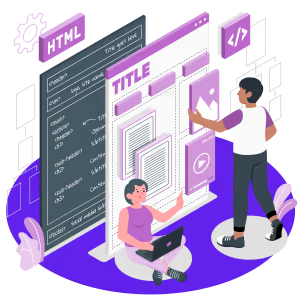
Your landing page should have one main goal. Whether it’s signing up for an email list or promoting a product, too many CTAs (Call-to-Actions) and links can confuse your visitors.
Limiting CTAs (call-to-action buttons) on your WordPress landing page is very important because visitors usually have short attention spans. If you add too many buttons or links, your page can look messy and confusing, which makes it harder for people to take action. By focusing on one main CTA, you increase the chances that visitors will click it, sign up, or make a purchase.
Here are some simple tips to optimize CTAs:
For example, on an Affiliate Blog, instead of adding many affiliate links, highlight one main link to guide your audience. Similarly, in blog posts for SEO, focus on a single CTA so readers stay engaged and know exactly what to do next.

A landing page should be user-friendly. If it is difficult to navigate or doesn’t look professional, visitors may leave immediately. Using a WordPress landing page builder or theme makes it easy to create beautiful pages without coding.
You can also create landing pages in WordPress using pre-made templates. Plugins like Elementor, Beaver Builder, or SeedProd let you drag and drop elements, so even beginners can make WordPress landing page examples that look professional.
Visitors are more likely to take action if they trust your site. Trust is especially important for WooCommerce Sites and Affiliate Blogs.
Ways to Increase Trust on Your WordPress Landing Pages
Building trust with your visitors is very important. Here are some simple ways to make your WordPress landing pages more trustworthy:
Following these steps makes your WordPress landing pages more reliable and encourages visitors to take action, whether it’s signing up, buying a product, or subscribing.
Above-the-fold means the section is visible without scrolling. Important content like your offer and CTAs should appear here.
Even on Affiliate Blogs or Blog Posts for SEO, it’s important to keep the key information visible. Visitors shouldn’t have to search for important details, so make sure they can see what they need right away and take action quickly.
| Builder/Plugin | Features | Pros | Cons | Best For |
| Elementor | Drag-and-drop, Templates, Responsive | Easy to use, Flexible | Can be heavy | WordPress landing pages, WooCommerce Site |
| Beaver Builder | Front-end editing, Modules | Lightweight, Reliable | Fewer templates | Small business landing pages |
| Divi | Visual editor, Pre-made layouts | Customizable, Multi-purpose | Learning curve | Affiliate Blog, eCommerce |
| SeedProd | Landing page focus, Templates | High conversion-focused | Paid plans only | Lead generation pages |
| OptimizePress | Sales pages, Memberships | Built for marketing | Limited design flexibility | Click-through and Affiliate Blog |
This table helps you compare WordPress landing page builder options and select the best tool for your project.
Designing a WordPress landing page doesn’t have to be complicated. Follow these 5 powerful tips:
Use WordPress landing page templates, themes, and plugins to make your pages look professional without technical knowledge. Remember to improve the readability, optimize blog posts for SEO, and include Social Media Marketing Tips to reach more users.
Even if you’re working on a WooCommerce Site or an Affiliate Blog, these tips help increase conversions and engage visitors. Don’t forget WordPress SEO without SEO Plugins techniques, manage your content using WordPress Content Editor and Content Management, and secure your site by learning how to block IP addresses in WordPress when needed.
By applying these tips, anyone can create a landing page in WordPress that converts, looks professional, and builds trust with visitors.
A WordPress Landing Page is a special page designed to make visitors do one thing, like subscribe, buy a product, or click a clickable WordPress headline. It’s different from normal pages because it focuses on one goal.
Using a landing page on WordPress helps get more leads, sales, or subscribers. It works for any site, including a WooCommerce Site or an Affiliate Blog.
No! You can use a WordPress landing page builder, pre-made WordPress landing page templates, or a WordPress landing page theme. Even beginners can create professional pages.
Focus on one goal, use tips for WordPress like white space and easy fonts, and don’t overload your page with links or buttons. This improves readability and keeps visitors focused.
Some of the best WordPress landing page plugins are Elementor, Beaver Builder, Divi, SeedProd, and OptimizePress. They help you design pages quickly without coding.
You can use WordPress SEO without SEO Plugins by writing clear headings, using readable text, optimizing images, and creating Blog Posts for SEO that link to your landing page.
Yes! A WooCommerce Site can use a landing page to promote products, collect emails, or guide buyers to checkout faster. Use a clear CTA and trust signals like SSL.
A clickable WordPress headline should be short, clear, and exciting. It grabs attention and encourages visitors to click on buttons or links.
Use WordPress Content Editor or WordPress Content Management tools to organize headings, bullet points, and images. This makes your page easier to read and more engaging.
Use short sentences, simple words, headings, bullet points, and spacing. These tips for WordPress make it easier for anyone to read and understand your content.
Yes! You can block IP addresses in WordPress to prevent spam or suspicious activity, keeping your site safe and trustworthy.
Absolutely! On an Affiliate Blog, a WordPress landing page can direct visitors to products or services. Use trust signals, clear CTAs, and readable content to increase conversions.
If you’re an enthusiast of WordPress, then you may take a look at 6 Essential Reasons to Use WordPress for Your Website. And also, why you need to avoid nulled WordPress themes and plugins: 9 reasons.
Keep reading our blog to learn more about WordPress tips and tricks. It would be great to hear what topics you are most interested in. Please don’t hesitate to leave a comment if you have any.
Just fill out the contact form for a free consultation from our expert. We would be happy to answer you.
ThemeLooks – YouTube – Facebook – Linkedin – Twitter

Mohammad Nur Alam is a Technical Content Writer at ThemeLooks Ltd., specializing in WordPress, SaaS, SEO, and web development. He writes practical tutorials, product reviews, and technical guides that help users make the most of WordPress tools and plugins. Passionate about digital marketing and emerging technologies, he enjoys creating helpful content and staying up to date with the latest industry trends.