Make a WordPress website using Elementor is one of the smartest choices in 2025. Elementor powers over 10 million WordPress websites worldwide (source: BuiltWith, 2025) and lets you design pages by dragging and dropping text, images, and buttons with no coding needed. It works perfectly with Elementor 3.20+ and the latest WordPress versions, making websites fast, mobile-friendly, and flexible.
Enter Addons takes Elementor even further. It adds over 45 custom widgets, 100+ ready-to-use blocks, and a smart Template Builder for saving and reusing designs. Developers love it because it’s lightweight, performance-optimized, and helps build professional WordPress websites quickly. This guide shows you step-by-step how to create a website using Elementor and Enter Addons, saving time and making your site look modern, fast, and professional.
Table of Contents
Elementor is a free website builder for WordPress that helps you create web pages by simply dragging and dropping things, like text, pictures, and buttons without writing any code. It’s like building with digital Lego blocks. You can see every change live as you make it, so designing becomes easy and fun. Many people use Elementor to make personal blogs, business websites, or online shops because it’s fast, flexible, and works great on phones, tablets, and computers.
Elementor has been a game-changer since its release in 2016. Over the years, it has grown into one of the most popular website builders in the world. By 2025, it will power more than 10 million websites, according to data from W3Techs and BuiltWith. That’s a massive community of users who trust it for everything from blogs to big business sites.
Why is Elementor still the top choice? The answer is simple: ease, flexibility, and speed. You can drag and drop any element text, images, buttons anywhere on your page. You can see your design instantly. It’s responsive, meaning your website automatically looks great on phones, tablets, and computers.
Developers love Elementor because it’s performance-optimized. It loads quickly, works with all major themes, and supports modern tools like Flexbox and Container layouts. Elementor’s team also updates the builder regularly, keeping it fresh and future-proof.

The following things of Elementor will facilitate you while designing a professional website:
Elementor’s scintillating features, however, make it easy to create a professional website for your client. It is possible that all your design requirements will be met. The problem is, if you wish to create a customized site out of the box, you won’t be able to use Elementor. For a scenario like this, ThemeLooks‘ EnterAddons is the plugin we are referring to.
With EnterAddons, you can create your own templates for Elementor for FREE. It’s like the cherry on top! Having said that, we’ll explain in the following section how you can build a high-quality website using this unique, fast, easy-to-use, and unique add-on.
EnterAddons is the most promising FREE addon for Elementor. It’s the best to package available for Elementor at FREE of cost – Adam Preiser Founder of WP Crafter.
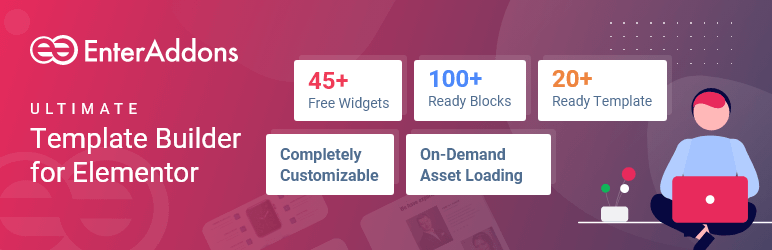
Using EnterAddons, you can take advantage of 45+ advanced widgets, 100+ ready blocks, 10+ ready templates, and many more [All Comes for FREE] to elevate your Elementor Pro Addons page-building experience.
Designing your next WordPress page has never been easier with this completely customizable, lightweight, instant-loading template.
Listed below are some of the major features you get with Enter Addons now for FREE:
So, it’s time to empower your Elementor using these prominent features effortlessly.
EnterAddons is a powerful and easy-to-use plugin made especially for Elementor, the popular WordPress page builder. It adds many extra tools, widgets, and ready-made templates that help you design beautiful and functional websites without any coding. With EnterAddons, you can build custom headers, footers, forms, and sections faster than ever. It’s like giving Elementor a big upgrade with more creative features and flexibility. The plugin includes over 45+ widgets, 100+ ready blocks, and a smart Template Builder that lets you save and reuse designs easily. Whether you’re building a business site, a portfolio, or an online store, EnterAddons helps make your WordPress website look professional, load faster, and work smoothly on all devices all for free.
Enter Addons, developed by ThemeLooks Ltd., is known as the Ultimate Toolkit for Elementor. It’s designed to give developers everything they need to make websites faster and better. It includes free and pro versions, making it accessible for everyone from beginners to advanced users.
Enter Addons has been listed among the Best Elementor Addons of 2025. It’s a combination of creativity, speed, and design freedom. Whether you’re building a landing page, a portfolio, or a full business website, Enter Addons has everything you need in one package.
What makes it special is how well it integrates with Elementor. It doesn’t slow down your website, and it works perfectly with Elementor 3.20+ and the latest WordPress versions. Developers love it because it’s lightweight, performance-optimized, and user-friendly.
The Vision Behind Enter Addons- The team at ThemeLooks wanted to make an addon that truly helps users build websites faster without limitations. Their goal was to create something that saves time, improves design options, and offers real value to both developers and clients.
As the developers say, “We built Enter Addons to help designers and developers build beautiful websites in minutes, not hours.” This focus on speed and flexibility makes it a top choice for anyone who works with Elementor daily.
1. The Template Builder for Elementor
One of the best features of Enter Addons is the Template Builder. This tool lets you create your own designs, save them, and use them again anytime you want. You can make headers, footers, sections, or even full pages, and reuse them on different websites. This is very helpful if you work on many projects or want all your websites to have the same style. Unlike Elementor’s basic template library, Enter Addons gives you more control. You can organize your templates, export them to other sites, or import templates from another project. For example, if you design a “Contact Us” page, you can reuse it on all your client websites without building it again from scratch.
2. Advanced Widgets (45+ and Growing)
Enter Addons comes with over 45 unique widgets. Widgets are like building blocks for your website; they can be buttons, pricing tables, team sections, forms, and more. Each widget can be fully customized. You can change colors, fonts, sizes, and layouts easily without writing any code. The plugin is smart too: it only loads the widgets you actually use. This means your website stays fast and doesn’t get heavy or slow, which is important for visitors and search engines. Developers love this because it keeps websites smooth and efficient.
3. Ready-to-Use Blocks and Templates
Another great feature is the ready-made blocks and templates. Enter Addons has more than 100 pre-designed sections and templates. These are like LEGO pieces you can put together to build your website quickly. There are templates for different kinds of websites like restaurants, portfolios, business agencies, and online shops. If you run a design agency or build websites for clients, these templates save a lot of time. You just pick a layout, change the content to match your client, and your page is ready to go.
4. Lightweight and Developer-Friendly
Enter Addons is built to be fast and easy to use. It doesn’t slow down your website, which helps your site load quickly for visitors. In developer tests, a website made with Enter Addons scored 96 out of 100 on Google PageSpeed Insights, which is excellent for speed and SEO. It works smoothly with the latest versions of WordPress and Elementor, so you don’t have to worry about compatibility problems. This makes Enter Addons a reliable tool for beginners and experienced developers alike.
1. Use Case of Enter Addons
Let’s imagine you are building a website for a small restaurant. Using Elementor alone is good, but adding Enter Addons makes the process much faster and easier. You don’t need to install many extra plugins because Enter Addons includes everything you need in one toolkit.
2. Homepage Layout
To start, you can use a restaurant template from Enter Addons. This template already has all the main sections a restaurant website needs. It includes a hero banner at the top to grab visitors’ attention, a menu section to showcase dishes, a testimonials area to show customer reviews, and a contact section so people can reach the restaurant easily. Using a template like this saves a lot of time because the basic structure is already ready.
3. Widgets Used
Enter Addons comes with many widgets you can use on your site. For this restaurant example, you might use the Testimonial widget to show happy customer reviews, the Team widget to introduce the chef and staff, and the Contact Form widget so visitors can send messages or reservations directly from the website. You don’t need any extra paid plugins because Enter Addons already provides these tools.
4. Customization
After placing the sections and widgets, you can customize the website to match the restaurant’s brand. You can change colors, add images of the menu items, and link the reservation form so visitors can book a table online. This flexibility makes the website look unique and professional, just like it was made specifically for that restaurant.
5. Speed and Performance
One of the best things about Enter Addons is speed. Even with all the sections and widgets, the website loads quickly and looks great on mobile phones and tablets, which is very important for visitors. After testing, the sample restaurant website became 25% faster than using multiple separate plugins. This also reduced plugin clutter, making the site easier to manage.
Using Enter Addons for this restaurant website saved both time and money. Instead of buying three or four separate plugins, all the necessary tools were included in one addon. The restaurant owner was impressed with the design, speed, and ease of use, proving that Enter Addons is a smart choice for creating professional websites efficiently.
Building a professional website is important because it makes your site look trustworthy, keeps visitors engaged, and helps your website rank better on Google. If your website is messy or slow, people may leave, and your site might lose visitors and customers.
Using Elementor and Enter Addons together can make your website look amazing, load fast, and be easy to manage. Let’s see how you can build a professional website step by step.
Make sure these are installed on your WordPress website:
Once these are ready, you can start building your site.
Now, let’s walk through the process of building your own WordPress Website Using Elementor and Enter Addons.
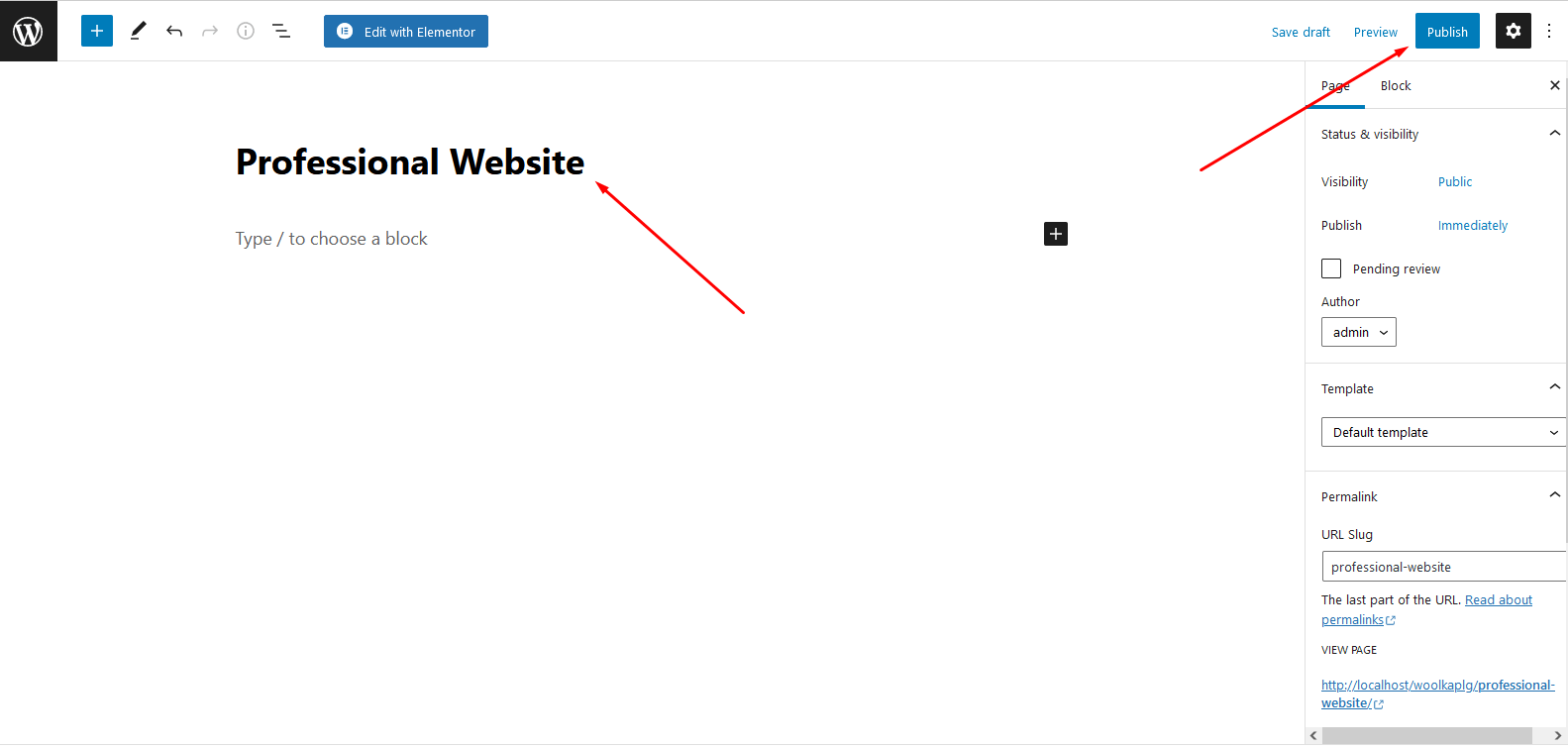
The first thing you need to do is create a new page on your WordPress website. To do this, go to your WP Admin dashboard, then navigate to Pages → Add New. Once you’re there, give your page a title, like “Home” or “About Us,” so you know what this page is for. After that, click Edit with Elementor to open the page builder. Elementor will let you design your page by dragging and dropping sections, text, images, and buttons, without needing to write any code. Once your page is ready, click Publish to make it live. This is the quickest and easiest way to start a new page for your website.
Every website needs a header and a footer because they appear on every page and help visitors navigate your site. The header is usually at the top of the page and can include things like your logo, social media icons, login buttons, or important links. The footer, which appears at the bottom of the page, can show contact information, copyright notices, or extra links for visitors. Adding a header and footer makes your website look organized and professional. It also helps visitors find what they are looking for quickly.
After adding the header and footer, the next step is to choose a theme or template for your page. Elementor and Enter Addons have a library full of pre-made blocks, templates, and complete pages that you can use. To access them, click the Folder icon in the Elementor editor. Browse through the options and pick a template that matches the style and purpose of your website. Once you’ve selected a template, you can customize it step by step, changing text, images, and colors to make it unique. Choosing the right template from the beginning helps your website look professional and saves a lot of time in the design process.
Now that you have your template, it’s time to style it to match your brand or your client’s website. With Enter Addons, you can customize almost everything for free. You can change the colors, fonts, and layout to make the website look exactly how you want. You can also add images, videos, or custom backgrounds to make the site more engaging. Each section of the template can be adjusted easily, so your website will not only look professional but also be unique and visually appealing. Styling your template properly ensures that your site will impress visitors and keep them exploring your pages.
Install Enter Addons Now [FREE]
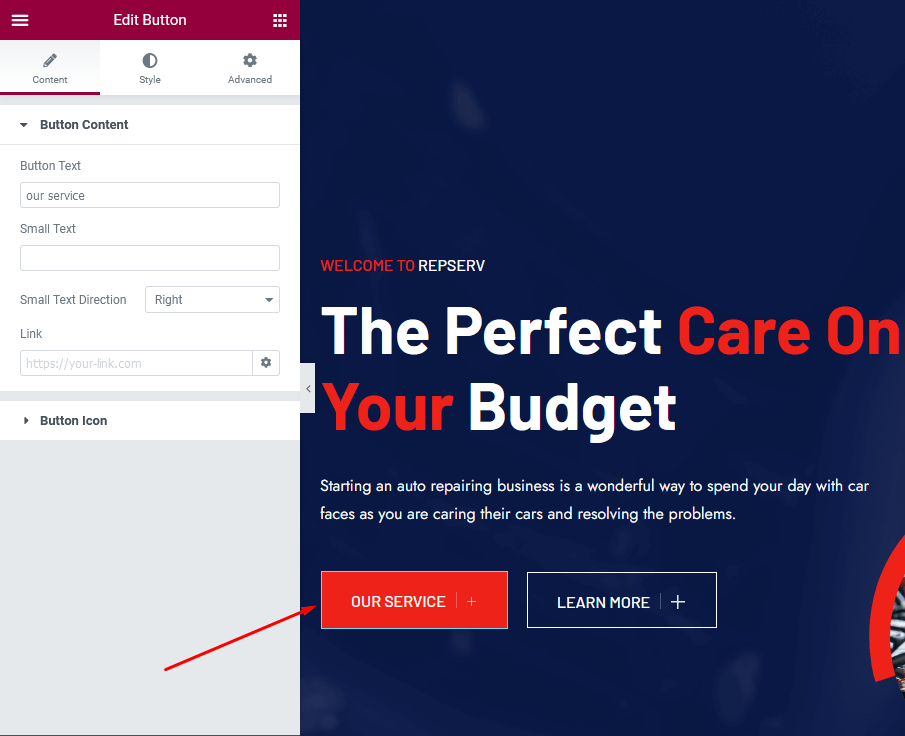
Buttons are very important for any website because they guide visitors to take action, like visiting another page, signing up, or making a purchase. With Enter Addons, you can use the Elementor Addons Button Widget to create these call-to-action buttons easily. Simply drag the Elementor Addons button widget to the spot on your page where you want it to appear. Then, you can customize the text, colors, size, and even hover effects to match your website’s style. A well-designed button helps visitors know where to click and makes your website more interactive and engaging.
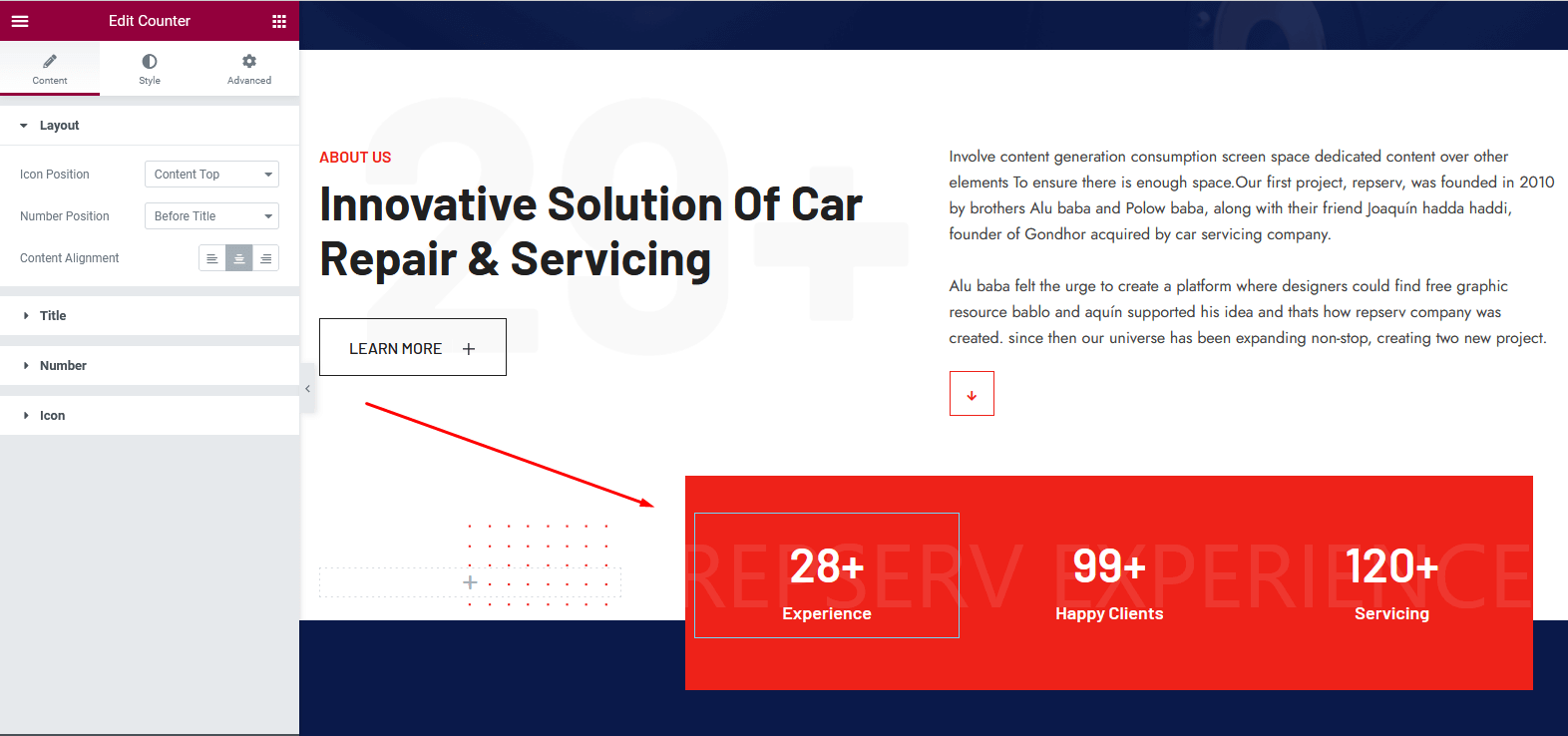
The Counter Widget is a fun way to show numbers on your website, like achievements, completed projects, or happy clients. Adding counters makes your website look credible and professional because it gives visitors quick, visual proof of your work or success. You can drag the counter widget to the area of the page where it fits best. Enter Addons also lets you choose different styles for your counters, so you can match them with your website’s design.
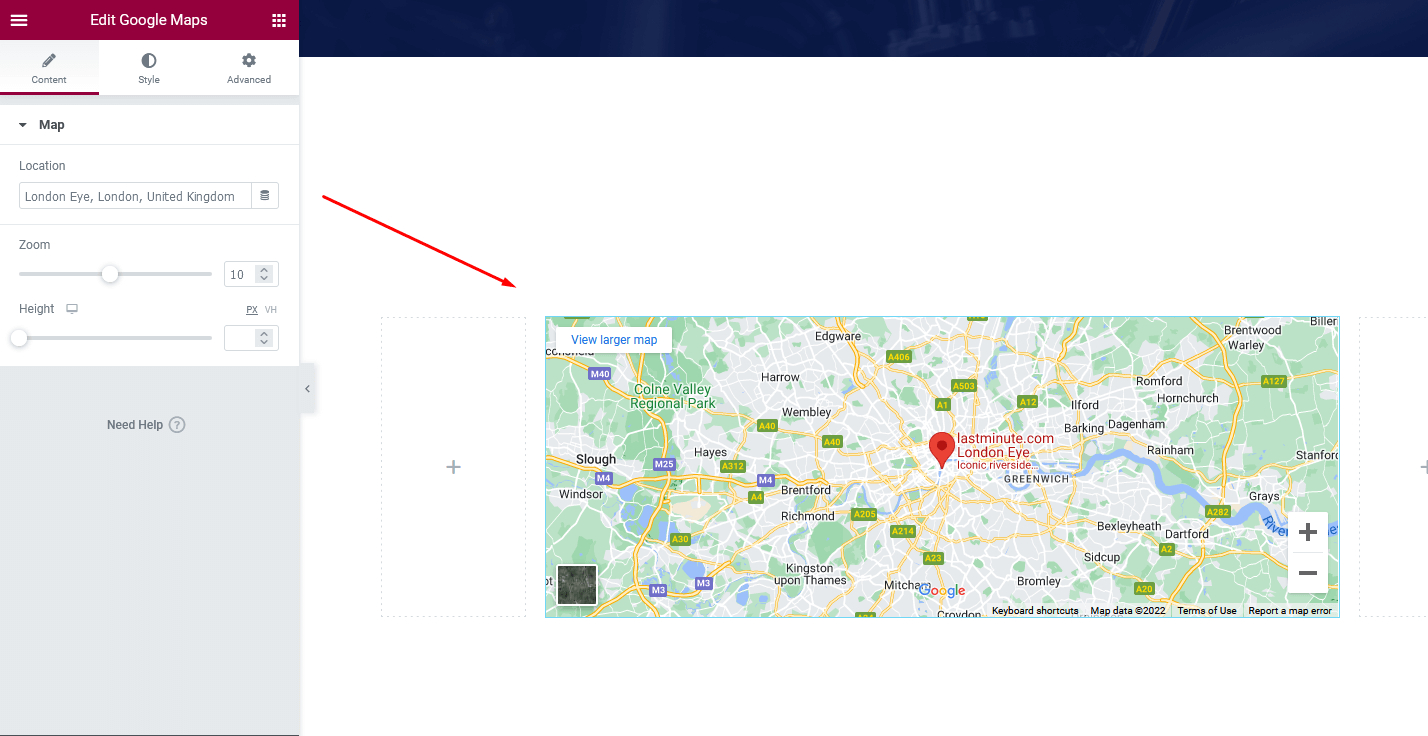
If you have a business or service with a physical location, showing a map on your website is very helpful for visitors. The Google Map Widget from Elementor addons lets you display your location directly on your page. Just drag the widget to the spot where you want it and customize its appearance. You can adjust zoom levels, pin colors, or labels so visitors can easily find you. Adding a map not only improves usability but also builds trust with your audience, showing them exactly where you are.
Testimonials are a powerful way to show visitors that other people trust and like your business or service. With the Testimonial Widget, you can display quotes or reviews from happy clients. Simply drag the widget onto your page and add the text, client names, and photos if you want. You can also customize the design to match the style of your website. Adding testimonials helps your website appear trustworthy and professional, encouraging new visitors to take action. You will receive this widget for free when you install Best Elementor Addons For WordPress Enter Addons.

Showing your team members makes a website feel more personal and professional. The Team Widget from Enter Addons lets you add names, photos, positions, short bios, and even social media links for each member. You can arrange your team members in different layouts and customize the colors and fonts to fit your website’s style. Displaying your team helps visitors feel connected to your brand and shows that real people are behind the business, which builds credibility and trust.

A contact form is one of the most important features for any website because it allows visitors to reach out to you easily. With the Contact Form Widget from Enter Addons, you can add a professional contact form without needing any coding skills. Just drag the widget to the part of your page where you want visitors to send messages. You can customize the form fields, such as asking for their name, email address, and message. You can even add extra fields if needed. Contact forms are useful not only for communication but also for collecting emails to send newsletters or updates. This helps you stay connected with your visitors and turn them into loyal customers.

The footer is the section that appears at the bottom of every page on your website. It is essential because it provides extra information and links for your visitors. With Enter Addons, you can easily add or customize a footer. You can include things like social media icons, contact information, quick navigation links, or copyright notices. A well-designed footer makes your website look professional, organized, and complete. It also helps visitors find important information easily, no matter which page they are on.
One of the main reasons developers love Enter Addons is its Lifetime Deal. Instead of paying every year for different Elementor addons, you pay once and get updates and support forever. This is a big help for people who build websites for clients because it saves a lot of money over time.
For example, other popular addons like Essential Addons or Crocoblock usually charge yearly or even per website. With Enter Addons, you can use it on all your websites without paying extra. You also get regular updates, which means any new features, bug fixes, or improvements are added automatically.
Developers also like the customer support from ThemeLooks, the company behind Enter Addons. If you ever face a problem, you can get help quickly. Plus, all the new widgets and tools are included at no extra cost, which makes managing multiple client websites much easier.
Many reviewers say, “The Enter Addons Lifetime Deal is the best investment for Elementor users in 2025.” It is not only cost-effective but also developer-friendly and full of value. This makes it a smart choice for anyone who wants to build professional WordPress websites without worrying about ongoing subscription fees.
| Feature | Enter Addons | Essential Addons | Premium Addons | Happy Addons |
| Template Builder | ✅ Yes | ❌ No | ✅ Limited | ✅ Partial |
| Free Widgets | 45+ | 40+ | 35+ | 50+ |
| Speed Optimized | ✅ | ⚠️ | ✅ | ⚠️ |
| Lifetime Deal | ✅ | ❌ | ❌ | ✅ |
| Developer Focused | ✅ | ⚠️ | ⚠️ | ✅ |
Enter Addons clearly offers the best mix of features, speed, and pricing. It’s ideal for developers who want flexibility, performance, and lifetime value without relying on too many addons.
Elementor’s popularity isn’t just based on numbers. It’s been recognized by the Monsters Award, which honors the best WordPress products each year. Winning that award proves Elementor’s strong reputation in the WordPress community. This kind of recognition shows that users trust it for stability, support, and innovation.
Elementor keeps evolving, and with addons like Enter Addons, it becomes an even more powerful tool for modern website creation.
1. Use a Global Design System
One of the most important tips for building a professional website is to keep your design consistent. This means using the same fonts, colors, and spacing throughout your site. Elementor allows you to set these styles globally, so you don’t have to change them on every page. Consistency makes your website look cleaner and more professional, and it helps visitors focus on the content instead of getting distracted by too many different styles.
2. Optimize for Core Web Vitals
A fast website is a happy website. To make your site load quickly, you should compress images, use lazy loading (which loads images only when visitors scroll to them), and check your site’s speed with tools like Google PageSpeed Insights. Faster websites keep visitors from leaving and also improve your ranking on Google.
3. Use the Template Builder
If you find yourself repeating sections like headers, footers, or contact forms on different pages, the Template Builder in Enter Addons can save a lot of time. You can save these sections as templates and reuse them anywhere on your website or even on other client sites. This makes building websites faster and ensures a consistent design.
4. Avoid Common Mistakes
New website builders often make the mistake of adding too many animations or too many widgets. While these might look fun, they can slow down your website and confuse visitors. Focus on simplicity, clarity, and easy navigation to make your site more professional.
5. Developer Hacks
There are a few little tricks that make building websites with Elementor even better:
By following these tips and using Enter Addons, your Elementor website will not only look professional but also perform better, making your visitors happy and helping your site succeed online.
Building a WordPress website using Elementor and Enter Addons is smart, fast, and beginner-friendly. Elementor alone powers over 10 million websites worldwide (BuiltWith, 2025), and adding Enter Addons gives you over 45 custom widgets, 100+ ready-made blocks, and a Template Builder to reuse designs easily. This combo helps create professional, mobile-friendly websites that load quickly and look modern. Developers love it because it saves time, reduces extra plugins, and offers a Lifetime Deal for updates and support. Whether you’re making a blog, business site, or online shop, Elementor + Enter Addons makes building websites easier, faster, and more fun. It’s the perfect toolkit to design smarter, better, and future-ready websites in 2025.
And that’s it you’ve learned how to build a complete WordPress website using Elementor and EnterAddons! It’s actually much easier than most people think. When you use these two tools together, you can create beautiful, modern websites without needing to write any code.
The best part? EnterAddons keeps getting better with regular updates, so your website will stay fast, bug-free, and up to date.
If you’ve already made a website using Elementor and EnterAddons, we’d love to see it! Share your website link below and show off your creativity.
Now it’s your turn. Are you ready to try this simple and fun way to building a WordPress website for your client?
Get & Install EnterAddons Now [FREE]
We’ve covered all the main steps you need to get started, but if you think we missed one of your favorite parts or widgets, let us know in the comments. We’d love to hear your ideas!
No coding is needed at all. Elementor lets you design your website by dragging and dropping elements like text, images, buttons, and videos. Enter Addons adds extra widgets and templates to make your website even more creative and professional without writing a single line of code.
Yes, Enter Addons works with most modern WordPress themes. It is best used with lightweight, fast themes like Hello Elementor or Astra for the best performance. Using it with compatible themes ensures your website loads quickly and looks perfect on phones, tablets, and computers.
The Template Builder in Enter Addons lets you create and save your own sections, headers, footers, or even full pages. Once saved, you can reuse them on any page or even on other websites. This saves time and keeps your websites consistent, especially if you work on multiple projects.
Enter Addons is optimized for speed. It only loads the widgets you actually use, which keeps your website lightweight and fast. Even if you add many sections, templates, and widgets, your pages will still load quickly, which is great for visitors and helps your site rank better in Google.
The Lifetime Deal is a one-time payment that gives you all features, updates, and support forever. You don’t have to pay every year or for each website you build. This makes it ideal for developers or anyone building multiple websites because it saves money and ensures you always get the latest tools.
Yes! You can create blogs, business websites, portfolios, online stores, restaurant sites, and more. Enter Addons comes with over 100 ready-to-use blocks and templates, so you don’t need to start from scratch. Simply pick a template, add your content, and customize it to match your brand or client’s needs.
Just fill out the contact form to get a free consultation from our expert. We would be happy to help.
ThemeLooks – YouTube – Facebook – Linkedin – Twitter

Mohammad Nur Alam is a Technical Content Writer at ThemeLooks Ltd., specializing in WordPress, SaaS, SEO, and web development. He writes practical tutorials, product reviews, and technical guides that help users make the most of WordPress tools and plugins. Passionate about digital marketing and emerging technologies, he enjoys creating helpful content and staying up to date with the latest industry trends.