
Table of Contents
Restaurants without the right online ordering features often face lost orders, delayed deliveries, disconnected sales, difficult multi-branch management, missed reservations, manual invoicing, inefficient dine-in ordering, unfair delivery fees, missed tips, and unclear delivery coverage. These everyday problems waste staff time, increase operating costs, create customer frustration, and become even harder to manage during busy hours.
A complete restaurant online ordering system like RestroFood solves these problems with essential features such as order tracking, new order notifications, status change emails, delivery directions, online and offline POS, end-to-end order management, invoice management, branch management, table reservations, automatic invoice printing, QR code dine-in ordering, distance-based delivery fees, tip management, and delivery availability checking. These features help restaurants manage orders more efficiently, reduce manual work, improve delivery operations, support multiple locations, and provide a smoother experience for customers and staff.
In this guide, you’ll discover the 16 must-have features of a restaurant online ordering system and how each feature helps solve common restaurant challenges, improve daily operations, and support more efficient restaurant management.
A successful restaurant needs more than great food, it needs a smooth ordering process. The Features of a Restaurant Online Ordering System should include easy ordering, live delivery tracking, POS system, multi-branch management, and automatic notifications. These features reduce missed orders, checkout delays, pricing errors, and staff workload while improving customer satisfaction, operational efficiency, and overall restaurant revenue.
A restaurant’s website works like its front door. If the door is stuck, confusing, or slow to open, hungry customers walk away and order somewhere else instead. This is true even when the food is excellent. Customers judge a restaurant by how easy it is to order, not just by what is on the menu.
Picture a customer named Sarah. She opens a restaurant’s website at 7 p.m., hungry and in a hurry. She adds 3 items to her cart, but the checkout page asks her to create an account first. She gets frustrated. She closes the tab and orders from a different restaurant instead. That lost order did not fail because of bad food. It failed because of a bad ordering system.
According to the National Restaurant Association’s 2024 State of the Restaurant Industry report, digital and delivery orders now make up a growing share of total restaurant sales across the United States. Hospitality Technology’s 2023 Customer Engagement Technology Study found that a slow or confusing online ordering process is one of the top reasons customers abandon a food order before completing it. A restaurant online ordering system exists to close this gap between a hungry customer and a completed order.
Restaurants without a complete online ordering system run into the same 10 problems again and again: lost orders, invisible deliveries, disconnected in-store sales, messy multi-branch operations, missed table bookings, slow manual invoicing, no dine-in ordering option, unfair delivery fees, missing tips, and confusing delivery coverage. Each problem below costs real time, real money, or a real customer.
Without an order status system, a kitchen may not see a new order the moment it arrives. Staff members miss it during a rush. The customer waits. The food arrives cold or late. A simple notification failure like this turns a happy customer into a 1-star review.
A customer places an order and has no way to check its progress. She calls the restaurant to ask where her food is. Staff must stop what they are doing, find the delivery driver, and call back. This single phone call can take 5 minutes away from other customers who are also waiting.
Many restaurants track walk-in orders on one system and online orders on another. A restaurant POS system, which processes orders and payments at the counter or table side, needs to see both order types in the same place. Without this, kitchen staff juggle 2 separate order queues, and mistakes multiply during busy hours.
An owner with 3 branches often relies on group chats, spreadsheets, and phone calls to check on each location. There is no single dashboard showing all 3 branches at once. Menu updates require repeating the same task 3 separate times.
A customer wants to book a table for Saturday night but the restaurant only accepts reservations by phone. During the dinner rush, no one answers. The customer books a table somewhere else instead.
Staff members print each invoice by hand and calculate tips on paper. This slows down checkout during busy periods and creates room for math errors, especially when a shift is short-staffed.
A family sits down at a table and waits for a server to bring a menu, take the order, and come back again for a second round of drinks. Each of those trips takes staff time that could go toward other tables. Without a way for dine-in guests to order directly from their seat, every single request depends on a staff member being free at that exact moment.
A restaurant that charges the same $5 delivery fee to every customer either overcharges the person 1 kilometer away or undercharges the person 15 kilometers away. Nearby customers feel the fee is unfair, and far-away deliveries can end up costing the restaurant more to fulfill than the fee covers.
A delivery driver or dine-in server relies on cash tips, but more customers pay by card and skip tipping entirely because there is no prompt to do so at checkout. Staff income drops, and the restaurant has no consistent record of how tips are collected or split.
A customer types in her address, places an order, and only finds out after checkout that her area isn’t covered. This wastes her time and creates an awkward cancellation for staff, who must call and explain the delivery zone does not reach her street.
Most restaurant operators don’t realize these 10 problems share one root cause: several separate tools trying to do 1 job. A restaurant online ordering system solves this by combining ordering, delivery, POS, branches, reservations, dine-in ordering, delivery fees, tipping, and invoicing into a single connected system.
Each problem above looks small on a quiet Tuesday afternoon. The same problems grow much larger during a Friday dinner rush, when 30 orders arrive within 1 hour instead of 5. A missed notification on a slow day means 1 late order. The same missed notification during a rush can mean 10 late orders, since staff are already stretched across other tasks. According to Hospitality Technology’s 2023 Customer Engagement Technology Study, restaurants relying on disconnected ordering tools report higher order-error rates specifically during peak service windows, not during quiet periods. This matters because peak hours are exactly when a restaurant earns most of its daily revenue.
Every manual workaround above takes staff time away from customers. A host who stops to answer a phone reservation cannot greet a walk-in guest at the same moment. A cashier who manually calculates a tip cannot ring up the next order. In practice, the difference between 1 connected system and several separate tools comes down to how many minutes per hour staff spend fixing problems instead of serving food.
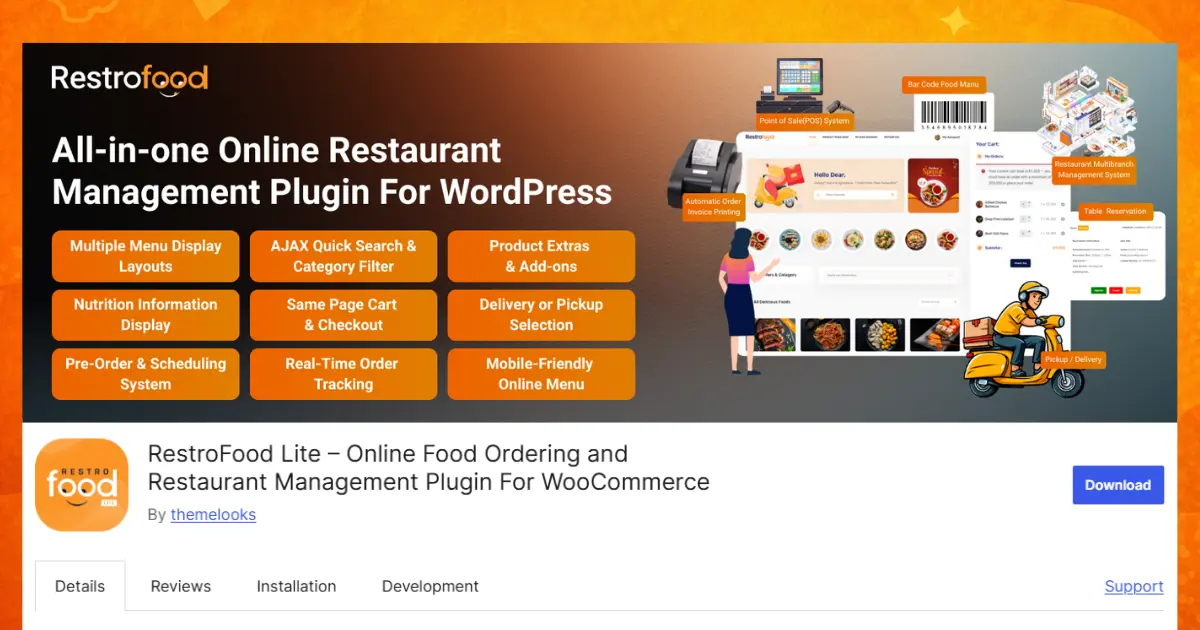
RestroFood, a WooCommerce based restaurant management plugin for WordPress, addresses all 10 problems above through 16 individual features. Each one below is listed on its own, paired with the exact problem it solves, with more detail on how it actually works.
This feature gives customers real-time updates about the delivery driver and vehicle, so they always know when food will arrive instead of guessing. A customer opens her order page and sees the order move through stages such as confirmed, preparing, and out for delivery, without needing to call anyone. For the restaurant, this same visibility means fewer “where is my food” calls tying up staff during a rush, since the answer already sits on the customer’s screen.
This feature adds an “1 New Order Placed” tag along with a sound alert directly in the admin panel, so kitchen staff never miss an incoming order during a busy shift. The alert repeats until someone acknowledges the order, which matters most during a Friday night rush when 10 orders can arrive within a few minutes. Without this alert, a new order can sit unnoticed on a screen full of other tabs and windows.
This feature automatically emails the customer whenever the order moves to a new stage, from confirmed to preparing to out for delivery, without any staff member typing a manual update. The email arrives within seconds of the status change on the admin side, keeping the customer informed the entire time. This removes an entire category of customer-service work that would otherwise fall on a staff member’s shoulders.
This feature shows the delivery driver the exact route to the customer’s address on a map, cutting down on wrong turns, missed streets, and late arrivals. A driver unfamiliar with a neighborhood still finds the right doorstep on the first try, instead of circling the block or calling the restaurant for directions. Faster, more accurate deliveries also mean the same driver can complete more deliveries per hour.
This feature keeps sales running even without an internet connection, so a Wi-Fi outage never stops the counter from taking orders. The cashier keeps ringing up walk-in customers as normal, and once the connection returns, every order made offline syncs back into the same dashboard automatically. This matters most during storms or provider outages, exactly when a restaurant cannot afford to turn paying customers away.
This feature handles a walk-in order from the moment it’s placed at the counter to the moment it’s paid and closed out, inside the very same system as online orders. Kitchen staff see 1 combined queue instead of checking a POS screen and a website dashboard separately. This single queue is what prevents 2 orders from accidentally being prepared out of sequence during a busy period.
This feature places every walk-in order and every online order into the same Order History and Reporting dashboard, so nothing is tracked twice, missed, or recorded in 2 separate places. An owner reviewing a day’s sales sees 1 combined total instead of adding up 2 separate reports by hand. This also makes end-of-day cash reconciliation faster, since every transaction already lives in 1 place.
This feature lets an owner add a new branch from the same dashboard in a few simple steps, instead of setting up brand-new software or a brand-new website for each location. Opening a second or third branch becomes a configuration task rather than a technical project, which matters for an owner without a dedicated IT team. New branches inherit the same order-tracking and notification tools from day 1.
This feature shows only the menu items actually available at each branch, so customers never order a dish their local location doesn’t serve. A downtown branch with a smaller kitchen can offer a shorter menu than a larger suburban branch, without either location showing the wrong items to the wrong customers. This also prevents the frustrating situation where a customer orders a dish, pays for it, and only then learns it isn’t offered nearby.
This feature moves an order between branches with a single click if a customer’s order needs to go to a closer or less busy location instead. If branch A is overwhelmed with orders and branch B is quiet, staff can redirect an incoming order in seconds rather than calling the customer to explain a long delay. This keeps delivery times more consistent across a restaurant’s full branch network.
This feature lets customers book a table at any hour through a fully customizable form, instead of relying on a phone call that may go unanswered during a busy dinner rush. Owners set specific time slots and a maximum number of bookings per slot, so the restaurant never overbooks a single seating. Every reservation lands in one organized list, where staff can mark it approved, pending, or cancelled with a click.
This feature sends the invoice straight to a connected printer through PrintNode the moment an order is placed, so no staff member needs to open a dashboard, find the order, and print it by hand. It supports unlimited printers, so a kitchen printer and a front-counter printer can both receive the same invoice at the same time. This removes 1 entire manual step from every single order a restaurant processes.
This feature gives every table its own QR code, so a guest scans it and places an order directly from their phone, with the table number attached automatically so kitchen staff know exactly where to send the food. A family can order a second round of drinks or dessert without waiting for a server to walk over and take the request. Servers still handle the table in person, but they no longer act as the only path between a hungry guest and the kitchen.
This feature calculates the delivery charge by kilometer or by zip code, so a nearby customer pays less than a customer much farther away, automatically at checkout. The restaurant no longer absorbs a loss on long-distance deliveries, and nearby customers no longer feel like they’re subsidizing deliveries across town. Staff never need to manually calculate or override a delivery charge for an individual order.
This feature adds a tip option directly on the checkout page, letting customers choose a percentage or a fixed amount before completing payment by card. This applies to both delivery and dine-in orders, giving staff a consistent way to receive tips from customers who no longer carry cash. The restaurant also gets a clear, trackable record of tips instead of relying on staff to report cash amounts by hand.
This feature lets a customer enter an address or zip code and instantly see whether the restaurant delivers there, before she adds anything to her cart. This stops a customer from spending several minutes building an order only to be told at checkout that her area isn’t covered. It also saves staff from an awkward phone call explaining a cancellation after the fact.
The table below compares 4 common approaches to restaurant online ordering, so the gap between a basic plugin and a complete system is easy to see at a glance.
| Feature | Basic Menu Plugin | Food Ordering Plugin | Full Restaurant System | RestroFood |
| Live order tracking | NO | Partial | Yes | Yes |
| Built-in POS | NO | NO | Partial | Yes(add-on) |
| Multi-branch dashboard | NO | NO | Partial | Yes(add-on) |
| Table reservations | NO | NO | Partial | Yes(add-on) |
| QR code dine-in ordering | NO | NO | Partial | Yes(add-on) |
| Distance-based delivery fees | NO | NO | Partial | Yes(add-on) |
| Online tip collection | NO | NO | Partial | Yes(add-on) |
| Automatic invoice printing | NO | Partial | Partial | Yes(add-on) |
| One-time purchase (no monthly fee) | Yes | Partial | NO | Yes |
A basic menu plugin only displays food photos and prices, so it cannot track an order, take a tip, or manage a branch. A food ordering plugin adds checkout but usually stops there, leaving POS, reservations, and QR ordering to separate paid apps. A full restaurant system often includes more features but charges an ongoing monthly fee and locks the restaurant into its platform. RestroFood covers the same ground as a full system, and adds dine-in QR ordering and fair delivery pricing on top, while staying a one-time WordPress purchase that keeps ongoing costs predictable for a small or growing restaurant.
Picture an owner running 2 branches on a busy Friday night. A customer books a table for 8 at branch A through the reservation form while another customer places a delivery order from branch B at the exact same moment. Branch As host sees the new reservation appear automatically in the reservation list, and a dine-in guest at branch A scans a QR code to order dessert without waiting for a server. Branch B’s kitchen hears the order notification and starts preparing food while the POS logs the sale next to that night’s walk-in orders, and the delivery fee adjusts automatically based on the customer’s zip code. The owner checks 1 dashboard from home and sees every event without a single phone call between locations. This is what 8 connected features look like in practice, instead of 10 separate problems.
A single order moves through 6 simple steps, from the moment a customer clicks “order” to the moment food reaches their door. Seeing the full path makes it easy to spot exactly where each feature above fits in.
This 6-step flow replaces what would otherwise be 3 or 4 disconnected manual tasks: checking a separate order list, calling a driver, and printing an invoice by hand.
Many restaurants try to automate only 1 or 2 steps in this chain, such as adding a notification sound while still printing invoices by hand. In practice, a partial workflow still leaves a manual gap somewhere, and that gap becomes the new bottleneck once the rest of the process speeds up. The Order Bumps feature, which suggests extra items or add-ons at checkout, also works best when it sits inside this same connected flow, since a suggested item still needs to reach the kitchen through the same notification system as the rest of the order.
Managing 2 or more restaurant branches from one WordPress dashboard removes the need for separate spreadsheets, phone calls, or group chats between locations. RestroFood’s Multi-branch add-on was built specifically for this stage of a restaurant’s growth.
Branch-Wise User Assignment lets an owner add branch managers, kitchen managers, and delivery staff to their specific location only, so each branch team sees only what applies to them. Branch-Based Hours & Holidays lets each location set its own working days, which matters when 1 branch closes for a holiday but another stays open.
Order History and Reporting tracks past orders per branch, so an owner can compare which location sells more on weekends without asking each manager for a separate report. This turns a guessing game into a 2-minute dashboard check.
A restaurant expanding from 1 location to 3 does not need to switch software during that growth. RestroFood’s Zip-Code-Based Delivery Areas and Day-Based Delivery Scheduling apply separately to each new branch as it opens, so branch 3 launches with its own delivery zone and schedule from day 1 instead of inheriting branch 1’s settings by mistake. This matters because a delivery zone that works for a downtown location rarely fits a suburban branch a few kilometers away.
See the full breakdown on the RestroFood multi-branch management page.
Renting a restaurant ordering app means paying a monthly fee forever and accepting limits the app sets. Owning a WordPress plugin means paying once and controlling your own website and data. This distinction matters more as a restaurant grows and its ordering volume increases.
RestroFood follows a one-time purchase model rather than a recurring subscription. A restaurant that processes 500 orders a month pays the same amount as one that processes 5,000, since the cost is not tied to order volume the way many SaaS platforms structure their pricing.
Over a 3-year period, a $50-per-month SaaS ordering subscription adds up to $1,800, and that number keeps climbing every year the restaurant stays on the platform. A one-time plugin purchase does not carry this same growing total, which is why the ownership model tends to favor restaurants planning to operate for several years rather than a few months. Most restaurant operators don’t realize this cost difference until they add up 2 or 3 years of subscription invoices side by side.
RestroFood supports all kinds of themes and page builders, including Elementor, Gutenberg, WPBakery, and Divi Builder. It also supports all major WooCommerce payment gateways, including Stripe, PayPal, and Apple Pay, so a restaurant does not need to rebuild its existing website to add ordering.
Read more about platform compatibility on the RestroFood features page.
RestroFood stays reliable through 3 things: it keeps working when the internet drops, it runs on code built for long-term stability, and it fits into tools a restaurant already uses. These qualities matter more than a long feature list, since a feature that breaks during a busy Friday night costs more than a feature that was never added.
Many ordering systems depend entirely on a live internet connection to process a sale. RestroFood’s POS add-on runs as an Online & Offline POS System, so a cashier keeps ringing up orders during a Wi-Fi outage instead of turning customers away. Once the connection returns, records sync back into the same dashboard automatically.
RestroFood is built with Error-Free Code for smooth performance and stability, and it receives Free Updates that include the latest features, performance improvements, and security enhancements. It also stays compatible with WordPress 6+, so a restaurant’s site does not break after a routine WordPress update. Most restaurant operators don’t realize how often an ordering system breaks silently after a platform update, not because of anything the restaurant did wrong.
RestroFood is Well Documented, with clear, step-by-step guides for setup, customization, and management, so a restaurant’s IT support or a hired freelancer can configure the system without waiting on slow support tickets. The plugin is also Ready For Translation through included .pot files, so a restaurant operating in a non-English market is not locked out of using it.
RestroFood Supports All WooCommerce Payment Gateways, including Stripe, PayPal, Google Pay, Square, Amazon Pay, Alipay, Authorize.net, and Apple Pay. It also supports all kinds of themes and page builders that use shortcodes, including Elementor, Gutenberg, WPBakery, Visual Composer, Brave Builder, and Divi Builder. A restaurant switching to RestroFood keeps its existing payment setup and website design instead of rebuilding both from the ground up.
Customers in 2026 expect real-time updates as a standard part of ordering, not as a bonus feature, and more restaurants are running delivery-only kitchens without a dine-in space at all. A restaurant online ordering system built for this year needs to support both realities.
A 2024 Deloitte restaurant industry study noted that operators increasingly treat digital ordering infrastructure as a core part of running the business, not as a side project handled separately from daily operations. This shift means the features covered in this article are becoming standard expectations rather than optional upgrades.
Restaurants that struggle with online ordering are rarely doing something wrong on purpose. They are usually just missing a handful of specific pieces: order tracking, a connected POS, multi-branch visibility, online reservations, dine-in QR ordering, fair delivery pricing, and a way for customers to tip. Naming those exact gaps is the first step toward fixing them, and closing them does not require rebuilding a restaurant’s entire website from scratch.
RestroFood brings these pieces together in a single WooCommerce-based plugin, so a restaurant owner manages ordering, delivery, in-house sales, multiple branches, reservations, dine-in QR ordering, delivery pricing, and tips from one WordPress dashboard.
This approach fits a range of restaurant types: a single independent restaurant that wants order tracking and a POS in 1 place, a growing 2-to-5 branch group that needs 1 dashboard instead of several disconnected tools, and a cloud kitchen running delivery-only orders without a dine-in space. In each case, the goal stays the same: give the restaurant 1 connected, reliable system instead of asking staff to bridge the gaps between several separate ones. See current plans on the RestroFood pricing page.
A restaurant online ordering system needs live order tracking, a built-in POS, multi-branch support, table reservations, QR code dine-in ordering, distance-based delivery fees, and online tip collection at minimum. These features address the most common problems restaurants report: lost orders, invisible deliveries, disconnected sales channels, messy multi-location management, and missed dine-in or delivery revenue. A system missing several of these forces staff to fill the gaps with manual work.
No, a separate POS system creates 2 disconnected order queues instead of 1. RestroFood’s POS add-on processes walk-in and online orders in the same dashboard, using the same Order History and Reporting feature. This keeps kitchen staff working from a single, complete order list during busy service periods.
Yes, RestroFood’s Multi-branch add-on manages unlimited branches from a single WordPress dashboard. Each branch keeps its own menu, staff accounts, delivery zones, and hours through Branch-Specific Product Display and Branch-Based Hours & Holidays. An owner views performance across all locations without switching between separate systems.
A WordPress plugin like RestroFood is a one-time purchase, while most SaaS apps charge a recurring monthly fee that continues indefinitely. Restaurants that plan to grow order volume over several years typically pay less over time with a one-time plugin purchase. The right choice still depends on how much control over the website and data a restaurant owner wants to keep.
Yes, the Table Reservation add-on lets customers book a table through a Fully Customizable Table Reservation Form at any hour. Staff view every booking in an organized list and update its status between approved, pending, or cancelled. This removes the need for phone-only reservations during a busy dinner rush.
RestroFood’s Order Tracking System gives customers real-time updates about the delivery driver and vehicle after an order ships. The Customer Address Directions Map also shows the driver the fastest route to the customer’s address. Customers see this progress directly, without needing to call the restaurant to ask.
Yes, the Automatic Order Invoice Printing add-on uses Print Node to send invoices straight to a connected printer the moment an order is placed. Staff no longer need to open a dashboard, find the order, and print it manually. This add-on supports unlimited printers, so multiple stations can print at the same time.
RestroFood’s core plugin follows a one-time purchase model rather than a recurring subscription. Add-ons such as POS, Multi branch, and Table Reservation are purchased separately, but none require an ongoing monthly fee to keep functioning. This structure keeps long-term costs predictable as order volume grows.
Yes, RestroFood’s In-Restaurant Order add-on lets customers scan a Custom QR Code for Each Table and place an order directly from their phone. The order appears in the admin panel with its table number attached, so kitchen staff know exactly where to send the food. This reduces how often a server needs to walk to a table just to take a request.
Yes, the Multi-delivery Fees add-on calculates charges through Kilometer-Based Delivery Fees or Zip Code-Wise Delivery Fees instead of one flat amount for every customer. A customer closer to the restaurant pays less than a customer farther away, and the correct fee applies automatically at checkout. This removes the need for staff to manually adjust delivery pricing per order.
Yes, the Tip Management add-on adds a tip option directly on the checkout page, letting customers choose a percentage or a fixed amount before completing payment. This applies to both delivery and dine-in orders, giving staff a consistent, track-able way to receive tips from customers who pay by card.
Our FAQs cover the most common questions about ThemeLooks. If you need personalized advice or have a unique query, our team is ready to help. Contact us!
Mohammad Nur Alam is a Technical Content Writer at ThemeLooks Ltd., specializing in WordPress, SaaS, SEO, and web development. He writes practical tutorials, product reviews, and technical guides that help users make the most of WordPress tools and plugins. Passionate about digital marketing and emerging technologies, he enjoys creating helpful content and staying up to date with the latest industry trends.
