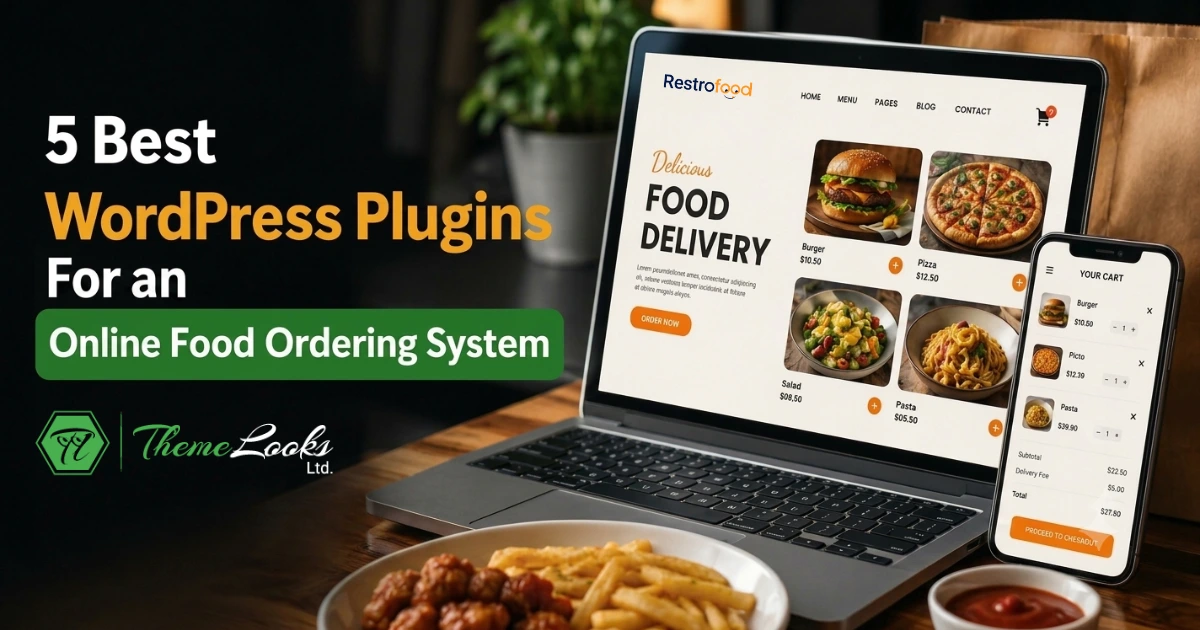
The best WordPress plugins for an online food ordering system are RestroFood Online Food Ordering Plugin, WP Food Manager, Orderable, GloriaFood, and WPCafe. Each plugin handles menu display, cart management, and order processing, but they differ significantly in delivery management, multi-branch support, POS integration, and the depth of their integration with WooCommerce.
Table of Contents
| Feature | WP Food Manager | WPCafe | GloriaFood | Orderable | RestroFood |
| WooCommerce native | Yes | Yes | No (SaaS) | Yes | Yes |
| Delivery time slots | No | Basic | Basic | Yes | Yes |
| Pre-order/scheduling | No | No | No | No | Yes |
| Kitchen manager panel | No | No | No | No | Yes |
| Order tracking | No | No | Limited | No | Yes |
| Zip code delivery check | No | No | No | No | Yes |
| Closing time detection | No | No | No | No | Yes |
| Multi-branch support | No | No | No | No | Yes (add-on) |
| Free version available | Yes | Yes | Yes | Yes | Yes |
| Data ownership (self-hosted) | Yes | Yes | No | Yes | Yes |
The table shows that most plugins handle basic menu and cart functions but fall short on operational features like pre-orders, closing time rules, and staff-specific dashboards. RestroFood and Orderable lead on ordering workflow depth, with RestroFood adding backend management tools that the others do not include.
A generic WooCommerce store is not built for restaurants. Standard WooCommerce handles product sales and checkout, but not delivery time slots, closing time detection, kitchen manager dashboards, or zone-based delivery verification. Restaurants need tools that match how food service actually works.
A 2023 Statista report found that over 60% of restaurant operators in North America now take orders online. For WordPress-based restaurant websites, a dedicated ordering plugin removes the need to build custom functionality from scratch and keeps the entire order workflow from cart to delivery inside one system.
The plugins below were selected based on 4 criteria:
RestroFood is a WooCommerce-based restaurant management plugin for WordPress that handles the complete online food ordering workflow from customer menu browsing and cart checkout to kitchen order management, delivery dispatch, and real-time order tracking all within a single system.
RestroFood is built for restaurant owners, cafe operators, cloud kitchen businesses, and food delivery services that need a full ordering system on their own WordPress site, without paying 3%–15% commission to third-party platforms like Uber Eats or DoorDash.
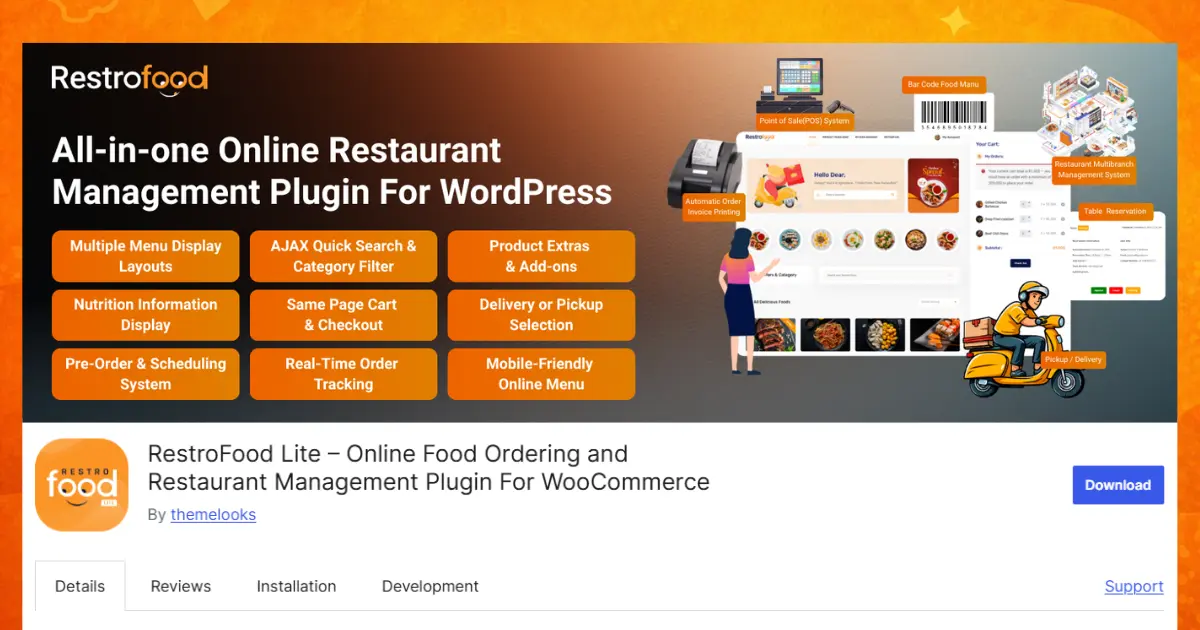
RestroFood covers every stage of the food ordering process that a restaurant needs to manage, from the moment a customer lands on the menu to the moment the order reaches their door.
The ordering interface in RestroFood is designed for speed and minimal friction.
RestroFood provides 6 different product display layouts so restaurant owners can showcase menu items in the format that matches their brand grid, list, or featured display. Customers browse the menu using Ajax category filters and Ajax quick search, which return results instantly without reloading the page.
Each menu item supports a quick view popup (Ajax Quick Product View) that lets customers see product details, extras, and pricing without navigating away from the menu page. This keeps browsing fast and reduces cart abandonment.
The Same Page Cart and Checkout System is one of RestroFood’s most practical ordering features. Customers complete their order from any page on the site without clicking through to a separate checkout URL. The cart and checkout process happen inline, reducing the number of steps between “add to cart” and “order placed.”
RestroFood also supports Ajax Pagination, which loads additional menu items without a page refresh, important for restaurants with large menus.
RestroFood supports 3 order types that restaurants can configure based on their business model:
Restaurant owners can enable all 3 modes or restrict the system to delivery-only or pickup-only, depending on their operation.
RestroFood includes a built-in pre-order and order scheduling system. Customers can place orders in advance for a specific date and time useful for catering, special events, and peak-hour management.
The Delivery Date and Time Set Options let restaurants configure: today’s delivery or pickup, and scheduled delivery or pickup for a future date. Delivery Time Slots give granular control to restaurant owners to set opening days, holidays, opening and closing times, and break start and end times. Each time slot can have an order limit, so if a slot is full, customers are prompted to select a different time.
Break Time can be added within the delivery schedule. Customers cannot select break-time windows when placing orders, which prevents order overload during staff breaks.
Day-Based Delivery Time Options allow different delivery availability for each day of the week, so a restaurant that closes on Mondays or operates reduced hours on Sundays can reflect that accurately in the ordering system.
RestroFood uses multiple methods to verify and manage delivery availability:
For drivers, RestroFood generates a customer address directions map when an order is placed, giving delivery staff a direct route without requiring a separate navigation app.
RestroFood gives restaurant owners full control over delivery pricing:
RestroFood supports unlimited combo products and product extra options, so customers can customize their orders with add-ons, portion sizes, modifications, and extras. The price updates dynamically as customers make selections, so the final total is always visible before checkout.
Order Bumps allow restaurant owners to suggest complementary items at checkout, for example, recommending a drink or dessert alongside a main course. This increases average order value without additional marketing effort.
Product Extra Quantities can be adjusted directly in the cart, giving customers control over portion sizes and add-on quantities.
RestroFood provides 3 separate admin dashboards for the different roles involved in order fulfillment:
Each dashboard is role-restricted, so kitchen staff see only what they need, and delivery drivers see only their assignments. This separation reduces errors and prevents unauthorized access to business-critical settings.
RestroFood keeps restaurant staff and customers informed at every stage of the order lifecycle:
RestroFood includes a built-in order tracking system for customers. After placing an order, customers can track the delivery status and see real-time updates on the delivery driver’s progress and vehicle. This reduces inbound “where is my order?” inquiries to restaurant staff.
RestroFood supports one-click invoice printing with 2 layouts: thermal printer format and receipt printer format. Restaurant owners can customize the invoice with a header, footer text, and company logo. This is directly integrated into the order management workflow; no separate invoicing software is needed.
For restaurants that also take in-person orders, RestroFood offers a POS Add-on that connects front-of-house ordering with the same backend system used for online orders. This means a restaurant running both dine-in and delivery sees all orders regardless of source in a unified dashboard.
RestroFood supports all WooCommerce payment gateways, including Stripe, PayPal, Google Pay, Apple Pay, Square, Amazon Pay, Authorize.net, and Alipay. No custom payment integration is required; any gateway already configured in WooCommerce works with RestroFood automatically.
| Feature | Included |
| Online food ordering (delivery, pickup, dine-in) | Yes |
| Pre-order and scheduled delivery | Yes |
| Delivery time slots with order limits | Yes |
| Zip code and distance-based delivery zones | Yes |
| Ajax menu browsing (filter, search, pagination) | Yes |
| Same-page cart and checkout | Yes |
| Product extras, combo items, and add-ons | Yes |
| Order bump (upsell at checkout) | Yes |
| Custom delivery fees and free shipping threshold | Yes |
| Kitchen manager dashboard | Yes |
| Delivery driver dashboard with route map | Yes |
| Real-time order tracking for customers | Yes |
| Automated order status email notifications | Yes |
| Custom email templates per order status | Yes |
| New order sound notifications | Yes |
| One-click thermal/receipt invoice printing | Yes |
| All WooCommerce payment gateways | Yes |
| Minimum order amount restriction | Yes |
| Multi-branch management (Add-on) | Yes |
| POS system for in-house orders (Add-on) | Yes |
| Table reservation (Add-on) | Yes |
| Tip management (Add-on) | Yes |
RestroFood is best suited for:
Orderable is a WooCommerce food ordering plugin built specifically for restaurants. It focuses on clean menu presentation and a streamlined checkout flow.
Key features:
Orderable works well for small to medium restaurants that want a polished ordering experience without heavy backend configuration. It does not include built-in POS, multi-branch management, or kitchen dashboards in its base offering.
WPCafe is a WordPress restaurant plugin that combines menu management with a food ordering system. It is built on WooCommerce and supports Elementor.
Key features:
WPCafe suits restaurants that want menu display and basic ordering in one plugin. Its reservation feature is a bonus for dine-in operations, though the delivery management tools are less detailed than dedicated delivery-focused plugins.
GloriaFood is a free online ordering system for restaurants that works as a WordPress plugin (via widget embed). It operates as a SaaS platform rather than a self-hosted WooCommerce plugin.
Key features:
GloriaFood is straightforward to set up and suits restaurants that want a quick online ordering launch. Because it is SaaS-based, you do not own the ordering data locally it lives on GloriaFood’s servers. Restaurants that want full control over their customer data inside WordPress may find this limiting.
WP Food Manager is a lightweight WordPress plugin for adding food menus and a basic ordering workflow to a restaurant website.
Key features:
WP Food Manager is best for simple restaurant websites that need organized menu listings more than a full ordering workflow. It does not include delivery management, order scheduling, or staff panels.
For simple menu + cart: WP Food Manager or WPCafe covers basic needs at low complexity.
For a clean ordering UI without backend depth: Orderable is a well-designed option for small restaurants.
For quick launch without server setup: GloriaFood gets you live fast, but you trade local data control for convenience.
For a complete WooCommerce food ordering system that includes delivery management, pre-orders, staff panels, and order tracking under one WordPress dashboard: a full-stack plugin like RestroFood handles the entire workflow without piecing together multiple plugins.
The right choice depends on how many orders you process per day, whether you manage delivery in-house, and how much control you want over your data and customization.
RestroFood and GloriaFood both offer free plans. RestroFood’s free version is WooCommerce-native and covers the core ordering setup, including cart, checkout, and delivery type selection. GloriaFood free plan is commission-free but operates on SaaS infrastructure outside your WordPress database.
WooCommerce-based plugins: RestroFood, Orderable, WPCafe, and WP Food Manager support all standard WooCommerce payment gateways, including Stripe, PayPal, Square, and Apple Pay. GloriaFood supports its own payment integrations, which are more limited depending on your country.
Most food ordering plugins do not include a pre-order system by default. RestroFood includes a built-in pre-order and order scheduling system that lets customers select a future delivery date and time at checkout.
Plugins like RestroFood include delivery time slot settings where you configure opening hours, break times, holidays, and per-slot order limits. Orderable also supports timed slots for delivery and pickup. WPCafe offers basic time selection.
A food ordering plugin handles the customer-facing ordering flow, menu display, cart, and checkout. A restaurant management plugin extends this to include backend tools like kitchen dashboards, delivery management, staff role panels, order tracking, and reporting. RestroFood covers both categories in a single install.
All WooCommerce-native plugins work well with the WooCommerce ecosystem, but the depth varies. RestroFood adds restaurant-specific features like closing time detection, zip code delivery checks, and separate manager panels that standard WooCommerce setups do not include out of the box.
Yes. RestroFood supports delivery and pickup together or separately, including different time slots for each. Orderable also supports both modes. GloriaFood supports both on its platform.
Choosing the right WordPress plugin for an online food ordering system depends on your restaurant’s size, workflow, and growth goals. While plugins like WP Food Manager, WPCafe, GloriaFood, and Orderable provide useful menu and ordering features, their capabilities vary when it comes to delivery management, scheduling, and operational control. If you need a simple ordering solution, these plugins can work well. However, restaurants that require advanced features such as delivery zone management, pre-orders, kitchen dashboards, order tracking, and WooCommerce-based flexibility may benefit from a more comprehensive solution like RestroFood. Before making a decision, evaluate your daily order volume, delivery requirements, and customization needs to choose a plugin that supports both your current operations and future growth.
Our FAQs cover the most common questions about ThemeLooks. If you need personalized advice or have a unique query, our team is ready to help. Contact us!

Mohammad Nur Alam is a Technical Content Writer at ThemeLooks Ltd., specializing in WordPress, SaaS, SEO, and web development. He writes practical tutorials, product reviews, and technical guides that help users make the most of WordPress tools and plugins. Passionate about digital marketing and emerging technologies, he enjoys creating helpful content and staying up to date with the latest industry trends.





 ChatGPT
 Grok
Grok Claude
 Perplexity
 Google AI


