
The best WordPress live food order notification plugins are FoodBook, RestroFood, Orderable, GloriaFood, Food Store, RestroPress, and WPCafe. Each one alerts your kitchen the moment a customer places an order, using sound alerts, desktop popups, or mobile push notifications. RestroFood stands out for restaurants running multiple branches, since it adds role-based alerts for kitchen staff, branch managers, and delivery drivers at the same time.
Table of Contents
A missed order notification costs a restaurant real money, not just a delayed ticket. When a kitchen does not see a new order within 2-3 minutes of its landing, the customer usually assumes the order failed and calls or cancels. A live food order notification plugin closes that gap by pushing an instant alert sound, popup, or mobile push to the exact staff member who needs to act on it.
Most restaurant operators don’t realize how much of their “slow service” complaints trace back to notification delays rather than kitchen speed. A ticket that sits unseen in an order queue for 5 minutes creates the same customer frustration as a ticket that takes 5 extra minutes to cook. The fix in both cases starts with visibility, not speed.
In practice, the difference between a basic order plugin and a full notification system comes down to who gets alerted and how fast. A basic plugin might send an email that a busy kitchen staff member never opens during service. A dedicated live notification system triggers an audible alert at the counter, a popup on the kitchen display, and a push notification to the delivery driver’s phone all within seconds of the order being placed.
The table below compares the 7 plugins across the notification features that matter most during live service: alert type, WooCommerce dependency, and role-based routing.
Feature | Basic Ordering Plugin | Food Ordering Plugin | Full Restaurant System | RestroFood |
| Live sound alerts | Pertial | Yes | Yes | Yes |
| Role-based alerts (kitchen, manager, driver) | No | No | Pertial | Yes |
| Multi-branch alert routing | No | No | Pertial | Yes |
| Built-in POS notification sync | No | Pertial | Yes | Yes |
| WooCommerce-native | Pertial | Pertial | Yes | Yes |
| One-time purchase (no SaaS fee) | Pertial | No | Pertial | Yes |
This comparison shows that most plugins handle basic live alerts well, but role-based routing and multi-branch alert separation remain rare features. RestroFood covers both, which matters most for restaurants operating more than 1 location or running dine-in, delivery, and pickup through the same kitchen simultaneously.
The following 7 plugins each add live, real-time order alerts to a WordPress restaurant site. They differ in setup complexity, WooCommerce dependency, and how deep the notification system runs into daily operations.
FoodBook is a WordPress food ordering plugin built for fast-moving cafés and quick-service restaurants that need a simple, real-time order flow. It connects directly to a live order management dashboard, so a new order appears on the kitchen screen the second the customer checks out.
FoodBook works well for single-location cafés and small restaurants that want a straightforward ordering system without a steep learning curve. The plugin keeps its notification setup simple: one dashboard, one alert stream, minimal configuration. This makes it a reasonable starting point, though it lacks the branch-level and role-based alerting that multi-location operators need.
Here is how it works in real life. A customer opens the menu page and picks the food they want. FoodBook sends that order straight to the kitchen screen, with no delay and no need to refresh the page. A short alert sound plays so staff notice the new ticket right away, even during a busy lunch rush.
FoodBook keeps its setup simple on purpose. A café owner can add the menu, set prices, and turn on live ordering in under an hour, without hiring a developer. This matters most for small teams that want the system running fast, not a big project that takes weeks to finish.
The plugin covers 3 basic order types: pickup, delivery, and simple online ordering. It does not include a built-in POS system, so a café still using a physical register has to enter dine-in orders by hand, in a separate step. This gap is the main trade-off for FoodBook’s simplicity. Restaurants planning a second location, or a dedicated delivery team, usually outgrow FoodBook’s single-dashboard alert system within the first year.
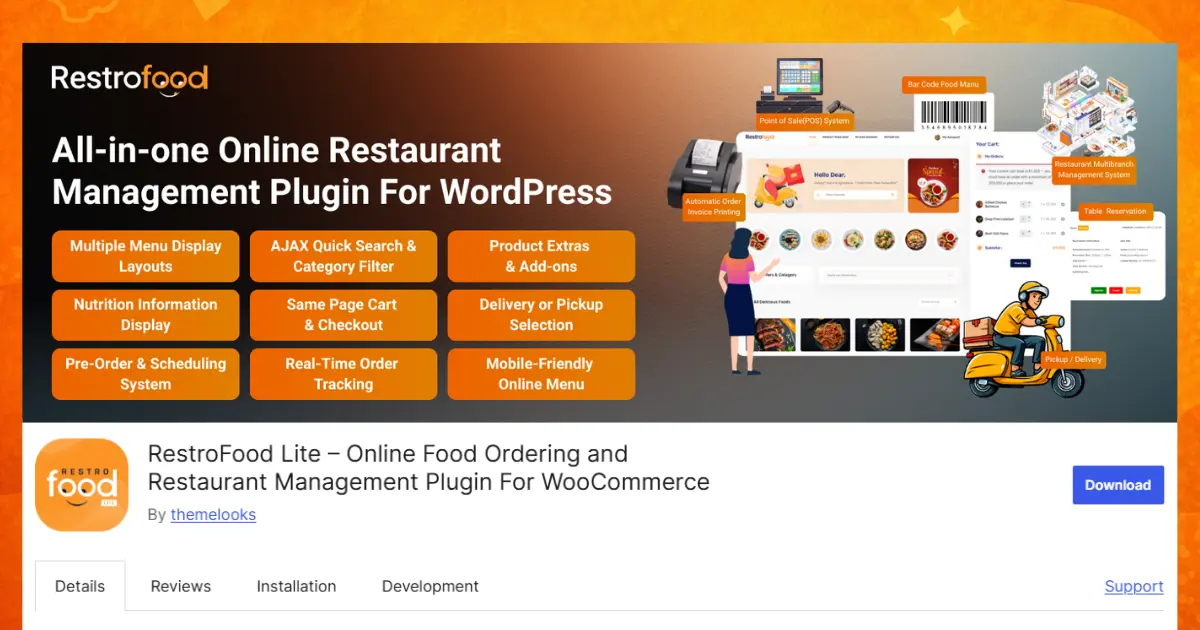
RestroFood is a WooCommerce-based restaurant management plugin for WordPress that triggers instant notification sounds for every incoming order and routes separate, role-based alerts to kitchen staff, branch managers, and delivery drivers. Instead of a single generic alert, each role sees only the information relevant to their job, the kitchen sees the order ticket, the delivery driver sees the pickup and drop-off details, and the branch manager sees a live summary across every location.
This role-based separation solves a problem that most single-purpose notification plugins ignore entirely. A pizza shop running 3 branches does not need every manager alerted about every order at every location that creates alert fatigue, and staff start ignoring notifications altogether. RestroFood’s multi-branch management system routes each alert only to the branch it belongs to, while still giving owners a centralized view across all locations from one WordPress dashboard.
The notification system connects directly to RestroFood’s built-in POS system, so dine-in orders entered at the counter trigger the same instant kitchen alert as online orders. A cashier taking a phone order manually gets the same real-time kitchen ticket as a customer ordering through the website. This matters during peak service hours, when a restaurant might be running dine-in, delivery, and pickup orders through the same kitchen at once, a scenario where a fragmented notification system (one tool for online orders, a separate system for phone orders) creates missed tickets.
For delivery orders, RestroFood’s delivery management feature assigns drivers automatically based on zone proximity and sends the assignment as a live push notification to the driver’s phone, eliminating manual dispatch during busy periods. A driver 2 blocks from the customer gets the assignment before a driver 15 minutes away, cutting average delivery time in dense zones by a noticeable margin during peak hours.
Because RestroFood runs on WooCommerce, restaurant owners keep full ownership of their order data and notification settings on their own WordPress installation, with no monthly SaaS fee locking them into a third-party platform. Explore RestroFood’s full feature set to see how the notification system fits with online ordering, reservations, and multi-branch reporting in one plugin.
Orderable is a WooCommerce food ordering plugin focused on local delivery and pickup, with a live “Live Orders” board that updates on the front end as new orders come in. The board gives staff a visual queue of active orders without needing to refresh the page, paired with automated order alerts when a new ticket lands.
Orderable suits restaurants that want a clean checkout flow for local delivery and pickup without building out multi-branch or role-based alerting. It integrates natively with WooCommerce, so stores already running WooCommerce for other products can add food ordering with less setup friction.
The Live Orders board is the plugin’s main strength. Staff open one page and see every active order in a simple list, sorted by time. A new order slides into the list on its own, with a sound alert, so no one has to click refresh during a busy shift.
Orderable works best for a single restaurant with one kitchen and one delivery zone. It does not split alerts by branch or by staff role, so a manager, a cook, and a driver all see the same order list. A restaurant with only 1 location rarely notices this limit. A restaurant with 2 or more locations usually needs a plugin that can separate alerts by branch instead.
GloriaFood is a zero-commission WordPress food ordering plugin that sends real-time order notifications through a dedicated mobile app, alerting staff the second a customer places an order. The app-based approach means staff can receive alerts on a phone or tablet without needing a dedicated desktop terminal running at all times.
This makes GloriaFood a common choice for smaller restaurants and food trucks that want mobile-first order alerts without investing in fixed kitchen display hardware. The trade-off is that GloriaFood’s core plugin is not natively WooCommerce, so it runs as a more self-contained system with its own checkout and menu tools rather than plugging into an existing WooCommerce store.
A typical setup looks like this: a staff member installs the GloriaFood app on a phone or tablet, connects it to the restaurant’s WordPress menu, and keeps the app open during service hours. When a customer places an order online, the app rings and shows the order details right away. No extra hardware, no printer, no dedicated computer needed at the counter.
This mobile-first design fits food trucks and small pop-up kitchens especially well, since these businesses often do not have a fixed counter or a permanent internet connection at one spot. The trade-off shows up as the business grows. GloriaFood’s zero-commission pricing is attractive at a small scale, but the plugin does not offer the multi-branch or role-based alerts that a restaurant needs once it opens a second or third location.
Food Store is a WooCommerce food ordering theme and plugin combination that integrates with WooCommerce order notification extensions to push live desktop and mobile alerts. Rather than building its own notification engine, Food Store leans on the broader WooCommerce plugin ecosystem to add real-time alerts on top of its ordering and menu features.
This approach gives restaurant owners flexibility to mix and match notification tools, but it also means the alerting system is not unified. Staff may need to check 2 separate plugins to see the full picture of dine-in, delivery, and pickup activity.
In practice, a Food Store setup often looks like this: the theme handles the menu, the cart, and the checkout page, while a separate WooCommerce extension handles the actual alert sound or popup. This 2-plugin approach works fine for a small store with light order volume. It becomes harder to manage once order volume grows, since 2 plugins can send alerts at slightly different times, or one plugin can update while the other does not.
Restaurant owners already comfortable installing and managing multiple WordPress plugins will find Food Store flexible and low-cost to start. Owners who want 1 plugin that already includes ordering, alerts, and reporting in a single package may prefer a combined system instead, since fewer moving parts usually means fewer things that can break during a busy shift.
RestroPress is a lightweight, non-WooCommerce WordPress restaurant plugin with a “Command Center” dashboard that includes automatic kitchen ticket printing and live push notifications. The automatic ticket printing feature stands out here a new order both triggers a live alert and prints a physical kitchen ticket, useful for kitchens that still rely on paper tickets during service.
RestroPress works as a standalone system independent of WooCommerce, which appeals to restaurant owners who want a dedicated food ordering plugin without adding WooCommerce’s broader e-commerce layer to their site. The trade-off is losing access to the wider WooCommerce extension ecosystem that WooCommerce-based plugins like RestroFood and Orderable can tap into.
The printed ticket feature solves a real, everyday problem. Many kitchens still hand a paper ticket to the cook, clip it to a rail, and cross it off when the dish is done. RestroPress supports that habit directly: the moment an order comes in, the Command Center sends a live alert to the screen and prints a paper ticket at the same time, so kitchens do not have to change how they already work.
RestroPress fits restaurants that want a dedicated ordering plugin, not a full e-commerce store. A single café with one kitchen and one printer can set this up quickly. A restaurant chain with several branches will eventually want the extension library, delivery tools, and reporting features that come with a WooCommerce-based plugin, which RestroPress does not offer.
WPCafe is an all-in-one WordPress restaurant plugin that delivers real-time order notifications for delivery and pickup orders while integrating with Elementor and WooCommerce. Beyond notifications, WPCafe bundles menu management and table reservation tools, positioning it as a broader restaurant website toolkit rather than a notification-first plugin.
The Elementor integration makes WPCafe a practical fit for restaurants that already build their site with Elementor and want live ordering features without switching page builders.
WPCafe works like a toolbox rather than a single-purpose plugin. A restaurant can build its menu page, set up a table reservation form, and turn on delivery and pickup ordering, all inside the same plugin. When a new order comes in, staff see a live alert on the dashboard, similar to the other plugins on this list.
The wide feature set is both the strength and the limit of WPCafe. Restaurants that want menus, reservations, and ordering in 1 place save time on setup. Restaurants that need deep, role-based alerting across several branches will find WPCafe’s notification system simpler than a dedicated multi-branch system, since it treats every order the same way regardless of location or staff role.
Restaurants already running a dedicated WooCommerce food store can add specialized extensions on top of their existing ordering plugin instead of switching systems entirely.
These 2 extensions solve different problems: YITH targets internal staff alerts, while Live Sales Notifications targets customer-facing marketing. Neither replaces a full restaurant management plugin, but both work as add-ons to an existing WooCommerce food store.
Choosing the right plugin comes down to 3 factors: how many locations you run, whether you already use WooCommerce, and how many order types hit your kitchen at once. A single-location café with one order type can use a simpler plugin like FoodBook or GloriaFood. A restaurant running dine-in, delivery, and pickup across multiple branches needs role-based, multi-branch alerting like RestroFood provides.
Restaurants already invested in WooCommerce should prioritize WooCommerce-native plugins to avoid running 2 separate e-commerce systems side by side. Restaurants without an existing WooCommerce setup, and no plans to build one, might find a standalone system like RestroPress or GloriaFood a faster path to launch.
Results vary by restaurant size, order volume, and how many staff roles need separate alerts. A 3-branch restaurant chain sees a different notification workload than a single-location cloud kitchen, so test any plugin’s alert routing against your actual daily order mix before committing.
Most restaurants start with a single-location plugin and outgrow it once they add a second branch or a delivery fleet. Planning for that growth before choosing a plugin saves a painful migration later, since switching order systems mid-operation risks losing historical order data and retraining staff on a new dashboard.
For restaurants running or planning multiple branches, dine-in and delivery together, or a dedicated delivery driver team, a role-based system pays off faster than a single-alert plugin. See RestroFood’s pricing to compare plans against your current order volume and branch count.
Picking the right notification plugin comes down to how your kitchen actually works. A small café with one location can start simple with FoodBook or GloriaFood. A growing restaurant with more than one branch, or one that handles dine-in, delivery, and pickup at the same time, needs something stronger.
That’s where RestroFood stands out. It sends the right alert to the right person, kitchen staff, managers, and drivers, instead of one noisy alert for everyone. It also connects to a built-in POS system, so no orders get missed during a busy shift.
Before you choose, think about how many locations you run and how many order types your kitchen handles each day. That answer points you to the right plugin.
A live food order notification plugin alerts restaurant staff the instant a customer places an order, using sound, desktop popups, or mobile push notifications. It removes the need for staff to manually refresh an order dashboard, cutting the delay between order placement and kitchen action to a few seconds.
No, WooCommerce is not required for every plugin, but most full-featured options run on it. RestroFood, Orderable, and Food Store all build on WooCommerce, while RestroPress and GloriaFood run as standalone systems without a WooCommerce dependency.
Yes, RestroFood sends role-based alerts, giving kitchen staff, branch managers, and delivery drivers separate notifications relevant to their job. Most other plugins on this list send a single generic alert to whoever is logged into the dashboard.
A kitchen should see a new order notification within 5–10 seconds of the customer completing checkout. Delays beyond 2–3 minutes commonly lead customers to assume the order failed, increasing cancellation calls and repeat orders.
Some plugins, like GloriaFood, offer a free core version with paid add-ons for advanced features. RestroFood, RestroPress, and WPCafe typically operate on a one-time purchase model rather than a recurring subscription, which lowers long-term cost for multi-branch operators.
Yes, plugins with a built-in POS system, such as RestroFood, sync live alerts across both online orders and dine-in orders entered at the counter. This keeps the kitchen working from a single order queue instead of checking 2 separate systems during service.
A general WooCommerce notification extension, such as YITH WooCommerce Desktop Notifications, alerts staff to any new order but does not distinguish between dine-in, delivery, or pickup, or route alerts by staff role. Restaurants with multiple order types typically need a restaurant-specific plugin layered on top for that separation.
Our FAQs cover the most common questions about ThemeLooks. If you need personalized advice or have a unique query, our team is ready to help. Contact us!
Mohammad Nur Alam is a Technical Content Writer at ThemeLooks Ltd., specializing in WordPress, SaaS, SEO, and web development. He writes practical tutorials, product reviews, and technical guides that help users make the most of WordPress tools and plugins. Passionate about digital marketing and emerging technologies, he enjoys creating helpful content and staying up to date with the latest industry trends.
