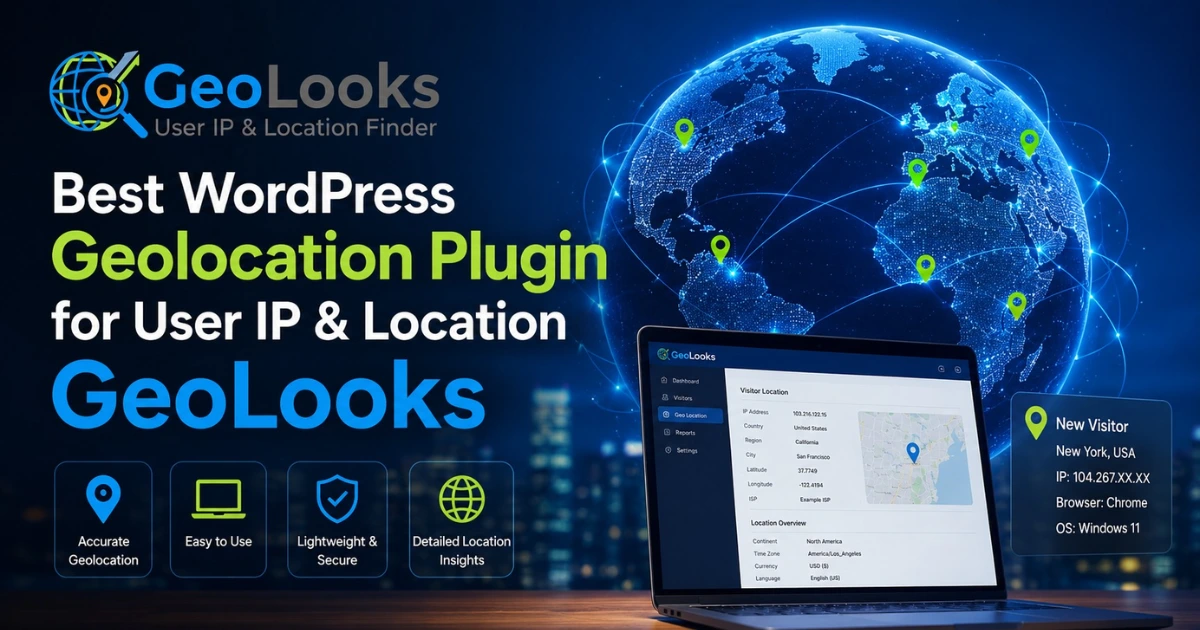
If you have a WordPress website, sometimes you may want to know where your visitors come from. For example, you may want to see a visitor’s IP address, country, city, or timezone. This is where GeoLooks can help.
GeoLooks is a simple WordPress geolocation plugin made to show visitor location details on your website. It is lightweight, easy to use, and works with a short code, so you can place location information on posts or pages without editing your theme. GeoLooks can show useful details such as User IP, country, country code, city, state, postal code, region, timezone, latitude, and longitude.
Table of Contents
GeoLooks – User IP & Location Finder is a simple WordPress plugin that helps website owners see where their visitors are coming from. It works like a small location finder for your WordPress website. When someone visits your site, GeoLooks looks at their IP address and finds basic location details.
After that, it can show useful information on your website such as IP address, country, country code, city, state, region, postal code, timezone, latitude, and longitude. This helps you understand your visitors in a very easy way.
GeoLooks works using a simple shortcode, so you can place the location information on any page or post without doing coding or editing your theme. It is also compatible with all WordPress themes and page builders, which makes it very easy for beginners to use.
This plugin can be helpful for many types of websites, such as blogs, business websites, service websites, landing pages, and any site that wants to show User IP or visitor location details in a simple way.
In short, GeoLooks is a lightweight and easy tool that helps you learn basic visitor location information and display it on your WordPress website without any technical difficulty.
GeoLooks can display many useful visitor details. Here is a simple table to understand what the plugin can show.
| GeoLooks Feature | What It Shows |
| User IP | The visitor’s IP address |
| Country | The visitor’s country name |
| Country Code | Short country code like US, UK, BD |
| City | The visitor’s city |
| State | The visitor’s state |
| Region | The visitor’s region information |
| Postal Code | ZIP or postal code if available |
| Timezone | The visitor’s timezone |
| Latitude | The location latitude |
| Longitude | The location longitude |
GeoLooks is helpful if you are looking for a WordPress plugin IP address tracker, a simple geo location finder, or a beginner-friendly WordPress geolocation plugin.
GeoLooks is a very easy WordPress plugin that helps website owners see visitor location details like IP address and country. It is simple, beginner-friendly, and works without coding. Below are its main features explained in a very easy way.
GeoLooks can show the User IP address of anyone who visits your website. This is the unique number that every internet user has. It helps website owners easily know basic visitor information. It also works like a simple WordPress plugin IP address tracker, so you do not need any difficult setup or coding.
This plugin can also tell you the visitor’s country name and country code (like US, UK, or BD). This is useful if you want to understand which countries your website visitors are coming from. It helps you see your audience in a very simple and clear way.
GeoLooks can show more detailed location information such as the visitor’s city, state, region, and postal code. This makes it more powerful than a basic IP checker. It works like a small location finder inside your WordPress website, helping you learn more about your visitors.
The plugin can also display the visitor’s timezone. This tells you the time zone of the person visiting your site. It is helpful if you want to understand your audience better or show content based on their local time.
GeoLooks can show latitude and longitude, which are map-based location points. These numbers tell the exact position of a visitor in a simple digital form. It helps make the location data more accurate and detailed, like a basic map coordinate system.
GeoLooks is very easy to use because it works with a simple shortcode. A shortcode is like a small code word that you can place inside your WordPress pages or posts. After adding it, the plugin will show visitor information automatically. You can use this shortcode in posts, pages, widget areas, and other places where shortcodes are supported. The best part is that you do not need to be a developer or know coding to use it.
GeoLooks works smoothly with all WordPress themes and page builders. This means you do not need to change your website design or rebuild your site to use this plugin. No matter what theme you are using, GeoLooks will fit easily into your website and work without problems. This makes it very helpful for beginners and website owners who already have a design they like.
GeoLooks also gives you customization options. This means you can change how the location information looks on your website so it matches your design. For example, you can adjust the display style to make it look clean and natural on your page. This helps your website look more professional and well-organized while showing visitor location details.
GeoLooks is a lightweight plugin, which means it does not slow down your website or feel heavy. It is designed to be very simple, so even beginners can understand it easily. You don’t need advanced skills to use it. It focuses only on important features, making it a clean and easy WordPress geolocation plugin.
You do not need to change or edit your WordPress theme files to use GeoLooks. Just install the plugin, activate it, and use the shortcode wherever you want to show visitor information. Everything works without touching any code, which makes it safe and easy for anyone to use.
GeoLooks is a simple WordPress geolocation plugin that shows visitor details like IP address, country, city, and timezone. It is lightweight, beginner-friendly, and works with shortcodes. No coding is needed, making it an easy tool to understand website visitors clearly.
GeoLooks works in a very simple way that even a beginner can understand.
First, a person visits your WordPress website. When this happens, GeoLooks automatically checks the visitor’s IP address, which is like a special number for every internet user. After that, it uses this IP address to find basic location details such as the visitor’s country, city, timezone, latitude, and longitude.
Then, GeoLooks shows all this information on your website using a shortcode. A shortcode is just a small code you paste into a page or post, and the plugin does the rest automatically.
To get the location details, GeoLooks uses a third-party service called WhatsIP. This service helps the plugin find location information based on the visitor’s IP address. When this happens, the visitor’s IP is sent to the service so it can return the correct location data.
GeoLooks is helpful because it makes it easy to understand your website visitors.
You can use it to:
In simple words, GeoLooks helps you learn basic visitor location details and show them on your website without any hard work or coding. It is a small but useful tool for anyone who wants to understand where their website visitors are coming from.
GeoLooks is mainly made to show visitor location information on your WordPress website. It can display simple details like IP address, country, city, timezone, latitude, and longitude. This helps you understand where your visitors are coming from in an easy way.
Because it gives you location details, it can be useful if you are thinking about geotargeting WordPress content or using basic WooCommerce geolocation ideas. For example, you can learn which country your visitors come from and plan your content or store accordingly.
However, GeoLooks is not a fully advanced tool for automatic actions like geo redirect or complex WooCommerce features. Based on its official purpose, it is mainly designed to show visitor location details, not to automatically change content or redirect users based on location.
So, the best way to understand GeoLooks is that it is a simple plugin for displaying visitor geolocation information, not a full geotargeting or WooCommerce automation system.
Installing GeoLooks is very easy, even for beginners. You do not need any coding skills or technical knowledge.
First, go to your WordPress Dashboard. Then open Plugins > Add New. In the search box, type “GeoLooks” and look for the plugin. After that, click the Install button. When the installation is finished, click Activate.
That’s it! Now GeoLooks is ready to use on your website.
If you want to install it manually, you can download the GeoLooks plugin zip file. After downloading, extract the file and upload it to the wp-content/plugins/ folder in your WordPress site. Then go to the Plugins page and click Activate.
Once GeoLooks is activated, you can start using it right away. You can add the shortcode to your pages or posts to show visitor location information like IP address, country, city, and more.
In simple words, installing GeoLooks is just a few clicks, and your plugin will be ready to help you understand your website visitors.
GeoLooks is a simple and beginner-friendly WordPress geolocation plugin that helps you understand your website visitors in an easy way. It shows important details like IP address, country, city, timezone, latitude, and longitude using a simple shortcode. You do not need coding skills or theme changes to use it, which makes it very easy for anyone.
It works smoothly with all WordPress themes and page builders and is lightweight, so it does not slow down your website. GeoLooks is mainly made for showing visitor location information, not for advanced features like geo redirection or full WooCommerce automation. Overall, it is a helpful tool for beginners who want to know where their visitors are coming from in a simple and clear way.
GeoLooks is a simple WordPress plugin that helps website owners see where their visitors are coming from. It can show visitor details like IP address (User IP), country, city, state, timezone, latitude, and longitude. In very easy words, it is a tool that helps you understand your website visitors’ location information.
GeoLooks can show many helpful location details about a website visitor. It can display the IP address, country name, country code, city, state, region, postal code, timezone, latitude, and longitude. These details help you learn basic information about where your visitors are from.
Yes, GeoLooks can be useful if you want a simple way to track and display a visitor’s IP address. It works as a lightweight WordPress plugin that shows User IP and location details. It is not complicated, so beginners can easily use it without any technical skills.
GeoLooks works by checking the visitor’s IP address when they visit your website. After that, it uses a geolocation service to find location details like country, city, and timezone. Then it shows this information on your WordPress site using a simple shortcode.
No, GeoLooks does not need any theme editing. You don’t have to change your website code or design files. You just install the plugin, activate it, and use a shortcode to show the visitor’s location information. This makes it very easy for beginners.
Yes, GeoLooks works with almost all WordPress themes. You do not need to worry about your website design. It also works with page builders, so you can use it on different types of websites without any problem.
Yes, GeoLooks uses shortcodes to show information. This means you can place the visitor’s location details inside pages, posts, or widget areas that support shortcodes. It makes adding location information very simple and flexible.
GeoLooks mainly focuses on showing visitor location information like IP address and country details. It does not clearly mention geo redirection as a built-in feature. So, it is better to use it as a location information plugin, not as a tool that automatically redirects users based on their location.
Our FAQs cover the most common questions about ThemeLooks. If you need personalized advice or have a unique query, our team is ready to help. Contact us!

Mohammad Nur Alam is a Technical Content Writer at ThemeLooks Ltd., specializing in WordPress, SaaS, SEO, and web development. He writes practical tutorials, product reviews, and technical guides that help users make the most of WordPress tools and plugins. Passionate about digital marketing and emerging technologies, he enjoys creating helpful content and staying up to date with the latest industry trends.





 ChatGPT
 Grok
Grok Claude
 Perplexity
 Google AI


