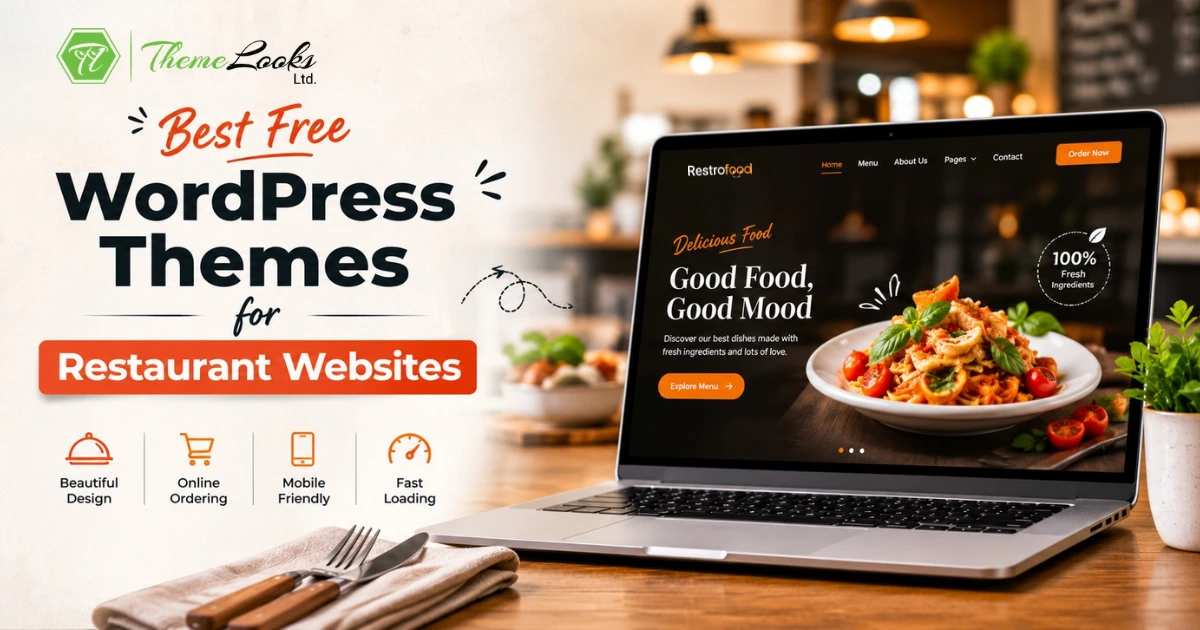
The Best Free WordPress Themes for Restaurant websites help you build a beautiful, fast, and easy-to-use website without writing any code. A good theme should load quickly, look great on phones and computers, and make it simple for customers to view your menu, see food photos, and place online orders. It can also help you share your restaurant’s story, promote special offers, and create a better experience for every visitor.
The 7 Best Free WordPress Themes for Restaurant websites in 2026 are FoodBook, RestroFood, Zakra Restaurant, Neve, Qi Theme, Restaurant Recipe, and Astra. Each theme offers different features. Some are made for online food ordering, while others focus on speed, easy customization, or stylish website designs. The best choice depends on your restaurant’s size, the features you need, and how you want customers to order food from your website.
Table of Contents
| Feature | Basic Menu Plugin | FoodBook / Zakra / Neve / Qi / Astra | Restaurant Recipe | RestroFood |
| Free to use | Yes | Yes | Yes | Yes |
| Online food ordering | No | (needs extra plugin) | (needs extra plugin) | Yes |
| Built-in POS for counter orders | No | No | No | Yes |
| Multi-branch management | No | No | No | Yes |
| Real-time delivery tracking | No | No | No | Yes |
| Table reservation tools | No | (varies by demo) | (varies by demo) | Yes |
| WooCommerce depth | No | (basic support) | (basic support) | Yes |
| Page builder support | (limited) | Yes | Yes (SiteOrigin) | Yes |
This table shows a clear pattern. Most themes on this list give a restaurant a beautiful and fast homepage, but the actual ordering, in-house checkout, and multi-branch reporting still need a separate plugin layered on top. RestroFood stands out because it was built from the start as a full WooCommerce-based restaurant management system, not just a visual layout. An owner who only needs a nice-looking site with a simple contact form may be happy with Zakra, Neve, or Astra. An owner who wants a full operating system for a growing food business, including a POS and delivery tracking, gets that directly from RestroFood.
A restaurant website is often the first thing a hungry customer sees. Before they walk in the door, they check the menu, the photos, and the hours online. If the site loads slowly or looks messy, many people simply close the tab and order from a competitor instead.
Studies from the restaurant technology sector show that most diners check a restaurant online before visiting, and slow websites lose a large share of these visitors within the first few seconds. This is not a small detail. It is the difference between a full dining room and an empty one on a Friday night.
A restaurant theme is more than a pretty layout. It needs to show food photos clearly, list menu items with prices, and let customers order or book a table without confusion. A theme built for restaurants already includes these pieces, so the owner does not need to build them from zero.
Many small restaurant owners try to save money by using a generic blog theme. This often backfires. A blog theme has no menu layout, no order button, and no reservation form. The owner then has to hire a developer to add these pieces one by one, which costs more time and money than starting with a restaurant-specific theme.
Free WordPress themes in 2026 are far more capable than they were even three years ago. Many free themes now include drag-and-drop builders, mobile-friendly design, and support for online food ordering plugins. A restaurant owner on a tight budget can launch a fully working site without spending anything on the design itself.
Choosing a WordPress theme is one of the most important steps when building a restaurant or food business website. A good theme does more than make your website look nice. It helps customers find your menu, place orders, and enjoy using your site. If your website is slow or hard to use, people may leave and order from another restaurant instead. Before you choose a theme, make sure it has these important features.
Website speed is very important. People do not like waiting for a website to load. If your pages take too long to open, visitors may leave before they even see your menu. This means you could lose customers and sales. A lightweight theme is a better choice because it uses fewer resources and loads much faster. A fast website also gives visitors a better experience and can help your site rank higher in search engines.
Most people search for restaurants and order food using their smartphones. They may be at home, at work, or traveling when they visit your website. Your theme should automatically adjust to fit every screen size, including phones and tablets. Text should be easy to read, buttons should be simple to tap, and images should look clear. A mobile-friendly design makes it easier for customers to browse your menu and place an order without any problems.
WooCommerce is the most popular tool for adding online ordering and payments to a WordPress website. If you want customers to order food directly from your website, your theme should work smoothly with WooCommerce. This allows visitors to add food to their cart, choose delivery or pickup, make secure payments, and receive an order confirmation. A theme with good WooCommerce support makes the whole ordering process simple for both customers and restaurant owners.
Your food menu is one of the most important parts of your website. Customers should be able to find their favorite dishes quickly without feeling confused. A good restaurant theme displays menu items in a clean and organized layout with clear categories, prices, and attractive food photos. This helps visitors compare different dishes, understand what you offer, and decide what they want to order. A well-designed menu can encourage customers to place an order faster.
Many restaurant owners do not know how to write code, and that is completely fine. A theme that works with page builders like Elementor or SiteOrigin makes creating and editing pages much easier. You can drag and drop sections, change text, replace images, and update your website without hiring a developer. This saves time, reduces costs, and lets you keep your website fresh whenever you add new menu items, promotions, or special offers.
FoodBook is built specifically for online food ordering. It gives restaurant owners a ready-made homepage with sections for the menu, the story of the restaurant, and customer reviews. The layout is designed so a first-time visitor understands within seconds what kind of food the restaurant sells.
FoodBook works well for restaurants that want to push online ordering as the main goal of their website, rather than just showing information. The theme places order buttons near every menu item, which keeps the ordering process short.
Best for: Restaurants that want ordering to be the main focus of the homepage.
RestroFood is a free WordPress restaurant theme made for restaurants, cafes, bakeries, food trucks, and other food businesses. It is fully built for WooCommerce, so you can create a professional food ordering website and accept online orders without using a separate platform.
With RestroFood, you can manage your restaurant from one place. Customers can place orders for delivery, takeaway, dine-in, or scheduled pickup. The built-in Point of Sale (POS) system helps staff take orders at the counter and print receipts. If you have more than one restaurant, the multi-branch management system lets you manage all locations from a single WordPress dashboard. It also includes real-time delivery tracking and role-based staff accounts, making it easier for managers, kitchen staff, and delivery drivers to do their jobs.
Because RestroFood is built on WordPress and WooCommerce, you have full control over your website and customer data. You do not need to rely on expensive third-party food ordering apps or pay monthly software fees. This makes RestroFood a smart choice for restaurants that want a complete and affordable online ordering solution.
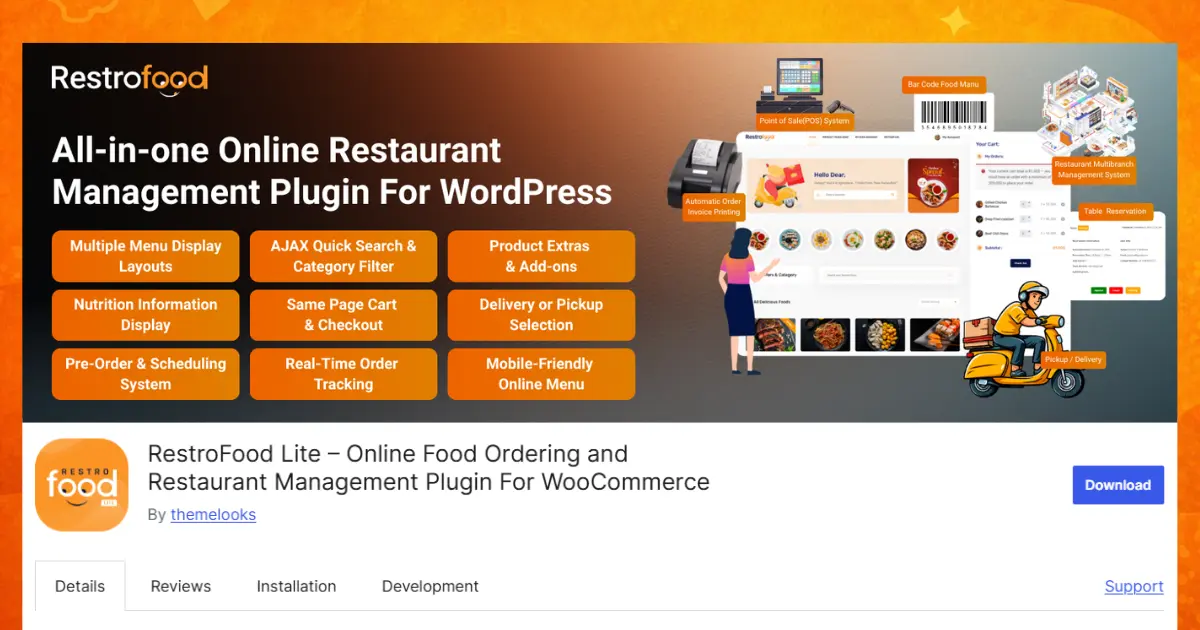
Best for: Restaurants, cafes, cloud kitchens, and food businesses that want a complete WordPress solution for online ordering, dine-in, takeaway, delivery, POS, and multi-branch management without paying monthly platform fees.
Zakra Restaurant is known for its clean and elegant design. It includes several ready-made demo layouts built just for food businesses, so an owner can pick a starting point close to their final vision instead of building a page from a blank screen.
The theme supports popular page builders, which makes it easy to rearrange sections like the menu, gallery, and contact form. It also connects well with WooCommerce, so restaurants that want to sell food online can add that feature without switching themes later.
Best for: Restaurant owners who want an elegant look with several demo styles to choose from.
Neve is a lightweight and fast-loading theme that works for many types of websites, including restaurants. Because it is built to be small in file size, pages open quickly even on slower phone connections, which matters a great deal for hungry customers browsing on the go.
Neve is search engine friendly out of the box, meaning it follows technical practices that help a restaurant’s pages show up in search results. It works naturally with Elementor, a popular drag-and-drop builder, so an owner can design a custom homepage without writing any code.
The theme suits both a small cozy cafe with a simple one-page site and a larger food blog that publishes recipes and reviews regularly. This flexibility makes it a strong pick for restaurant owners who are not yet sure how large their website will eventually grow.
Best for: Owners who want a fast, SEO-friendly theme that can grow from a simple cafe page into a larger food site.
Qi Theme is a large multi-purpose theme with more than 100 free demo layouts covering many industries, including food and restaurants. This wide selection means a restaurant owner can find a demo close to their exact style, whether that is a fine-dining look or a casual street-food vibe.
The layout tools inside Qi Theme are strong for showing off food photography. Restaurant owners can build image-heavy pages that highlight signature dishes, similar to a food photography portfolio, which helps attract customers who choose restaurants based on how appetizing the food looks online.
Best for: Restaurants that want a highly visual site built around strong food photography.
Restaurant Recipe is a simple and stylish WordPress theme for restaurants, cafes, bakeries, bars, hotels, and other food businesses. It helps you create a beautiful website without much effort.
You can display your food menu, share recipes with step-by-step instructions, and promote services like catering or private events. The theme works well with the SiteOrigin page builder, so you can easily customize your pages without coding. It also includes homepage sliders, flexible logo settings, multiple color options, easy navigation, and social media integration to help customers connect with your business.
Best for: Hospitality businesses beyond a single restaurant type, such as hotels, bakeries, and bed-and-breakfasts, that also want to share recipes online.
Astra is one of the fastest and most customizable free WordPress themes available today, and it includes more than 10 pre-designed restaurant templates. These templates range from casual pizzeria layouts to formal fine-dining designs, and each one can be imported with a single click through the Astra starter templates library.
Because Astra is built to be extremely lightweight, restaurant pages load fast even with several food photos on a single page. The theme works with all major page builders, giving restaurant owners freedom to customize any imported template without being locked into one fixed design.
Best for: Owners who want maximum speed along with a large library of ready-made restaurant template styles to import instantly.
A theme controls how the website looks. An ordering system controls what happens after a customer clicks the “Order Now” button. These are two different pieces, and it helps to understand how they connect.
Most of the themes in this list, including FoodBook, Zakra, Neve, Qi Theme, and Astra, focus mainly on visual design. To accept real orders and payments, the owner still needs to add WooCommerce along with a food ordering plugin. This works fine, but it means installing and configuring two separate tools that were not built together from day one.
RestroFood takes a different approach because it pairs a restaurant-focused theme with a WooCommerce-based restaurant management plugin built by the same team. This means the online ordering flow, the POS at the counter, and the delivery tracking system all share the same order data. A single order placed by a customer shows up instantly on the kitchen screen, the delivery dashboard, and the sales report, without any manual syncing between separate plugins.
For a small cafe with only a handful of orders per day, this difference may not matter much. For a restaurant handling dozens of dine-in, delivery, and pickup orders every hour, having one connected system instead of three loosely linked plugins saves real time and reduces order mistakes.
Restaurant websites in 2026 are moving beyond a simple digital menu card. A few clear trends are shaping how food businesses build and run their sites this year.
AI-assisted operations are becoming common in restaurant back-ends. Systems now suggest reorder times for popular ingredients based on past sales patterns, helping kitchen managers avoid running out of key items during busy hours.
Predictive ordering uses past customer behavior to recommend dishes a returning visitor is likely to enjoy, similar to how streaming services recommend shows. This keeps the average order value higher without feeling pushy to the customer.
Automated marketing tools now send a birthday discount or a “we miss you” message automatically after a set number of days without an order, without the owner needing to remember to do it manually.
Multi-location growth is increasing as successful single restaurants expand into two, three, or more branches. Owners in this stage need centralized dashboards that show sales across every location side by side, rather than checking each branch separately.
Restaurant owners who plan for these trends now, even with a free theme, set up their website in a way that can grow smoothly instead of needing a full rebuild later.
Choosing the Best Free WordPress Themes for Restaurant websites can help you build a fast, beautiful, and easy-to-use website without spending money. Every theme in this list has useful features, but the right one depends on your restaurant’s needs. If you only need a simple website with a menu and contact page, themes like Astra, Neve, or Zakra Restaurant are great choices. If you want a complete restaurant solution with online ordering, delivery, takeaway, dine-in, POS, and multi-branch management, RestroFood is the best option. Compare the features carefully, choose the theme that fits your business, and create a website that gives your customers a great experience. The combination of a good-looking website and a working operations system, all owned directly through WordPress with no ongoing software lock-in, is worth serious consideration.
Neve is a strong choice for a small cafe because it is lightweight, loads fast, and works well even on a simple one-page layout. It also grows easily if the cafe later adds a blog section for recipes or events. Owners who want a food-focused demo library instead can also consider Zakra Restaurant.
Yes, but the level of built-in support varies. Themes like FoodBook are designed around ordering from the start, while others like Astra or Qi Theme need WooCommerce and a separate ordering plugin added on top. RestroFood is unusual because it combines a restaurant theme with a full WooCommerce-based ordering, POS, and delivery system in one package.
No. All 7 themes on this list work with drag-and-drop page builders such as Elementor or SiteOrigin. This means a restaurant owner can move sections, change colors, and add photos without writing a single line of code.
A basic menu plugin only displays a list of dishes and prices on an existing page. A full restaurant theme includes the entire website design, including the homepage, photo galleries, contact forms, and often built-in support for reservations or ordering, all matched to a food-business style from the start.
RestroFood is the strongest option here because it includes multi-branch management as a core feature. An owner can control menus, staff accounts, and sales reports for every location from a single WordPress dashboard, rather than managing separate sites for each branch.
Yes, when chosen carefully. Free does not automatically mean lower quality in 2026. Many free themes, including the ones listed here, are actively maintained, mobile-friendly, and used by thousands of real restaurants. The main limitation is usually advanced features, which some themes reserve for a paid upgrade.
Start by listing what the restaurant needs most right now: a simple online menu, full online ordering, a POS for the counter, or multi-branch reporting. A cafe needing only a clean menu page fits well with Neve, Zakra, or Astra. A growing restaurant that wants ordering, POS, and delivery tracking together fits better with RestroFood.
Yes. All 7 themes are built with responsive design, meaning the layout automatically adjusts to fit a phone screen. This matters because most restaurant website visitors check the menu on their phone before deciding where to eat.
Our FAQs cover the most common questions about ThemeLooks. If you need personalized advice or have a unique query, our team is ready to help. Contact us!

Mohammad Nur Alam is a Technical Content Writer at ThemeLooks Ltd., specializing in WordPress, SaaS, SEO, and web development. He writes practical tutorials, product reviews, and technical guides that help users make the most of WordPress tools and plugins. Passionate about digital marketing and emerging technologies, he enjoys creating helpful content and staying up to date with the latest industry trends.





 ChatGPT
 Grok
Grok Claude
 Perplexity
 Google AI


