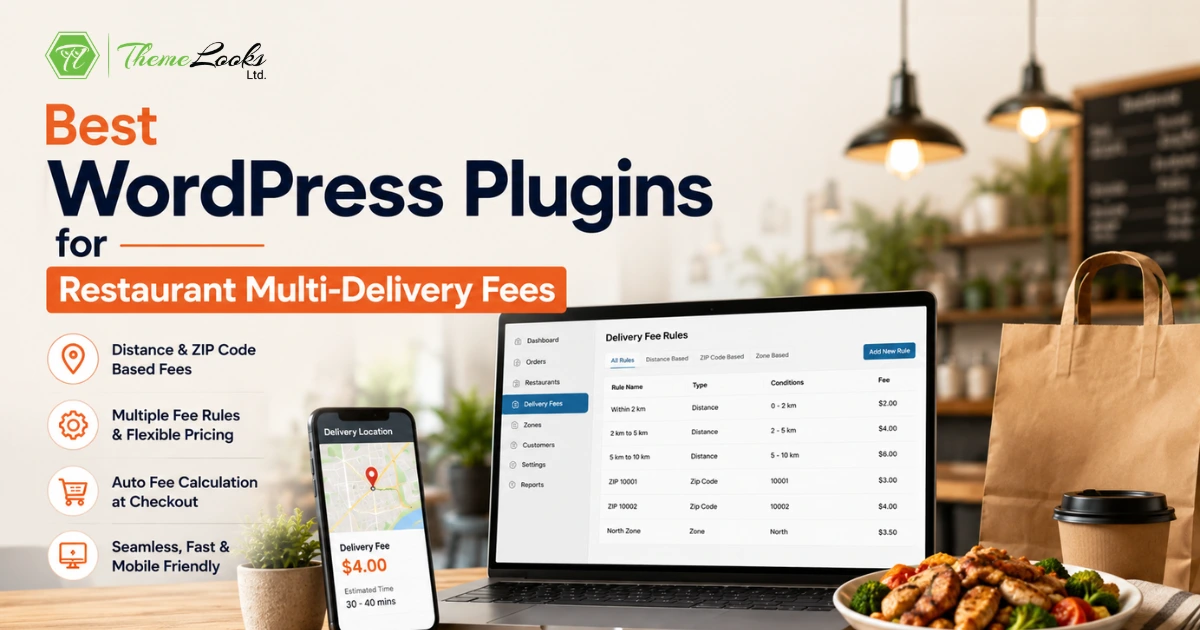
The best WordPress plugins for restaurant multi-delivery fees are RestroFood Multi-Delivery Fees Add-on, WooCommerce Table Rate Shipping, Flexible Shipping for WooCommerce, Distance Rate Shipping, and Per Product Shipping. These plugins let restaurants set delivery fees based on distance, zip code, zones, or order type, replacing flat-rate delivery with accurate, location-aware pricing.
Table of Contents
| Feature | Per Product Shipping | Flexible Shipping | WC Table Rate | Distance Rate Shipping | RestroFood Multi-Fees |
| Kilometer-based delivery fees | No | No | No | Yes | Yes |
| Zip code-based delivery fees | No | No | Via zones | No | Yes |
| Multiple fee rules simultaneously | No | Yes | Yes | No | Yes |
| Automated fee at checkout | Yes | Yes | Yes | Yes | Yes |
| Restaurant ordering integration | No | No | No | No | Yes |
| Zip code delivery availability check | No | No | No | No | Yes |
| Translation ready | No | Yes | Yes | No | Yes |
| Built for food delivery | No | No | No | No | Yes |
Distance Rate Shipping and RestroFood Multi-Delivery Fees both handle kilometer-based pricing. The key difference is that RestroFood Multi-Delivery Fees also includes zip code-based fee assignment and integrates directly with the restaurant’s ordering workflow, so the delivery fee is calculated as part of the complete food ordering experience, not bolted on as a separate shipping step.
A flat delivery fee treats a customer 1 kilometer away the same as one 10 kilometers away. For the restaurant, that means either undercharging long-distance deliveries or overcharging nearby customers, both of which hurt the business. Undercharging erodes delivery margins. Overcharging pushes nearby customers to competitors.
Accurate delivery pricing requires rules. Distance-based fees charge more as the delivery radius expands. Zip code-based fees apply consistent pricing within defined areas. Zone-based fees give full control over how the delivery map is divided and priced.
For WordPress restaurants using WooCommerce, the standard shipping settings are not built for food delivery geography. A dedicated delivery fee plugin adds the restaurant-specific pricing rules WooCommerce does not include by default.
The RestroFood Multi-Delivery Fees Add-on is a smart WordPress extension that helps restaurants charge the right delivery fee for every order. It works with the RestroFood core plugin and WooCommerce to automatically calculate delivery costs based on the customer’s address or delivery distance.
Instead of using one fixed delivery fee for every customer, you can create different pricing rules for different locations. This helps you cover delivery costs, avoid undercharging, and offer fair prices to your customers. The correct delivery fee is added automatically during checkout, so there is no extra work for your staff.
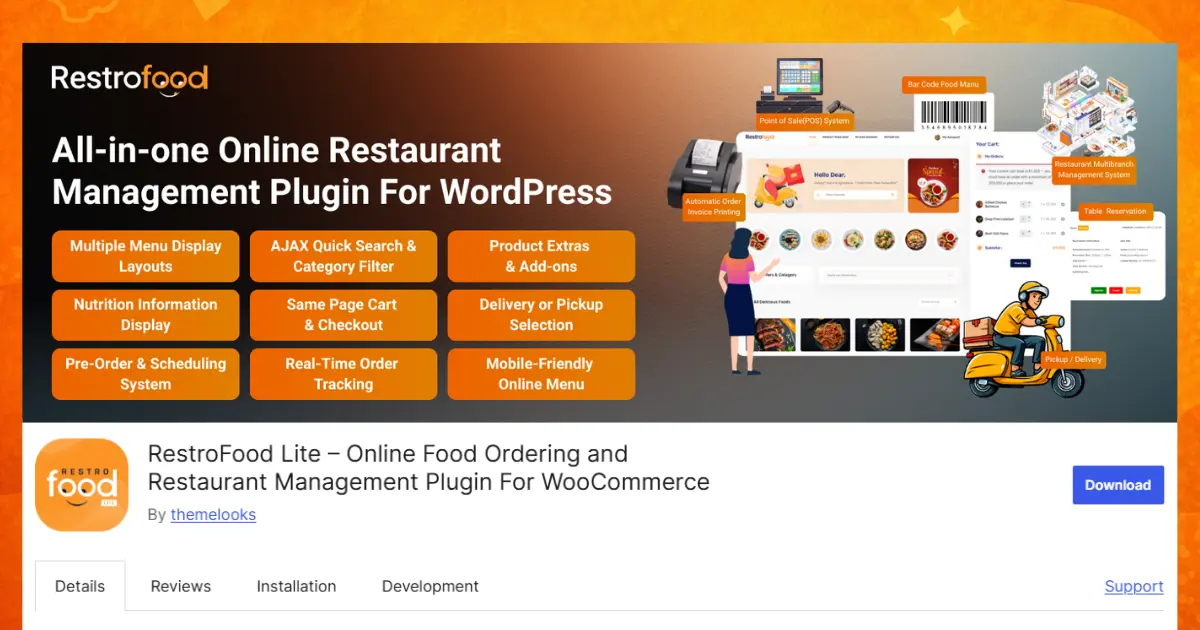
Key Features of the Delivery Fee Manager Add-on
Every customer does not live in the same place, so delivery should not always cost the same. This add-on lets you create different delivery fees for different delivery areas. You can charge less for nearby customers and more for people who live farther away. All delivery rules are managed from one easy dashboard, making it simple to update prices whenever you need.
The add-on can calculate delivery charges based on how far the customer lives from your restaurant. You can create different price ranges for different distances. For example, deliveries within 2 km can have one fee, while longer distances can have a higher fee. This helps cover delivery costs and keeps pricing fair for everyone.
You can also set delivery charges using ZIP or postal codes. Each area can have its own delivery price, giving you better control over your business. If your delivery locations change, you can quickly add, edit, or remove ZIP codes. This makes delivery pricing more accurate and easier to manage.
The add-on automatically calculates the correct delivery fee during checkout. When customers enter their address or ZIP code, the system checks your delivery rules and adds the correct charge instantly. There is no need for staff to calculate fees by hand. This saves time, avoids mistakes, and gives customers a smooth ordering experience.
Managing delivery fees is simple with the built-in settings dashboard. You can create delivery zones, update prices, and change delivery rules with only a few clicks. The dashboard is easy to use, even if you have little technical knowledge. As your restaurant grows, you can quickly adjust your delivery settings.
The add-on works perfectly with WooCommerce. Delivery fees are automatically shown in the shopping cart and checkout page. Customers can see the full cost before placing an order, so there are no hidden charges. This creates a better shopping experience and helps build customer trust.
Every restaurant has different delivery needs. Some businesses prefer distance-based pricing, while others use ZIP codes. This add-on supports both methods. You can even use them together. The system automatically selects the correct delivery fee based on your settings.
Customers can see their delivery cost instantly, making checkout faster and easier. The add-on also works smoothly on desktops, laptops, tablets, and smartphones, so both customers and restaurant staff can use it from any device. It is translation ready, allowing you to display your delivery system in different languages and serve more customers around the world.
You will receive free updates that include new features, bug fixes, security improvements, and compatibility with the latest versions of WordPress and WooCommerce. These regular updates help keep your online delivery system fast, secure, and ready to support your restaurant as it grows.
The RestroFood Multi-Delivery Fees Add-on starts at $75 per year for one website and requires the RestroFood core plugin. It is an excellent solution for restaurants, cafés, cloud kitchens, and food delivery businesses that want accurate delivery pricing, better customer experiences, and a faster checkout process.
WooCommerce Table Rate Shipping is the official WooCommerce shipping extension for creating rule-based shipping fee tables.
Key features:
WooCommerce Table Rate Shipping is flexible and well-supported. For restaurants, it works for zone-based delivery fee setups where delivery areas are defined by WooCommerce shipping zones. It does not include kilometer-based distance calculation or restaurant-specific zip code delivery availability checking.
Flexible Shipping is a popular WooCommerce shipping plugin with rule-based rate creation.
Key features:
Flexible Shipping handles complex rate structures well for e-commerce. For restaurants, the rate rules are based on cart content (weight, value) rather than geographic distance, which limits their accuracy for kilometer-based food delivery pricing.
Distance Rate Shipping calculates delivery fees based on the distance between the store and the customer’s address using the Google Maps API.
Key features:
Distance Rate Shipping solves the kilometer-based pricing problem directly. It is a standalone shipping plugin and does not include the restaurant-specific ordering workflow or zip code-based availability checking.
Per Product Shipping lets restaurants set shipping costs at the individual product level.
Key features:
Per Product Shipping is useful for restaurants that charge delivery fees based on the type of item ordered, for example, a higher fee for large platters versus individual items. It does not handle geographic delivery zone pricing.
Distance-based tiers: Set a base fee for the first 2 km, then an incremental fee per additional km. This reflects actual delivery cost, fuel, driver time, and vehicle wear more accurately than flat rates.
Zip code pricing: Divide your delivery area into zip codes and assign a fee to each. Areas closer to your restaurant get lower fees. Areas at the edge of your delivery range get higher fees. This is simpler to communicate to customers than kilometer-based math.
Minimum order threshold for free delivery: Set a cart total above which delivery is free. This encourages larger order values and is a common promotional tool in food delivery.
Combining methods: Some restaurants use zip code availability (to confirm delivery reaches a customer) together with distance based fee calculation (to set the price). RestroFood Multi-Delivery Fees Add-on supports both methods simultaneously.
Clear, accurate delivery fees reduce cart abandonment at checkout. Customers who see a fee that makes geographic sense are less likely to abandon the order than those who encounter a surprise flat rate that feels arbitrary.
Choosing the right delivery fee plugin can make a big difference for your restaurant. A good plugin helps you charge fair delivery prices, reduce mistakes, and give customers a better ordering experience. If you want a solution built especially for food delivery, the RestroFood Multi-Delivery Fees Add-on is an excellent choice. It supports distance-based and ZIP code-based pricing, works smoothly with WooCommerce, and calculates delivery fees automatically during checkout. This saves time for your staff and helps customers know the exact delivery cost before placing an order. Whether you run a small café, a cloud kitchen, or a large restaurant, using the right delivery fee system can improve customer satisfaction, increase completed orders, and support the long-term growth of your business.
Distance Rate Shipping for WooCommerce and RestroFood Multi-Delivery Fees Add-on both calculate delivery fees based on distance using Google Maps API. RestroFood also adds zip code-based fee assignment and integrates with the full restaurant ordering workflow.
Yes. RestroFood Multi-Delivery Fees Add-on supports zip code-wise delivery fee configuration, where each zip code area gets its own pricing rule. WooCommerce Table Rate Shipping can approximate this using shipping zones, though it requires more zone setup work.
A kilometer-based delivery fee plugin calculates the distance from your restaurant to the customer’s delivery address (typically via Google Maps API) and applies a fee based on that distance. You set a rate per kilometer, and the plugin multiplies it by the calculated distance to produce the checkout fee automatically.
Yes. Most delivery fee plugins support a free delivery threshold. RestroFood includes free shipping based on order amount settings, so when a cart reaches a set total, the delivery fee is waived automatically.
Yes. WooCommerce-based delivery fee plugins, including RestroFood Multi-Delivery Fees Add-on, Flexible Shipping, and WooCommerce Table Rate Shipping, display the calculated delivery fee in the WooCommerce cart and checkout pages and apply it to the order total automatically.
RestroFood Multibranch Add-on includes per-branch custom delivery fee settings as a separate feature from the Multi-Delivery Fees Add-on. This means each branch location can apply its own base delivery pricing based on its geographic area and costs.
The RestroFood core plugin includes a basic custom delivery fee option. The Multi-Delivery Fees Add-on ($75/year) adds kilometer-based and zip code-based fee rules. WooCommerce Table Rate Shipping and Flexible Shipping both have free versions with basic shipping rule support, though neither is built specifically for food delivery distance pricing.
Our FAQs cover the most common questions about ThemeLooks. If you need personalized advice or have a unique query, our team is ready to help. Contact us!

Mohammad Nur Alam is a Technical Content Writer at ThemeLooks Ltd., specializing in WordPress, SaaS, SEO, and web development. He writes practical tutorials, product reviews, and technical guides that help users make the most of WordPress tools and plugins. Passionate about digital marketing and emerging technologies, he enjoys creating helpful content and staying up to date with the latest industry trends.





 ChatGPT
 Grok
Grok Claude
 Perplexity
 Google AI


