10+ years · 15,000+ happy customers
936+ trusted clients · 99% satisfaction

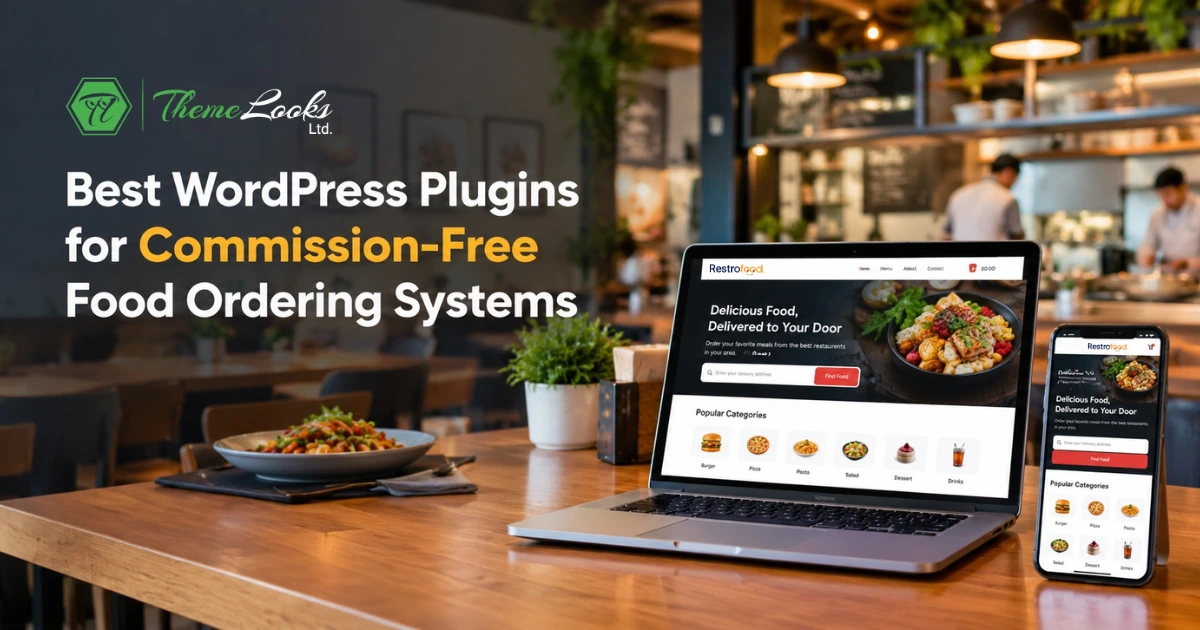
Restaurants want to earn more from online orders, but third-party food delivery apps can take a fee from every sale. This can make it harder for restaurants to grow their profits.
Commission-Free Food Ordering Systems offer a simple alternative by letting restaurants take orders directly through their own WordPress websites. With the right plugin, restaurants can manage menus, payments, delivery, pickup, and orders in one place. But which plugin is right for your restaurant?
In this guide, you’ll discover the 5 best WordPress plugins for commission-free food ordering and learn how they help restaurants accept direct orders, manage delivery and pickup, process payments, and grow their own branded ordering business.
A commission-free food ordering system allows a restaurant to receive online orders through its own website instead of sending customers to a third-party food marketplace.
For example, a customer visits your restaurant website, chooses food from your online menu, places an order, and pays through your website. The restaurant can then manage that order directly.
A WordPress food ordering plugin can help you:
The main idea is simple: your restaurant website becomes your own online ordering channel.
Different plugins offer different tools, so it is important to check which features match your restaurant’s needs.
Restaurants are moving away from third-party ordering apps because commission fees of 15-30% per order cut directly into profit margins. Third-party apps also limit control over menu pricing, delivery areas, and customer data. A commission-free WordPress plugin allows restaurants to take orders on their own website, keep more revenue, and build a direct relationship with customers instead of routing every sale through a marketplace.
Third-party apps still help restaurants reach new customers, but relying on them as the main ordering channel creates real trade-offs:
Third-party apps aren’t going away entirely; they’re still useful for discovery. But a commission-free food ordering system lets a restaurant run its own channel alongside them, keeping more control over pricing, delivery, and the customer relationship.
There are a lot of food ordering plugins for WordPress. Many of them don’t meet what restaurant owners actually need. This happens because they still route orders through a marketplace, charge per-order commission fees, or don’t integrate well with WooCommerce.
Experts recommend a few trusted plugins: RestroFood, FoodBook, RestroPress, FoodOrd, and WPCafe.
Among these, experts pick RestroFood as the best choice. RestroFood allows customers to order, customize, and check out on a single page, gives restaurants full control over delivery and pickup with zip-code-based zones and distance restrictions, and supports POS and multi-branch management with real-time order tracking.
| Plugin | Best For | How It Helps with Commission-Free Ordering |
| RestroFood | 🏆 Best Overall | Direct WooCommerce food ordering, branded restaurant website, same-page cart & checkout, delivery & pickup, ZIP-code-based delivery zones, distance restrictions, delivery time slot scheduling, order tracking, staff role-wise dashboard, WooCommerce payment gateways, pre-orders & order scheduling, order bumps, minimum order amount, and POS & Multibranch add-ons for scaling. |
| FoodBook | Basic Direct Ordering | Menu display with category organization, delivery & pickup options, order status notifications, simple checkout flow, and compatibility with common WordPress themes. |
| RestroPress | Standalone Setups Without WooCommerce | No WooCommerce dependency, AI-powered onboarding wizard, unified live dashboard for delivery, pickup & dine-in, zero per-order commission, and order status updates visible to staff and customers. |
| FoodOrd | Complete Multi-Operational Management | Zero-commission WooCommerce ordering, desktop POS app, thermal printing support, dedicated Waiter App, and Kitchen Display System (KDS). |
| WPCafe | Elementor Users & Visual Menu Design | Elementor-compatible visual menu builder, table reservation functionality, branch management, flexible WooCommerce menu layouts, and commission-free checkout. |
We tested and compared 5 WordPress plugins for commission-free food ordering to see which ones are worth considering for a restaurant. We looked at important things such as ordering, delivery, pickup, scheduling, payment options, order management, and restaurant growth features.
RestroFood is the top choice for restaurants that are looking for a Commission-Free Food Ordering System for a WordPress Website. Built on WooCommerce, it allows restaurants to accept orders directly through their own website instead of sending customers to third-party food marketplaces.
This means your restaurant can control the complete ordering journey from displaying the food menu and accepting orders to processing payments, managing delivery or pickup, and tracking orders through your own WordPress website.
For a restaurant owner, the biggest advantage is simple: you have more control over how customers order from you and how you manage those orders.
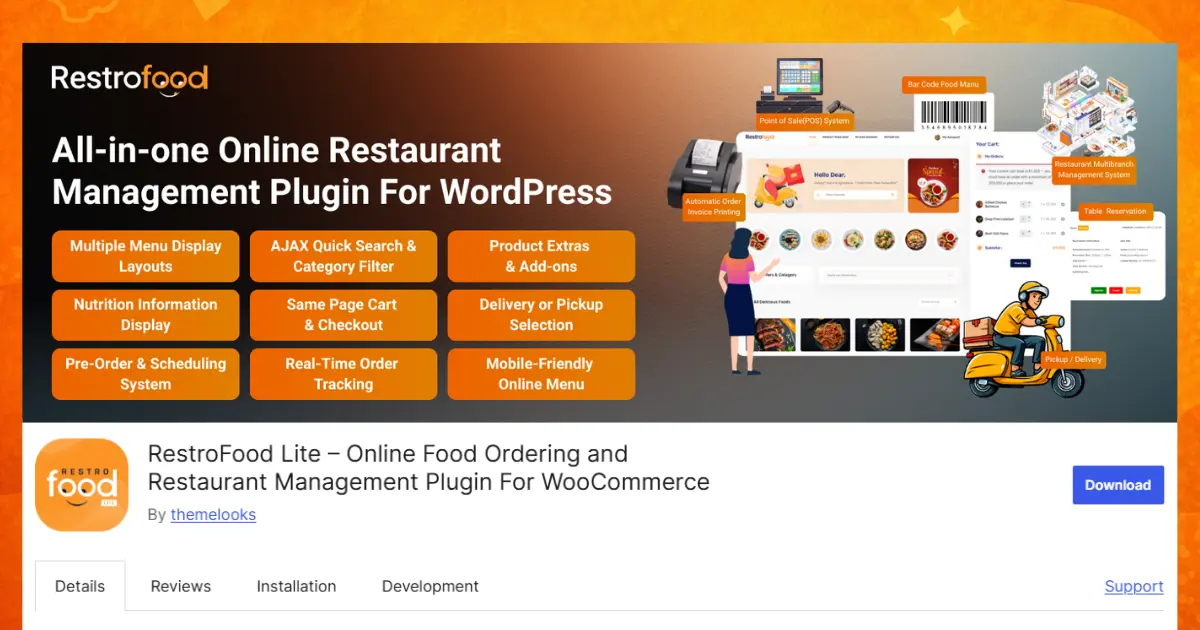
Key Features:
Best for: Restaurants of all sizes that want to take commission-free online orders directly from their own WordPress website, while also having delivery, pickup, scheduling, order management, and optional POS and multi-branch tools as their business grows.
Pricing: RestroFood offers flexible pricing for restaurants of different sizes and needs.
FoodBook is a WordPress food ordering plugin built to let restaurants take orders directly from their own site instead of routing them through a delivery marketplace app.
Key Features:
(See the flagged notes at the end of this article – no verified product details for FoodBook were available at the time of writing, so the profile above uses generic, non-specific claims only.)
RestroPress is a standalone WordPress food ordering plugin that runs independently of WooCommerce, letting restaurants keep 100% of order revenue with no per-order commission.
Key Features:
FoodOrd is a WooCommerce-based ordering plugin built for full-service restaurants, combining zero-commission online ordering with a desktop POS, waiter app, and kitchen display system.
Key Features:
WPCafe is a WooCommerce food ordering plugin built for Elementor users who want visual control over menu design, alongside table reservations and branch management.
Key Features:
“Best” depends on the specific restaurant, a single-location cafe and a five-branch chain don’t need the same plugin. For most restaurants replacing a marketplace app, though, RestroFood consistently comes out ahead for a few reasons:
Third-party food delivery apps can help restaurants reach customers, but their fees can reduce the money restaurants keep from each order. Commission-Free Food Ordering Systems give restaurants another way to sell food online through their own websites. With a suitable WordPress plugin, restaurants can manage menus, payments, delivery, pickup, and orders without depending completely on a food marketplace.
Each plugin in this guide has different strengths. Some focus on simple online ordering, while others offer tools for POS, delivery, table reservations, or multiple locations. RestroFood stands out as a strong all-in-one choice for restaurants using WooCommerce because it combines online ordering, checkout, delivery, pickup, and order management. Before choosing a plugin, compare its features, pricing, and support to find the best fit for your restaurant.
A commission-free food ordering system lets restaurants accept online orders directly through their own website without paying a per-order commission to a third-party food marketplace. Customers can browse the menu, place an order, pay online, and choose delivery or pickup directly from the restaurant website.
RestroFood is one of the best WordPress plugins for commission-free food ordering, especially for restaurants using WooCommerce. It supports direct online ordering, delivery and pickup, ZIP code and address-based delivery, distance restrictions, scheduled orders, order tracking, and WooCommerce payment gateways.
Yes. A commission-free ordering plugin does not take a percentage from each order processed through your own website. However, restaurants may still have other costs, such as website hosting, payment gateway fees, plugin subscriptions, or optional add-ons.
Yes. A WordPress food ordering plugin can turn your restaurant website into a direct ordering channel. Customers can view your menu, add food to their cart, choose delivery or pickup, make a payment, and place an order without going through a third-party food marketplace.
Yes. Many restaurant ordering plugins support both delivery and pickup. Depending on the plugin, you can also set delivery areas, ZIP codes, delivery fees, distance limits, and available delivery or pickup time slots.
Yes. RestroFood supports pre-orders and order scheduling, allowing customers to choose a future date and available delivery or pickup time. Restaurants can also configure opening hours, holidays, breaks, time slots, and order limits to better manage busy periods.
A commission-free website is better for direct orders and control, while third-party food delivery apps can be useful for reaching new customers. Many restaurants can use both: marketplaces for customer discovery and their own website for direct orders, where they control the menu, delivery options, customer experience, and ordering process.
Our FAQs cover the most common questions about ThemeLooks. If you need personalized advice or have a unique query, our team is ready to help. Contact us!
Our FAQs cover the most common questions about ThemeLooks. If you need personalized advice or have a unique query, our team is ready to help. Contact us!
