What Is the FoodBook Plugin & Add-ons Bundle?
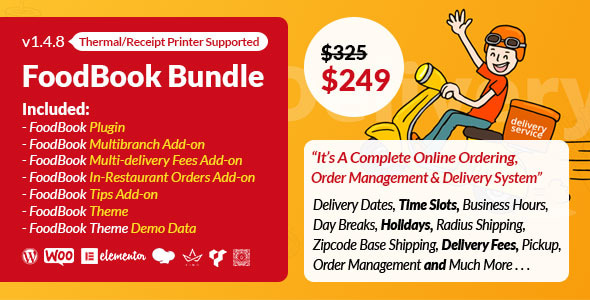
The FoodBook Plugin & Add-ons Bundle is a complete WordPress food ordering plugin package that includes the core FoodBook plugin together with all of its premium add-ons: Multibranch, Multi-Delivery Fees, Automatic Order Invoice Printing, In-Restaurant Orders, and Tip Management, in a single purchase. Instead of buying the base plugin and then adding each extension separately, this bundle turns any WordPress site into a fully-loaded online food ordering and delivery system from day one, built on top of WooCommerce. It includes a ready-made theme, a one-click demo import, and a full back-end order management suite, so restaurant, cafe, and cloud kitchen owners get every core capability and every add-on capability together, without hiring a developer or managing separate licenses.
FoodBook Plugin & Add-ons Bundle Quick Specs: Key Details at a Glance
| Detail |
Value |
| Package Type |
Core FoodBook plugin + all premium add-ons, bundled together |
| Order Types |
Pickup, Delivery, or both (configurable) |
| Theme Included |
Yes, fully customizable with Elementor Page Builder |
| Demo Data |
Included, with one-click demo import |
| Gutenberg Optimized |
Yes |
| Page Builder Compatibility |
Elementor, Elementor Pro, WPBakery, Visual Composer, King Composer, Layers WP, Gutenberg |
| WooCommerce Compatibility |
WooCommerce 6.x.x – 9.x.x |
| WordPress Compatibility |
WordPress 5.7.x – 6.9.x |
| Files Included |
JavaScript (JS), CSS, PHP |
| Compatible Browsers |
Firefox, Safari, Opera, Chrome, Edge |
| High Resolution |
Yes |
| Responsiveness |
Fully responsive on all devices |
| Documentation |
Online documentation and video tutorials included |
| Add-ons Included in This Bundle |
Multibranch, Multi-Delivery Fees, Automatic Order Invoice Printing,
In-Restaurant Orders, Tip Management |
What Features Are Included in the FoodBook Plugin & Add-ons Bundle?
This section covers the core FoodBook plugin features. Because this is the bundle, you also get every add-on: Multibranch, Multi-Delivery Fees, Automatic Order Invoice Printing, In-Restaurant Orders, and Tip Management active and ready to use alongside the core features below.
- One-Click Order Printing with Thermal/Receipt Printer Support: Print a clean, ready-to-hand invoice the moment an order comes in, formatted specifically for thermal/receipt printers, so your kitchen and delivery staff always work from a physical ticket instead of squinting at a screen.
- Custom Invoice Branding: Upload your own logo and add custom header/footer text to every printed invoice, so each receipt looks like it came from your restaurant, not a generic plugin.
- Delivery Location Availability Checker (Address & ZIP Code): Customers can check upfront, using Google’s API or a simple ZIP code lookup, whether you deliver to their address, cutting down on orders you’d have to cancel later because they’re outside your service area.
- Radius Shipping & ZIP-Code-Based Shipping: Define your delivery area either by distance from your shop or by specific ZIP codes, giving you full control over exactly where your delivery drivers go.
- Google Distance Matrix & Geocode API Integration: Automatically calculate the distance between your shop and the customer, and verify addresses accurately, which is especially useful if your delivery fees or availability depend on distance.
- Real-Time Order Status Email Notifications: Customers automatically get emailed as their order moves from received to cooking to on-the-way to delivered, cutting down on “where’s my order?” calls to your restaurant.
- Delivery Boy Email Notifications with Map Directions: Delivery staff get notified the moment they’re assigned an order, complete with a map link to the customer’s address, so they can head out without needing to call the restaurant for directions.
- Role-Based Dashboards for Branch Manager, Kitchen Manager, and Delivery Man: Give staff their own login and their own dashboard, without ever handing out your WordPress admin access, so each role only sees and manages what’s relevant to their job.
- New Order Popup with Sound Notification: A visual and audible alert fires the moment a new order lands in the Kitchen or Branch Manager dashboard, with the option to upload your own notification sound and set it to loop or play once.
- Real-Time Table Updates: Order tables, statistics, and statuses update live in the admin and manager dashboards, so staff always see the current order queue without refreshing the page.
- Delivery Time Slot Management with Order Limits: Set specific delivery time slots, cap how many orders each slot can accept, and define break times during the day so your kitchen never gets overwhelmed.
- Day-Based Delivery Hours & Holiday Scheduling: Set different start/end delivery times for each day of the week and mark multiple holidays when you’re closed, so customers never place an order you can’t fulfill.
- Pre-Order Taking System: Let customers place orders in advance for a future date and time, filterable by delivery date in the manager dashboard, ideal for catering requests or busy weekend planning.
- Product Extra Features with Min/Max Rules: Let customers customize dishes with add-ons (extra cheese, sides, sauces) while you control the minimum and maximum number of extras allowed per item.
- Ajax Live Search, Category Filtering & Pagination: Customers can search and filter your menu instantly without the page reloading, keeping the ordering experience fast on both desktop and mobile.
- Single-Page Cart & Checkout: Customers add items, adjust quantities, and check out from a single, streamlined page, reducing the friction that causes cart abandonment.
- Guest Checkout: Let customers order without creating an account first, removing a common barrier to completing a first-time order.
- Product List & Grid View Options: Switch how your menu displays list or grid and control columns and layout directly from settings or shortcode attributes.
- Flexible Shortcode System with Shortcode Generator: Drop your food menu anywhere on your site with the [foodbook_products] shortcode, with attributes for column count, layout, category, sidebar, and search bar visibility plus a built-in generator so you don’t have to memorize the syntax.
- Minimum Order Amount & Free Shipping Threshold: Set a minimum cart total required to check out, and a separate order amount that unlocks free shipping, giving you control over average order value.
- Product Nutrition Information: Add nutritional details to menu items, useful for health-conscious customers or restaurants with regulatory labeling requirements.
Why Choose the FoodBook Plugin & Add-ons Bundle Over Other Restaurant Ordering Systems?
The FoodBook Plugin & Add-ons Bundle stands out because it combines a ready-made restaurant theme, a full WooCommerce food ordering plugin, and every premium add-on Multibranch, Multi-Delivery Fees, Automatic Order Invoice Printing, In-Restaurant Orders, and Tip Management in one single purchase. Most competing plugins force you to buy the base tool first, then pay again for each add-on as your restaurant grows.
Built for Real Restaurant Operations, Not Just a Storefront
- Dedicated dashboards for Branch Manager, Kitchen Manager, and Delivery Man mean your staff can manage orders, cooking status, and deliveries without ever touching your WordPress admin.
- Order filtering by status (New Order, Cooking Processing, Cooking Complete, On The Way, Delivery Complete) mirrors how a real kitchen actually tracks work.
Grows With Your Business
- Manage a single location out of the box, or switch on the included Multibranch Add-on the moment you expand to multiple locations no separate purchase needed.
- Want tipping? Turn on the Tip Management Add-on. Need in-house dine-in ordering? The In-Restaurant Orders Add-on is already in the bundle. Need varied delivery pricing? Multi-Delivery Fees is included too. Every add-on is already paid for and ready to activate as your business needs it.
Easy to Customize, No Coding Required
- The included FoodBook theme is fully editable with Elementor, and the plugin’s shortcode works with virtually every major page builder (Elementor, WPBakery, Visual Composer, King Composer, Gutenberg).
- One-click demo import means you can have a working, styled restaurant ordering site running in minutes, then tweak from there.
Built to Reduce Order Errors and Missed Deliveries
- The delivery location availability checker (by address or ZIP code) stops out-of-area orders before they’re placed.
- Real-time status emails and delivery-boy notifications with map directions keep both customers and drivers informed, cutting down on support calls.
What Is the FoodBook Plugin & Add-ons Bundle Best Used For? (Use Cases & Ideal Websites)
The FoodBook Plugin & Add-ons Bundle is best used as the complete online ordering system for any WordPress-based restaurant, cafe, cloud kitchen, or food delivery business that wants Pickup and/or Delivery ordering plus room to grow without relying on third-party marketplace apps and their commission fees, and without buying add-ons separately down the road.
- Independent Restaurants & Cafes – because the included theme and demo data let a single-location restaurant launch a branded ordering site quickly, without designing anything from scratch.
- Cloud Kitchens & Delivery-Only Brands – because FoodBook can be configured for Delivery-only orders, with ZIP-code and radius-based delivery zones and time-slot scheduling built in.
- Multi-Location Restaurant Groups – because the Multibranch Add-on, already included in this bundle, extends FoodBook single-branch system to handle several locations from one WordPress site.
- Businesses Taking Advance or Catering Orders – because the Pre-Order Taking System and delivery-date filtering in the manager dashboard support scheduling orders ahead of time.
- Restaurants Wanting In-House Order Management Staff – because the Branch Manager, Kitchen Manager, and Delivery Man roles give employees exactly the access they need, without exposing full WordPress admin controls.
- Restaurants Needing Fast, Physical Order Tickets – because the built-in one-click thermal/receipt printer support means kitchens get a printed ticket the moment an order comes in.
FoodBook Bundle Installation & Configuration Services ($499)
- FoodBook Plugin Installation on Your Existing WordPress or New WordPress Installation
- FoodBook Theme Installation, Configuration, and Demo Import
- Helping with Creating Your Own Google Map API Properly
- Configure All Your Branches’ Delivery Dates, Times, Holidays, etc.
- Configure Your Branch Manager, Kitchen Manager, and Delivery System
- Configure Your Delivery Availability Checker
- Guide to Product Upload and Adding Products’ Extra Add-ons
- Configure Your Multidelivery Fees for Each Branch
Frequently Asked Questions (FAQs)
What’s included in the FoodBook Plugin & Add-ons Bundle?
You get the core FoodBook plugin plus all six premium add-ons: Multibranch, Multi-Delivery Fees, Automatic Order Invoice Printing, In-Restaurant Orders, and Tip Management, in one purchase.
Do I need to buy the add-ons separately?
No. This bundle already includes every FoodBook add-on. You can activate Multibranch, Tip Management, In-Restaurant Orders, or any other add-on whenever your restaurant needs it, at no extra cost.
Does FoodBook work with any WordPress theme?
Yes. FoodBook is built to be compatible with your existing theme’s styling, but it also includes its own ready-made theme with demo data and one-click import if you’d rather use that instead.
Can I offer only delivery, only pickup, or both with FoodBook?
Yes. FoodBook lets you configure order taking as Delivery only, Pickup only, or both together, so the ordering flow matches exactly how your restaurant actually operates.
Can I print orders directly from FoodBook?
Yes. FoodBook includes one-click order printing with thermal/receipt printer support, plus custom logo, header, and footer text on every invoice.
Does this bundle support multiple restaurant branches?
Yes. The FoodBook Plugin & Add-ons Bundle includes the Multibranch Add-on, so you can manage multiple restaurant locations from one WordPress site without buying anything extra.
Can customers check if I deliver to their address before ordering?
Yes. FoodBook includes a Delivery Location Availability Checker that verifies coverage by full address (via Google API) or by ZIP code, before the customer places an order.
Will my delivery staff get directions to the customer?
Yes. Delivery staff receive an email notification for each assigned order that includes a map link with directions to the customer’s address.
Can customers customize their food orders with extras?
Yes. FoodBook supports product extra features (like toppings or sides) with configurable minimum and maximum selection limits per item.
Does FoodBook notify staff of new orders in real time?
Yes. New orders trigger a pop-up notification with sound in the Kitchen and Branch Manager dashboards, and you can upload your own notification sound.
Can I take pre-orders for a future date with FoodBook?
Yes. The Pre-Order Taking System lets customers schedule orders ahead of time, and managers can filter the dashboard by delivery date to plan accordingly.
Is FoodBook mobile-friendly?
Yes. FoodBook is fully responsive, so the ordering experience works smoothly across desktop, tablet, and mobile devices.
Related Products:
FoodBook
FoodBook Multibranch Add-on
FoodBook Multi-Delivery Fees Add-on
FoodBook In-Restaurant Orders Add-on
FoodBook Tips Add-on
FoodBook Automatic Order Invoice Printing Add-on
FoodBook POS Add-on





Daniel R.
FoodBook gives our restaurant a complete online food ordering system with delivery and pickup options. The setup was straightforward and the ordering flow works very well.
Michael T.
We needed a WooCommerce food ordering plugin that could handle our daily orders, and FoodBook has been a great fit. The manager dashboard makes order control much easier.
Sarah K.
The delivery location checker is very useful for our restaurant. Customers can confirm their ZIP code before ordering, which helps us avoid orders outside our delivery area.
James W.
FoodBook made it easy to add online ordering to our WordPress website. The Ajax search and category filters provide a smooth menu browsing experience.
Robert M.
The thermal printer support is one of the best features for our kitchen. We can quickly print new orders and keep the preparation process organized.
Emma L.
We use FoodBook for both pickup and delivery orders. The time slot settings and order limits help our team manage busy periods much better.
Chris B.
The separate kitchen manager and delivery man dashboards are very helpful. Staff can manage their tasks without needing full WordPress admin access.
Laura P.
The FoodBook add-ons bundle is excellent for a growing restaurant. Having multibranch, delivery fees, printing, dine-in orders and tips together saves a lot of extra setup.
Andrew C.
Our customers like the simple single-page ordering process. Guest checkout also makes it easier for new customers to place their first food order.
Jessica H.
The pre-order feature has been especially useful for our catering and weekend orders. Customers can choose a future delivery time and our team can plan ahead.
Mark D.
FoodBook works nicely with WooCommerce and gave us the restaurant order management features we were looking for. The real-time dashboard updates are very convenient.
Olivia S.
The included theme and one-click demo import helped us launch our food ordering website quickly. Elementor makes it simple to customize the restaurant pages.
Kevin J.
We manage several restaurant locations with the Multibranch add-on. It is useful to have branch-specific order management without installing a separate system.
Natalie F.
The automatic invoice printing add-on has improved our kitchen workflow. Orders can be printed quickly instead of staff manually checking every order.
Thomas G.
FoodBook is a strong online food delivery solution for WordPress. The delivery scheduling, ZIP code support and order status notifications cover most of our daily needs.
Rachel N.
The in-restaurant ordering feature is a great addition. We can handle dine-in orders along with our regular delivery and pickup orders from the same system.
Steven A.
The bundle gives us almost everything needed for restaurant ordering in one package. The dashboards, order filters and real-time notifications make daily operations easier.
Maria V.
We like how flexible FoodBook is. We can set delivery or pickup, create food extras, manage time slots and customize the menu without complicated development work.
Adam P.
FoodBook has become the main ordering system for our restaurant website. The combination of WooCommerce, delivery management, order printing and all the add-ons makes the bundle very useful.