What Is the CMSLooks Page Builder Add-on?
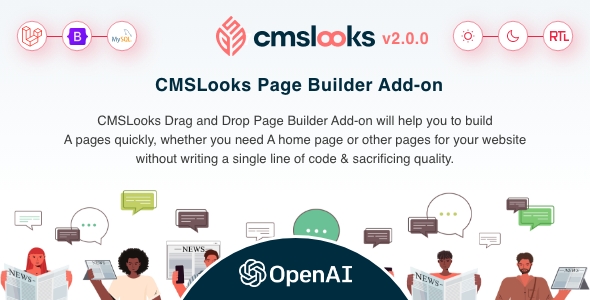
CMSLooks Page Builder Add-on is a drag-and-drop page builder extension that lets you design custom pages for the CMSLooks Laravel CMS without writing a single line of code. It’s built specifically to plug into CMSLooks, extending its OpenAI-powered blog, news, and magazine platform with a fully visual, no-code page-building experience. Whether you’re putting together a home page, a landing page, or any other custom layout for your site, this add-on turns what would normally be a coding task into a simple drag-and-drop workflow.
CMSLooks Page Builder Add-on Quick Specs: Key Details at a Glance
| Detail |
Value |
| Requires Parent Product |
CMSLooks – OpenAI Powered Laravel CMS Script |
| Software Framework |
Laravel |
| Software Version |
PHP 8.x |
| Files Included |
JavaScript JS, JavaScript JSON, CSS, PHP, SQL |
| High Resolution |
Yes |
| Compatible Browsers |
Firefox, Safari, Opera, Chrome, Edge |
What Features Are Included in the CMSLooks Page Builder Add-on?
- Drag and Drop Page Building: Build complete pages by simply dragging elements into place and dropping them where you want them. There’s no coding involved, so anyone managing the site, not just a developer, can put together a home page or any other page in minutes.
- No-Code Page Creation: Because everything is handled visually, you don’t need to touch a single line of code to launch a new page. This means faster turnaround for updating your site and less dependency on hiring a developer for routine page changes.
- Built for CMSLooks Laravel CMS: The add-on is purpose-built to work seamlessly with the CMSLooks Laravel CMS, so it integrates directly with the OpenAI-powered blog, news, and magazine features already in the parent script, rather than functioning as a bolted-on, disconnected tool.
- Dark & Light Mode Support: Pages you build can adapt to dark and light display modes, giving visitors a comfortable viewing experience whatever their preference, and keeping your site’s design flexible and modern.
- RTL Support: Right-to-left language layouts are supported out of the box, so you can build pages that serve RTL-language audiences correctly without extra workarounds.
- High Resolution Output: Everything you build with the page builder renders in high resolution, so your pages look crisp and professional on modern displays.
- Broad Browser Compatibility: The add-on works across Firefox, Safari, Opera, Chrome, and Edge, so you don’t have to worry about visitors seeing a broken layout depending on which browser they use.
Why Choose CMSLooks Page Builder Add-on Over Other Laravel CMS Add-ons?
The main reason to choose this add-on is simple: it removes the need to write code to build pages on your CMSLooks Laravel CMS site, while staying fully compatible with the platform’s existing OpenAI-powered blog and news features, so you get flexible page design without extra development overhead.
Purpose-Built Integration
Unlike generic page builders, this add-on is designed specifically to work with the CMSLooks Laravel CMS, so there’s no guesswork about compatibility or missing functionality once it’s installed.
No Coding Required
- Anyone on your team can build or update pages, not just developers.
- Drag-and-drop functionality speeds up page creation for home pages and any other custom page.
Modern Display Options Built-In
- Dark and light mode support for a comfortable browsing experience.
- RTL support for right-to-left language audiences.
What Is CMSLooks Page Builder Add-on Best Used For? (Use Cases & Ideal Websites)
This add-on is best used for quickly building custom pages, including home pages on any site already running the CMSLooks Laravel CMS, especially blog, news, and magazine-style sites that want more layout flexibility without hiring a developer.
- News & Magazine Sites: Since the parent script is an OpenAI-powered blog, news, and magazine platform, this add-on lets editorial teams design custom landing and section pages themselves.
- Blog-Focused Websites: Bloggers running CMSLooks can use the drag-and-drop builder to create unique home pages or feature pages that stand out, without coding knowledge.
- Multilingual & RTL Websites: With built-in RTL support, this add-on suits websites serving Arabic, Hebrew, or other right-to-left language audiences.
- Agencies Managing Multiple CMSLooks Sites: Agencies building out several CMSLooks-powered client sites can use the page builder to speed up custom page delivery across projects.
CMSLooks Page Builder Add-on Installation & Configuration Services (Basic – Advanced – Business)
Basic – $199
- Setup on your hosting
- Setup Cronjob
- Email server configuration
- Set up Mailchimp (with user-given credentials)
- Revision: 0
Translate the full system into a preferred (your local) languageAWS setup if needed (with user-given credentials)Site Frontend customization using page builder
Advanced – $299
- Setup on your hosting
- Setup Cronjob
- Email server configuration
- Set up Mailchimp (with user-given credentials)
- Revision: 1 (Before delivery)
- Translate the full system into a preferred (your local) language
AWS setup if needed (with user-given credentials)Site Frontend customization using Page Builder
Business – $499
- Setup on your hosting
- Setup Cronjob
- Email server configuration
- Set up Mailchimp (with user-given credentials)
- Revisions: 2 (Before delivery)
- Translate the full system into a preferred (your local) language
- AWS setup if needed (with user-given credentials)
- Site Frontend customization using Page Builder
Frequently Asked Questions (FAQs)
Do I need to buy anything else for this add-on to work?
Yes. This add-on requires CMSLooks to already be installed; it does not work as a standalone product.
Do I need coding skills to use the CMSLooks Page Builder Add-on?
No. The add-on is a drag-and-drop, no-code page builder, so you can design pages by dragging elements into place without writing any code.
Can I build a home page with this add-on?
Yes. You can use the drag-and-drop builder to create a home page or any other custom page for your CMSLooks-powered website.
Does this add-on support dark mode and RTL layouts?
Yes. Pages built with this add-on support both dark and light modes, as well as right-to-left (RTL) layouts for RTL-language websites.
Which browsers is this add-on compatible with?
It’s compatible with Firefox, Safari, Opera, Chrome, and Edge, so pages display correctly across the most commonly used browsers.
What software framework does this add-on run on?
It runs on the Laravel framework and requires PHP 8.x, matching the requirements of the parent CMSLooks Laravel CMS script.
Related Products:
CMSLooks
CMSLooks SAAS




Daniel Carter
Perfect for creating custom pages without coding. The drag-and-drop builder is simple and works smoothly with CMSLooks.
Michael Brooks
Very useful add-on for building custom layouts. I can create landing pages and update the home page much faster now.
Ahmed Rahman
The page builder makes CMSLooks much more flexible. I especially like the RTL support because it saves extra work when building pages for RTL audiences.
James Wilson
Easy to use and a real time saver. Creating pages visually is much better than making every layout change manually with code.