
If you run a restaurant, café, or food delivery business, you need a reliable online ordering system. In 2025, customers want fast service, easy ordering, and live updates.
FoodBook is a WordPress plugin that makes food ordering easy. It works with WooCommerce and lets you print orders with one click. It supports thermal and receipt printers.
FoodBook is great for single locations. It helps you handle pickup and delivery orders smoothly. If you have more than one location, you can add the Multibranch Add-on to manage them all.
With FoodBook, you can quickly add a simple, powerful food ordering system to your WordPress site.
Table of Contents
FoodBook is a WooCommerce-based online food ordering and delivery system tailored for WordPress websites. It supports both pickup and delivery options and integrates seamlessly with popular themes. From single-location setups to multi-branch operations (via add-ons), FoodBook is a flexible and scalable solution.
Whether you’re a small cafe or a growing restaurant chain, FoodBook gives you a POS with delivery system and a complete order and delivery system, all in one plugin.
FoodBook is specifically crafted to serve a wide range of food service businesses that want to enhance their online ordering and delivery capabilities:
Managing online orders well helps your restaurant run smoothly. A good system lets you track orders from the kitchen to delivery. This means fewer mistakes and faster service. When orders are clear, your staff can focus on making great food. You can also see which items sell best to plan your menu. A smooth process keeps customers happy and coming back.
Letting customers order online for pickup or delivery makes things easy for them. They can even schedule orders ahead, which helps you handle busy times. You can also offer special options so customers get what they want. Managing orders quickly means less waiting and fewer errors. This simple system helps keep your customers loyal.
Fast food places get many orders quickly. A system that sends instant alerts to the kitchen helps keep things moving. You can change menus easily and offer deals or combos. Quick printing helps staff prepare orders faster. This way, customers get hot food fast and stay happy.
These kitchens only do delivery, so managing orders well is very important. A system that puts all orders in one place makes it easier to stay organized. You can plan the best delivery routes to save time and money. Delivery staff get live updates to find the fastest paths. This keeps food arriving on time and customers satisfied.
If your goal is to launch or upgrade a WordPress online food ordering site or improve your existing restaurant delivery system, FoodBook offers a reliable, scalable solution. Plus, the FoodBook Lite version is available for free, allowing you to explore essential features without any upfront investment.
If you run a food business, taking orders online is now a must. This WordPress plugin helps you manage orders and deliveries with ease. It works with WordPress and gives you tools to speed up service, reduce mistakes, and keep customers happy. Whether you own a small café or a busy restaurant, these features can help you save time and run things better. In this post, you’ll see the key tools that make this plugin a smart choice for your food business.
This plugin includes a ready-made FoodBook theme along with demo content, so you can set up a professional-looking website in minutes using the one-click demo import feature.
Prefer your own design? No problem — the plugin works smoothly with both free and premium WordPress themes. It adapts to your existing theme’s styling, so you don’t need to worry about design conflicts or layout issues. This ensures you can get started quickly without hiring a developer or spending hours on setup. Live Demo
This plugin offers a clean, modern interface for both customers and staff. On the front end, users can quickly search and filter menu items by category in real time. On the back end, restaurant owners and admins can easily manage orders, settings, and user roles.
The system includes separate dashboards for Branch Managers, Kitchen Managers, and Delivery Staff. These role-based interfaces allow each team member to manage their part of the workflow without needing full WordPress admin access. Dashboards also show instant order notifications and let staff filter orders by status: New, Cooking, Ready, On the Way, or Delivered.
This plugin is fully compatible with all WordPress and WooCommerce themes, whether free or premium. You can easily integrate it into your existing website without needing custom styling or layout fixes. It adapts to your theme’s design automatically, ensuring a smooth and professional look across all devices. This flexibility makes it ideal for restaurant owners who want to enhance their site without rebuilding from scratch.
This system works with all WooCommerce payment methods. You can accept payments by credit card, PayPal, or other popular ways without any hassle. This means your customers will have a smooth and easy checkout experience. You don’t need to worry about setting up payments — it’s all built-in and ready to use.
This online food ordering and delivery system is built to be fully customizable using the Elementor page builder. It comes with demo content and a one-click demo import feature, so you can quickly create a website that looks just like the demo. You can easily change layouts, colors, and content without any coding skills. This flexibility lets you tailor your site to fit your brand and customer needs perfectly.
This system offers multiple product grid options, allowing you to display items in 2, 3, or 4 columns. You can choose the layout that best fits your website’s design and screen size. Whether customers browse on a desktop, tablet, or phone, the grid adjusts smoothly to provide a clean and organized view of your menu.
View 2-Column Product Grid – View 3-Column Product Grid – View 4-Column Product Grid

This online food ordering system includes a product add-ons feature that lets you offer custom extras with your menu items. You can add options like toppings, sides, or special requests with limits on how many add-ons a customer can choose. This flexibility helps create a personalized ordering experience, making it easier to meet customer preferences and increase sales.

This food ordering system features a product details pop-up that appears when customers click on any menu item. The popup shows all important information about the product, such as ingredients, price, and customization options. This helps customers make informed choices quickly without leaving the current page, improving their shopping experience.

Each product page displays genuine customer reviews and ratings to help new buyers make confident decisions. Only verified purchasers can leave feedback, which ensures authenticity and prevents fake reviews. This transparent system builds trust between your business and customers, encouraging honest opinions and improving overall credibility.

Customers can quickly check if delivery is available to their address before placing an order. This system allows restaurant owners to set delivery zones based on distance, ensuring orders are only accepted within serviceable areas. This feature helps manage customer expectations and improves delivery efficiency by preventing orders from unsupported locations.

Customers can check if delivery is available in their area by entering their ZIP code after selecting a branch. This feature helps restaurants define precise delivery zones based on ZIP codes, ensuring orders are accepted only from supported locations. It improves delivery accuracy and customer satisfaction by setting clear service boundaries.
This system allows you to add multiple ZIP codes to your delivery zones, making it easier to cover a wider area. By managing several ZIP codes, you can customize delivery rules and fees for each zone, improving flexibility and ensuring efficient service across different locations. This feature helps expand your delivery reach without sacrificing accuracy.

Customers receive timely email updates at every stage of their order, from confirmation to delivery. Notifications include statuses such as order received, cooking in progress, out for delivery, and order completed. This transparent communication keeps customers informed, builds trust, and enhances the overall ordering experience.

This system offers flexible delivery and pickup choices to meet your customers’ needs. At checkout, customers can select delivery, pickup, or both options. It also supports pre-orders with specific dates and time scheduling using a 24-hour time format for precise order management. These options make ordering more convenient for customers and help businesses streamline their operations.

You can add custom delivery fees to fit your business needs. Charge fees based on distance, location, or other factors. Since the system uses WooCommerce, you can also use WooCommerce’s shipping settings. This helps you set fair delivery prices and manage costs well.

This system offers a range of ready-made delivery time slots to choose from. Select your preferred delivery time from a dropdown menu. This helps schedule orders smoothly and keeps deliveries organized.

The delivery time format will also be available in the Delivery Time Format section. Do the same to select and accomplish tasks accordingly.

A shortcode attribute list has been added to this online food ordering system for WordPress. By this, you can edit and fix any bugs that come your way. Not only a list but also a shortcode builder has been added to the system for you.

Opening and closing time settings for your shop and restaurant are available too in this online food ordering system for WordPress. Select your preferred time and get things done within just a few clicks. That’s it! Customers will be notified about closing and opening times easily by doing so.

For any orders, scheduling delivery/pickup according to date and time is possible with FoodBook- online food ordering and delivery system for WordPress.

If any delivery/pickup time is already booked, then you’ll be notified to choose another slot for scheduling your order.

Online food ordering and delivery system for WordPress featuring a back-end/admin dashboard for shop owners to manage orders, pre-orders, transfer an order from branch to branch, assign a delivery boy, print invoices, etc.

Online food ordering and delivery system for WordPress featuring a front-end dashboard for the branch manager and the kitchen manager to manage orders, pre-orders, transfer an order branch to branch, assign a delivery boy, print invoices, etc.

Filtering orders by delivery date is as easy as pie with this online food delivery system. This feature helps you out a lot with pre-order management.

If you’re a manager of a shop or brand, then you’ll know the benefits of having this feature in this online food ordering and delivery system. Make your pre-order management easier and more convenient than ever.

Whenever a new order is placed, it will notify you to act further. A pop-up called 1 New Order Placed will appear on your screen, no matter which app you’re using at that time, you will certainly get notified.

In FoodBook, the online food ordering and delivery system for WordPress, you’ll get a pre-installed map for delivery boys to deliver the items to the exact location. Customers and managers both can track the exact location of the delivery boy by using the map.

Here’s the most amazing feature of FoodBook- an online food ordering and delivery system for WordPress. Print your order with just one click, and you’ll be done and dusted.

This WordPress online food delivery system is not only compatible with thermal printers but also with receipt printers. So it doesn’t matter at all which one you’re using; you will get things done anyhow.
As already said, you’ll get an uncountable number of features in this online food ordering and delivery system plugin for WordPress. Well, then let’s have a look at the list below, which you’ll have in this plugin.
Well, in this portion, you’ll be getting an overview with a visual presentation and details of different sections of FoodBook- Online Food Ordering and Delivery System for WordPress. Get all things done! Please subscribe to our YouTube channel and share if you find this helpful.
FoodBook Intro – FoodBook | Online Food Ordering System for WordPress
Ordering Overview on FoodBook Plugin
Multibranch Settings and Order Management Overview on FoodBook Plugin
Set Address and Zip Code for Delivery Availability Checker on FoodBook Plugin
Well, there are many other food ordering and delivery system plugins out there. Now the question is, why should you choose FoodBook over others? Okay, let’s ask you something: if you have a plugin that is fully optimized and responsive with plenty of features in comparison to others, then why would you go with a pricey one?
Yes, you read the above lines outright. We’re offering FoodBook: an online ordering and delivery system for WordPress, at a price that is affordable to anyone. Most importantly, we added a full management system in our plugin that has not been used in any other plugins available on the market till this moment.
We, ThemeLooks, are offering this online food delivery plugin only for $49, whereas there are many plugins available that charge $149 or $199 with fewer features than ours. If money matters, then FoodBook should be your choice for sure. In addition, it’s not just about the price difference but about having a bunch of extra features as well.
You might wonder, knowing that there is not a single plugin out there that provides a well-optimized management system for the owners. But ThemeLook’s FoodBook does! From manager to delivery man, FoodBook will handle all things to make your management much easier than ever.
Apart from these, there are many other features that you won’t get in any other online food delivery plugins except ours. Have a look at the chart features we have but others don’t, which makes FoodBook a way better deal than any others in the market.

For the “FoodBook | Online Food Ordering & Delivery System for WordPress with One-Click Order Printing” plugin, there are 4 different add-ons available for you to make your ordering system and delivery management easier than ever, with a bunch of features. Here’s the list of Add-Ons you should have-
The FoodBook Tips Add-on adds a tip system to the checkout page of the “FoodBook | Online Food Ordering system for WordPress” plugin. By adding product Add-Ons to your products, you will be able to offer your customers special options within minutes.
FoodBook Multibranch Add-on is a multi-branch management system for the “FoodBook | Online Food Ordering system for WordPress” plugin. The add-on is compatible with the style of your theme.
For the plugin, “FoodBook | Online Food Ordering system for WordPress,” there is a Multi-Delivery Fees Add-on. With the FoodBook Multi Delivery Fees Add-on, you can specify delivery fees based on the zip code, kilometer, and item type.
FoodBook In-Restaurant Orders is an Add-on for the “FoodBook | Online Food Ordering system for WordPress” plugin for taking orders from in-restaurant customers by the table numbers they are sitting at and serving them at their table accordingly.
Well, here comes the most exciting part. We, ThemeLooks, offer a free version FoodBook Lite plugin to let you know how amazing this plugin could be for managing your online food ordering and delivery systems.
Have a visit to the below-mentioned URL and decide if it is worth of or not. We do believe that once you use this free version, you’ll look forward to purchasing the Paid/Pro version as well.
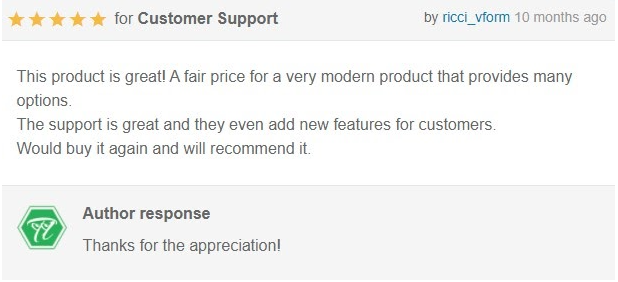
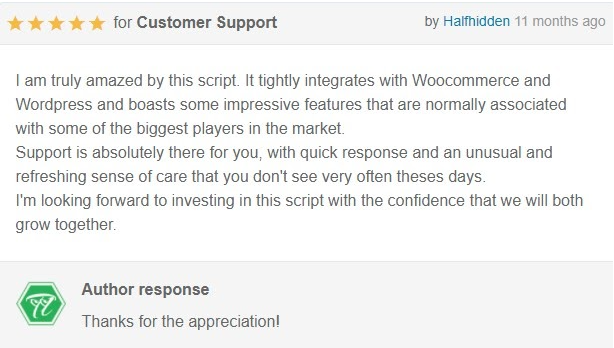
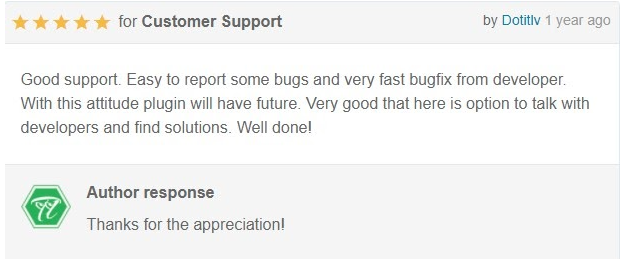
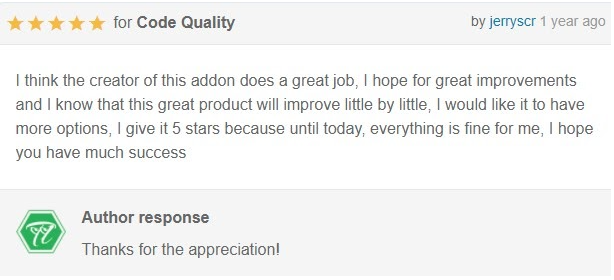
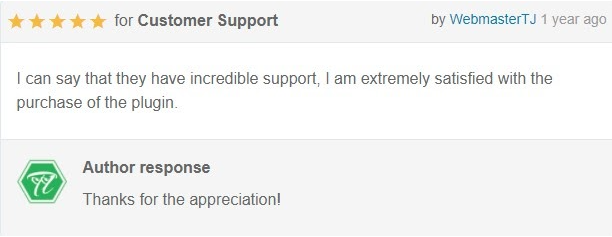
Client satisfaction was, is, and will always be ThemeLook’s topmost priority. Here’s some feedback and reviews from our clients who purchased and used our online food ordering and delivery system for WordPress-FoodBook and were satisfied with it.
Well, FoodBook– An Online food ordering and delivery system for WordPress can be the game changer. With its bunch of undeniable features, ordering/ delivering and managing (if you’re an owner of a food shop/restaurant) won’t be a tough task to do.
The Add-ons will make your way much easier. Worth mentioning, add-ons won’t work until you don’t purchase the FoodBook | Online Food Ordering & Delivery System for WordPress with One-Click Order Printing.
Last but not least, before purchasing the paid/pro, let’s get started with the free version. Once you understand that there is no option except the FoodBook paid version. Then, please cancel your refund.
At ThemeLooks Ltd, We develop SEO-optimized content that helps users understand and connect with our themes, templates, plugins, and services. From writing product descriptions to detailed guides, We turn features into clear, helpful content that boosts visibility and drives engagement, making sure each solution we offer reaches the right audience at the right time.
