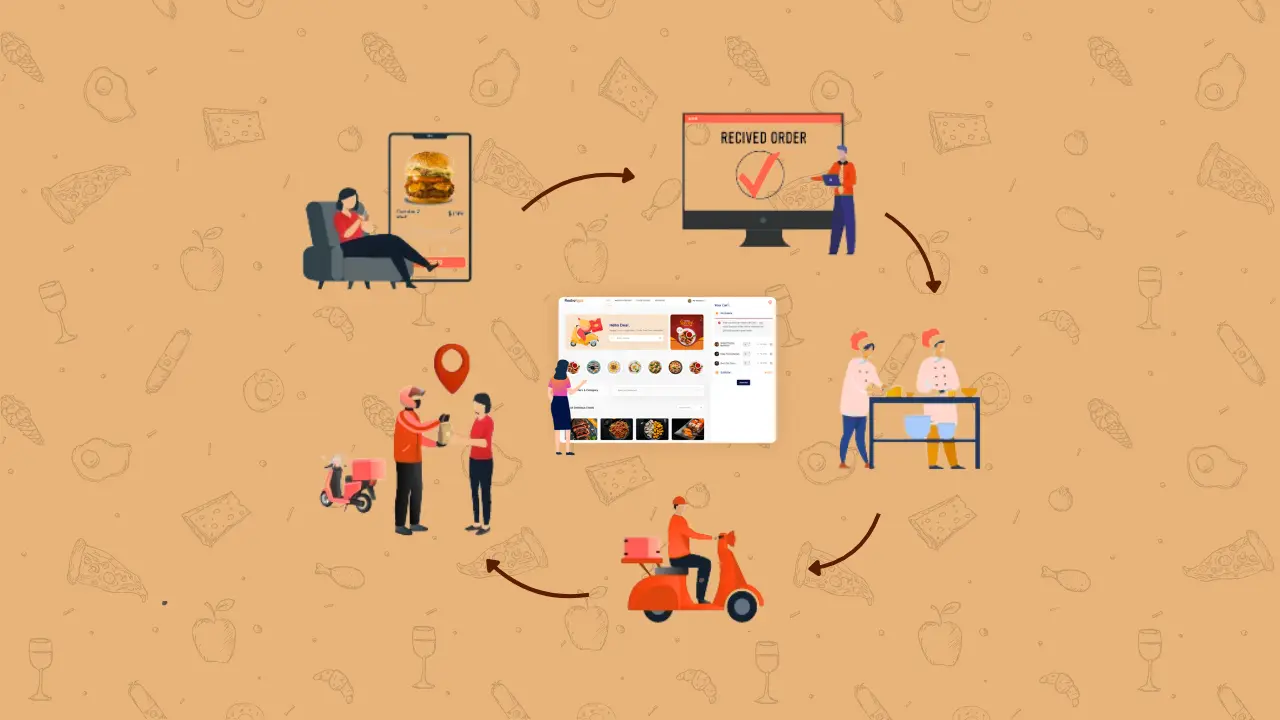
The food industry is changing fast. In 2025, more people want to order food online and get it delivered quickly. To keep up, restaurants and food businesses need to go digital. This means using technology to make things faster, easier, and more accurate.
A Complete Online Food Ordering & Delivery System is a tool that helps with every step of the process. It lets customers place orders, restaurants manage them, and delivery drivers send out the food, all in one system. You don’t need five different apps to handle your business. A complete system like FoodBook or, for more advanced features use RestroFood, handles everything in one place.
Nowadays, having everything in one place saves time and reduces mistakes. It also gives your customers a better experience, which helps you grow your business.
Table of Contents
When we talk about a complete food ordering system, we mean a platform that covers all the important parts of running an online food business—without needing extra tools or apps. It’s designed to handle everything smoothly, from the moment a customer places an order to the final delivery.
A fragmented system requires using different tools for ordering, delivery, payment, and management. This often leads to:
On the other hand, a complete system integrates all these features into one platform, saving time and reducing errors. This creates a smoother experience for both the business and its customers.
Some popular complete solutions on the market today include:
Both platforms provide end-to-end management to help restaurants run their online food business efficiently.
A modern food delivery management system ensures orders are processed on time, accurately, and with full visibility. Using a complete online food ordering and delivery system brings many advantages to restaurants and food businesses. It helps run everything smoothly, from taking orders to delivering food quickly and correctly. Such systems save time, reduce mistakes, and make customers happier by giving them easy ways to order and track their food. In this section, we’ll look at the main benefits that a complete system offers, and why it’s becoming essential for any food business in 2025.
Food ordering software connects customers, kitchens, and delivery in real-time to reduce delays. This means orders get to the kitchen quickly and accurately, without mistakes. It helps restaurant staff manage orders smoothly and reduces delays in cooking and delivery. When everything works together, food arrives faster and customers are happier. This kind of system makes sure orders don’t get lost or mixed up, making the whole process easier and more reliable.
With a complete food ordering system, customers enjoy a simple and smooth ordering process. They can easily browse the menu and choose their favorite dishes. Live tracking lets them see where their food is and when it will arrive. Plus, having many payment options like cards or mobile wallets makes paying easy. The system works well on phones and sends quick updates, so customers feel informed and confident. An intuitive online order booking system lets customers place orders quickly with fewer steps. All these things make customers want to order again.
With a restaurant order management system, owners and staff can track and manage all orders across locations from one place. It’s like a control center for the whole business. This is especially helpful for restaurants with many branches, as they can see what’s happening at each location easily. With everything in one system, staff save time and avoid confusion. Managing orders and deliveries becomes simple, which helps the restaurant run better every day.
Using a complete online ordering system helps restaurants save money. They don’t have to pay high fees to third-party apps because orders come directly through their own system. The delivery part is smarter too, with tools that help drivers take the fastest routes. This saves fuel and time. With less waste and better planning, restaurants can lower costs and spend more on things that improve the customer experience.
Many complete food ordering systems include marketing tools to help restaurants grow. Things like discount codes, emails, and rewards encourage customers to keep ordering. The system also keeps track of customers and what they like to eat. This way, restaurants can send special offers that match customer tastes. These marketing features help restaurants build strong relationships with customers and boost their sales easily.
A complete system gives restaurants reports about sales, popular dishes, and delivery times. This information helps owners see what’s working and what needs fixing. They can plan better by knowing busy hours and which meals sell best. Using this data, restaurants can improve their menus, staff schedules, and delivery routes. Making decisions based on facts helps the business grow and keeps customers happy.
Good delivery is key to a successful food business. A complete system helps by using delivery zones and apps for drivers. Orders go to the closest driver, which means food gets to customers faster. The system also tracks deliveries in real time, so customers know exactly when to expect their food. Faster delivery makes customers smile and write better reviews. This helps restaurants stand out and keep customers coming back.
To understand the true value of a complete online food ordering and delivery system, let’s look at how The Green Spoon, a popular local restaurant, transformed its business using FoodBook.
Before adopting the system, The Green Spoon struggled with slow order processing, missed orders, and delivery delays. Their customer complaints were rising, and managing multiple branches was challenging.
After implementing FoodBook, they saw remarkable improvements:
“Since we started using FoodBook, our whole operation feels smoother. Orders reach the kitchen faster, and our delivery runs like clockwork. Our customers love the live tracking feature, and our sales have gone up!” — Sarah Ahmed, Owner of The Green Spoon
This example shows how a complete system can streamline restaurant operations, reduce errors, and boost customer loyalty — all key factors in running a successful food business today.
A complete online food ordering and delivery system is helpful for all types of restaurants and food businesses. It makes daily tasks easier, improves customer service, and supports business growth. Here’s how it helps different types of food businesses:
If you manage more than one branch, a complete system helps control everything from one place. You can manage orders, staff, and deliveries for all locations easily. It saves time and avoids mistakes, so your restaurant runs better every day, no matter how many locations you have.
Cloud kitchens work only with online orders. That’s why they need a strong system to manage everything—menus, orders, drivers, and payments. A complete system keeps everything in one place. It helps you serve customers quickly and keeps the kitchen team updated in real time.
If you run a food chain, it’s important to keep things the same across all outlets. A complete system lets you share menus, deals, and delivery settings across locations. You can also check how each branch is doing, all from one dashboard. This makes growing easier.
If your food startup is growing, a complete system gives you the tools you need to manage more orders without stress. It helps you stay organized, track deliveries, and give great service. This way, you can focus on growing your business while the system handles the work.
Whether you own a small café, a food truck, a fine-dining spot, or a takeaway system, a complete system helps you stay ahead. It’s easy to use, cuts down mistakes, and improves customer experience. Any food business can grow faster and serve better with the right system.
Even with the best tools, some food businesses make small mistakes that cause big problems. Here are some common issues to watch out for when setting up your online food ordering and delivery system:
Some restaurants use different tools for ordering, delivery, and payments. If these tools don’t work well together, it can lead to delays, errors, and customer complaints. A complete system keeps everything in one place, so orders move smoothly from start to finish without extra effort or confusion.
Many businesses miss the chance to save time by not using automation. Tasks like sending order updates or tracking sales should happen automatically. Also, without proper reports, it’s hard to see what’s working. A complete system helps you make smart decisions based on real data, not guesswork.
Most customers order food from their phones or tablets. If your system is hard to use on smaller screens, they may leave and order from someone else. Make sure your food ordering system is mobile-friendly, fast, and easy to use. A smooth mobile experience keeps customers coming back.
At ThemeLooks, we’ve worked with thousands of restaurant owners, cloud kitchens, and food startups. Over the years, we’ve seen one thing clearly: a complete system always performs better than using separate tools.
Our recommendation for an ordering system handles both online and in-house dining together, such as the comprehensive solutions we offer, including RestroFood or FoodBook.
Here’s how a complete system helps streamline your operations:
Whether you’re running a local restaurant or managing several outlets, having all these features in one place saves time, reduces errors, and helps you grow faster.
With a complete solution backed by ThemeLooks, you’re not just getting software, you’re getting a system built for long-term success.
There are four different add-ons available for the “FoodBook | Online Food Ordering & Delivery System for WordPress with One-Click Order Printing” plugin that will make ordering and managing deliveries easier than ever for you. You’ll be getting all these 4 add-ons in this bundle and the plugin.

The Foodbook Tips Add-On adds a tip system to the checkout page of the “Foodbook | Online Food Ordering system for WordPress” plugin. By adding product Add-Ons to your products, you will be able to offer your customers special options within minutes.

Foodbook Multibranch Add-On is a multi-branch management system for the “Foodbook | Online Food Ordering system for WordPress” plugin. The add-on is compatible with the style of your theme.

Foodbook In-Restaurant Orders is an Add-on for the “Foodbook | Online Food Ordering system for WordPress” plugin for taking orders from in-restaurant customers by the table numbers they are sitting at and serving them at their table accordingly.

For the plugin, “Foodbook | Online Food Ordering System for WordPress,” there is a Multi-Delivery Fees Add-on. With the Foodbook Multi Delivery Fees Add-on, you can specify delivery fees based on the zip code, kilometer, and item type.
Running a successful food business in 2025 means more than just great food — it means using the right tools to stay fast, organized, and customer-focused. A complete online food ordering and delivery system brings everything together — from orders and payments to delivery and reporting — in one easy platform.
An online food delivery management system helps you scale your restaurant with fewer errors and greater speed.
By using a full solution, you reduce errors, save time, and give your customers a smoother experience. Plus, with features like POS, auto-printing, multi-branch control, and smart delivery fees, you’re building a business that’s ready for the future.
A complete online food delivery system is a platform that manages everything from taking orders, processing payments, managing delivery drivers, to tracking orders in real time. It combines all these features in one place to help restaurants run smoothly and serve customers faster.
The cost depends on the features you choose and the size of your business. Some systems offer flexible pricing based on the number of orders, branches, or add-ons you need. It’s best to compare options and pick one that fits your budget and goals.
Yes, an online ordering system for small business is ideal because it scales with your needs and keeps costs low.
Most complete systems allow customization. You can usually change menus, set delivery zones, customize payment options, and adjust settings to fit your restaurant’s unique needs.
Complete systems often integrate with payment gateways, delivery apps, kitchen display screens, printers, and marketing tools. These integrations make your workflow seamless and help you manage everything from one platform.
Unfilled online food delivery orders are orders that were placed by customers but not completed by the restaurant. This can happen due to several reasons, such as:
1. The restaurant missed or ignored the order notification
2. The ordered items were out of stock
3. There were technical issues in the system
4. Delivery staff were unavailable
5. The restaurant was closed but still showing as open online
Unfilled orders lead to poor customer experience, lost revenue, and negative reviews, so it’s important to use a system that ensures real-time sync and alerts to avoid them.

I write the content behind ThemeLooks products - product descriptions, documentation, and blogs for WordPress themes, Website templates, and WordPress plugins, etc. I work between the developers who build the product and the customers trying to understand it.