
Managing restaurant delivery orders can become difficult when many customers place orders at the same time. A WordPress restaurant delivery scheduling plugin helps restaurants organize orders by delivery and pickup time slots. It can also help control the number of orders in each slot, accept pre-orders, block break times, and manage multiple restaurant locations. In this guide, we compare 5 Best WordPress restaurant delivery scheduling plugins: RestroFood, FoodBook, Orderable, WPCafe, and FoodOrd. We look at their scheduling features, order limits, pre-order options, multi-branch support, and other useful tools to help restaurant owners understand the differences and choose a solution that fits their business.
Table of Contents
The table below compares each plugin on the five features that matter most for scheduling: time slots, order caps per slot, break-time blocking, multi-branch support, and pre-orders.
| Plugin | Time Slots | Order Limit Per Slot | Break Times | Multi-Branch | Pre-Orders |
| RestroFood | Yes | Yes | Yes | Yes (add-on) | Yes |
| FoodBook | Yes | Yes | Yes | Yes (add-on) | Yes |
| Orderable | Yes | Yes | Partial (holiday blocking only) | No | Yes |
| WPCafe | Yes | No | No | No | Yes |
| FoodOrd | Yes | No | No | No | Yes |
A restaurant delivery scheduling plugin controls when food orders can be accepted and scheduled for preparation or delivery. Instead of sending every WooCommerce order directly into the kitchen as soon as payment is completed, it adds time slots, order limits, and scheduling rules to help restaurants manage order volume.
A delivery scheduling plugin typically adds a time-slot layer between checkout and order processing. Depending on the plugin, customers can select an available delivery or pickup time, while the restaurant can control how many orders are accepted during each time slot.
For example, a restaurant could allow:
This helps prevent too many orders from reaching the kitchen at the same time.
The main purpose of delivery scheduling is capacity control, not simply adding a calendar to the checkout page. A useful scheduling system helps restaurants control:
The customer-facing calendar or time picker is only one part of the system. The more important function is controlling when orders can be accepted and how many orders the restaurant can handle during each period.
That is why restaurant delivery scheduling plugins should be compared based on their time-slot rules, order limits, delivery/pickup scheduling, and capacity-management features, rather than only on how the checkout calendar looks.
This comparison is based on each plugin’s own documentation, product listing, and stated feature set, evaluated against eight scheduling-specific criteria:
Plugins were not tested by installing them in a live store for this comparison; the features below reflect what each vendor documents publicly, not hands-on benchmarking.
Choosing the right WordPress restaurant delivery scheduling plugin helps manage orders, delivery times, time slots, pre-orders, and busy hours. Below, we compare RestroFood, FoodBook, Orderable, WPCafe, and FoodOrd based on their scheduling features, benefits, and limitations.
RestroFood is a restaurant delivery scheduling plugin for WordPress and WooCommerce that helps restaurants organize delivery and pickup orders around available time slots. Restaurants can set delivery hours, create order time slots, limit the number of orders accepted in each slot, add break times, and allow customers to schedule orders for a future date. It also supports delivery availability checking and multi-branch scheduling through its Multibranch add-on, making it suitable for restaurants that need more control over order volume and delivery operations.
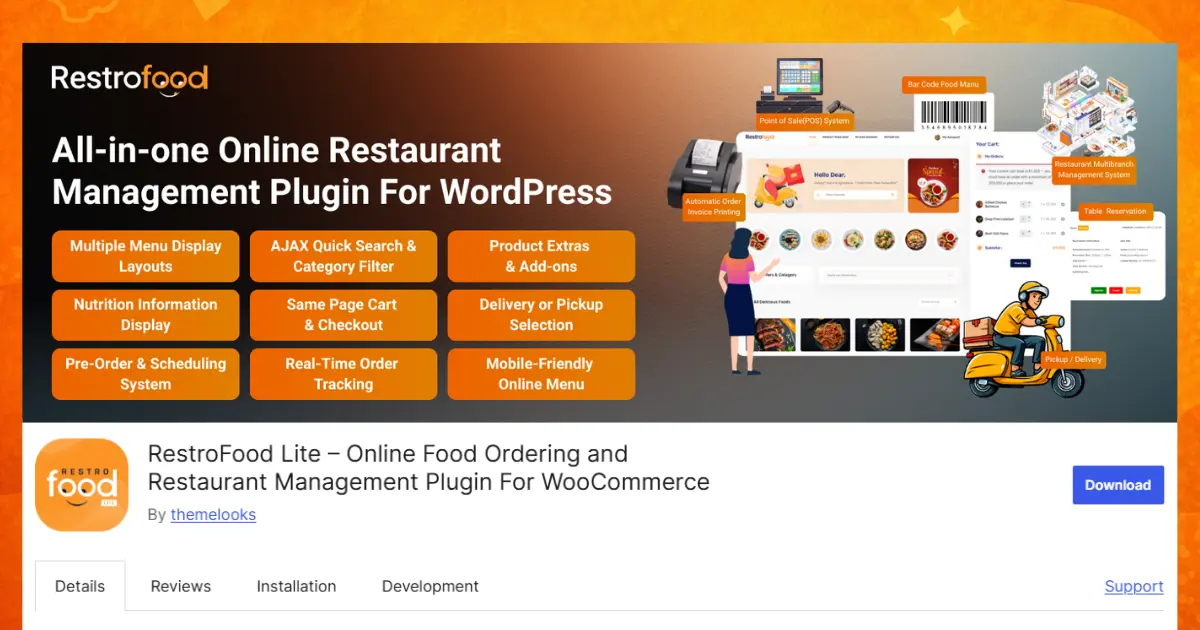
Scheduling features:
Delivery availability and order visibility:
Beyond scheduling, RestroFood ships with three separate admin panels for shop managers, kitchen managers, and delivery staff, plus automatic email notifications whenever an order’s status changes.
Best for: Restaurants that need strict control over how many orders land in a single time slot, and that may expand to more than one location later.
Trade-off: Multi-branch scheduling requires the separate Multibranch add-on rather than being included by default.
FoodBook is a WooCommerce restaurant management plugin built by the same marketplace category as RestroFood, distributed through CodeCanyon, with 1,211 recorded sales and a 4.76-star rating across 25 reviews at the time of writing.
Scheduling features:
FoodBook’s base plugin also includes separate branch manager, kitchen manager, and delivery-driver dashboards, real-time order status email notifications, and a new-order popup with configurable sound alerts a similar staff-facing setup to RestroFood, bundled into the core purchase rather than split across add-ons for these specific dashboards.
Best for: A single-location restaurant that wants a full operational toolkit staff dashboards, invoice printing, real-time notifications without piecing together several separate purchases, while keeping the option to add multi-branch support later.
Trade-off: Ships as a single-branch system out of the box; running more than one location still means buying the Multibranch add-on.
Orderable is a WooCommerce restaurant ordering plugin focused on checkout simplicity, with scheduling controls built around lead time rather than a full multi-branch structure.
Scheduling features:
Best for: A restaurant that wants order-cap protection without the operational overhead of branch management, staff dashboards, or add-on purchases.
Trade-off: No multi-location support, even as a paid add-on, which rules it out for restaurant groups planning to scale beyond one site.
WPCafe is a WooCommerce plugin that combines online ordering, table reservations, and delivery/pickup scheduling in a single product rather than treating them as separate systems.
Scheduling features:
WPCafe does not include an order-cap feature, so multiple orders can stack into the same time slot without a limit. It also has no multi-branch option, which puts a hard ceiling on it for any restaurant running more than one location.
Best for: A single-location restaurant or café that wants reservations and delivery scheduling combined, and doesn’t have peak-hour order volume high enough to need slot caps yet.
Trade-off: No order limits per slot and no multi-location support.
FoodOrd is positioned toward delivery-only and takeaway operations, including cloud kitchens that have no dine-in service, with scheduling tools built around dispatch logistics rather than in-house dining.
Scheduling features:
Like WPCafe, FoodOrd has no order-limit-per-slot feature and no multi-branch support, which means a delivery-only kitchen using it still needs to watch order volume manually during rush periods.
Best for: A delivery-focused or cloud kitchen operation that wants distance-aware dispatch and kitchen-display integration more than granular slot-capacity control.
Trade-off: No order caps per slot, so peak-hour volume isn’t automatically managed.
Order limits per slot are the clearest operational dividing line in this group. RestroFood, FoodBook, and Orderable all cap orders per slot; WPCafe and FoodOrd don’t. For any restaurant that has experienced a lunch-rush pileup, this single feature does more to protect kitchen turnaround time than any other scheduling setting.
Break-time blocking distinct from full closing hours appears only in RestroFood and FoodBook. Both let you carve out a recurring window (a prep break, a shift change) that customers simply can’t book into, without closing the whole time-slot schedule for the day.
Multi-branch scheduling is available in RestroFood and FoodBook, both through a separate Multibranch add-on rather than the base plugin. Neither Orderable, WPCafe, nor FoodOrd offers a path to multi-location scheduling at all, add-on or otherwise that’s a structural limit, not a pricing tier difference.
Pre-orders are supported by all five plugins, though FoodBook’s dashboard includes a specific filter for separating today’s live orders from future-dated pre-orders — a detail worth checking for if your kitchen manager needs to plan a week’s pre-order volume at a glance.
RestroFood is a strong choice for restaurants that need more than basic delivery scheduling. It supports delivery time slots, order limits, break times, and pre-orders, helping restaurants manage busy hours more easily. It also offers distance-based delivery restrictions, so restaurants can control where they deliver. Another useful feature is Order Bumps, which can help restaurants increase the value of each order. Its five-stage order tracking system also lets customers follow their order from placement to delivery.
FoodBook is another good option, especially for restaurants that want staff dashboards. Orderable is useful for simple scheduling with order limits, while WPCafe and FoodOrd offer other restaurant-focused tools. Overall, RestroFood combines scheduling, ordering, delivery, and management features in one system.
Choosing a WordPress restaurant delivery scheduling plugin is not only about giving customers a time-slot picker. A useful solution should also help restaurants control busy hours, limit orders per slot, accept pre-orders, manage pickup times, and keep delivery operations organized. In this comparison, RestroFood, FoodBook, Orderable, WPCafe, and FoodOrd offer different scheduling features for different restaurant needs. RestroFood and FoodBook provide stronger control with order limits and break-time scheduling, while Orderable focuses on simple scheduling with order caps. WPCafe combines ordering with table reservations, and FoodOrd focuses more on delivery and kitchen operations. Before choosing a plugin, consider your order volume, delivery area, number of locations, and staff workflow. This will help you choose a scheduling system that supports your restaurant today and as it grows.
Yes. All five plugins compared here, RestroFood, FoodBook, Orderable, WPCafe, and FoodOrd let customers choose a delivery or pickup time slot instead of receiving an order immediately.
RestroFood, FoodBook, and Orderable all support an order limit per time slot. WPCafe and FoodOrd currently don’t include this control.
RestroFood and FoodBook both support multi-branch scheduling, but only through a separate Multibranch add-on for each plugin. Orderable, WPCafe, and FoodOrd don’t offer multi-location scheduling.
A business-hours restriction (like Closing Time Detection) stops customers from booking outside your open hours. An order limit per slot goes further; it stops too many orders from stacking into one specific slot even during open hours.
Yes, this is called a pre-order. RestroFood, FoodBook, Orderable, WPCafe, and FoodOrd all support scheduling an order for a future date.
RestroFood and FoodBook both support break-time blocking within the daily schedule. Orderable supports holiday blocking but not a recurring daily break window; WPCafe and FoodOrd don’t offer either.
Yes. RestroFood, FoodBook, Orderable, WPCafe, and FoodOrd are all built as WooCommerce extensions for WordPress.
Our FAQs cover the most common questions about ThemeLooks. If you need personalized advice or have a unique query, our team is ready to help. Contact us!
Mohammad Nur Alam is a Technical Content Writer at ThemeLooks Ltd., specializing in WordPress, SaaS, SEO, and web development. He writes practical tutorials, product reviews, and technical guides that help users make the most of WordPress tools and plugins. Passionate about digital marketing and emerging technologies, he enjoys creating helpful content and staying up to date with the latest industry trends.
