
The best WordPress plugins for restaurant table reservation are RestroFood Table Reservation Add-on, Five Star Restaurant Reservations, WPCafe, Bookly, and Restaurant Reservations by ThemeIsle. These plugins let customers book tables online and give restaurant owners tools to manage table availability, reservation status, and seating capacity, though their depth varies significantly for multi-branch restaurants.
Table of Contents
| Feature | ThemeIsle Reservation | Bookly | WPCafe | Five Star | RestroFood Table Reservation |
| Restaurant-specific design | Yes | No | Yes | Yes | Yes |
| Multi-branch support | No | No | No | No | Yes |
| Table creation and management | No | Resources | No | No | Yes |
| Assign tables to reservations | No | Yes | No | No | Yes |
| Reservation status management | Basic | Yes | Basic | Yes | Yes |
| Time slot configuration | Yes | Yes | Yes | Yes | Yes |
| Unlimited tables | No | Yes | No | No | Yes |
| Auto email on status change | Yes | Yes | Yes | Yes | Yes |
| WooCommerce native | No | No | Yes | No | Yes |
| Integrated with the ordering system | No | No | Yes | No | Yes |
Five Star Restaurant Reservations and Restaurant Reservations by ThemeIsle handle the standard booking flow well for single locations. Bookly adds table assignment through its resource model. RestroFood Table Reservation Add-on is the only plugin in this comparison with multi-branch reservation routing and explicit table-to-reservation assignment in a restaurant-native interface.
Phone reservations create gaps in the workflow. A call comes in during service, a staff member stops to take the details, and the reservation gets written on a notepad or entered into a separate system. Online reservations remove that interruption. Customers book when it suits them before business hours, late at night, or during the day, and the booking appears in the restaurant dashboard automatically.
Beyond convenience, online reservations help restaurants manage seating capacity. Knowing exactly how many covers are booked for a Friday evening lets the kitchen and floor staff prepare accurately. The alternative, taking walk-ins only, creates unpredictable demand that is harder to staff and prep for.
A 2024 OpenTable report found that restaurants offering online booking see higher table utilization rates than those relying on phone reservations alone. For WordPress restaurants, the right reservation plugin handles availability checks, confirmation emails, and table assignment from one dashboard.
Running a restaurant is not only about serving delicious food. It is also about making sure customers can reserve a table easily without confusion or long waiting times. Many restaurants still take reservations over the phone or write them down on paper. This can lead to double bookings, missed reservations, and unhappy customers.
The RestroFood Table Reservation Add-on helps solve these problems. It is a powerful table reservation system built for WordPress and WooCommerce restaurants. The add-on works with the RestroFood Core Plugin and gives restaurant owners a simple way to manage table bookings from one dashboard.
Whether you own a small café, a family restaurant, or a restaurant with multiple branches, this add-on makes the booking process simple for both your customers and your staff.
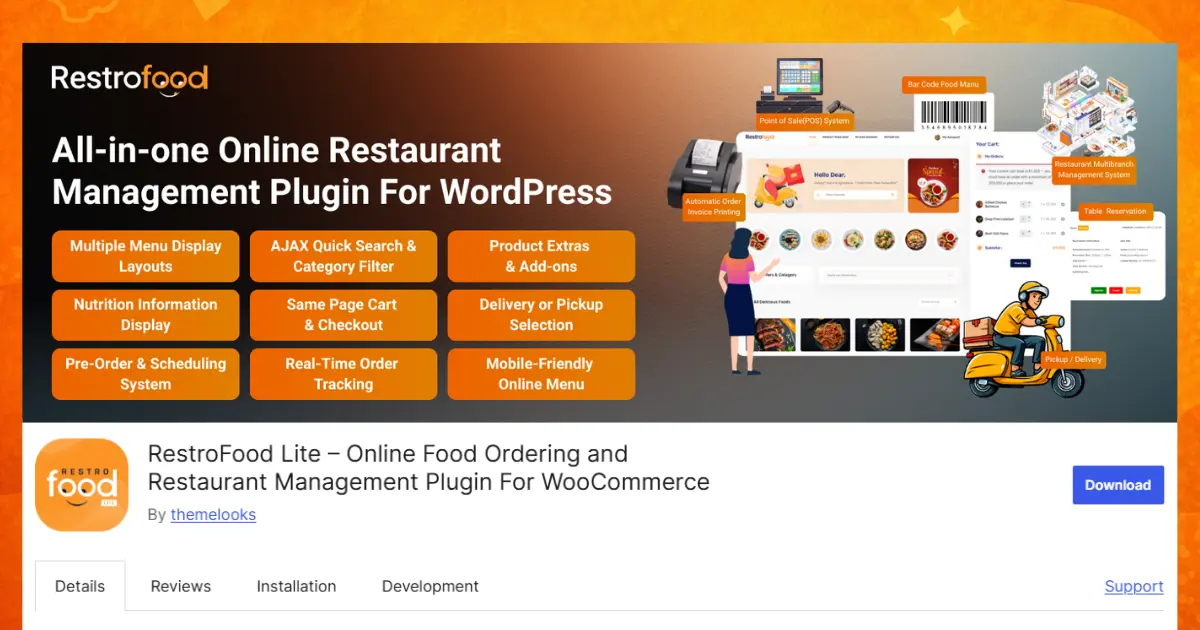
Key features:
Every restaurant has different booking needs. The RestroFood Table Reservation Add-on lets you create a reservation form that matches your business. You can collect important information such as the customer’s name, phone number, email address, booking date, time, number of guests, and special requests. A simple and clear reservation form makes booking easier for customers and helps your staff collect all the details they need.
If your restaurant has more than one location, this feature makes booking much easier. Customers can choose the branch they want to visit before completing their reservation. Each booking is automatically sent to the selected branch, reducing confusion and helping every location manage its own reservations. This creates a smooth experience for both customers and restaurant staff.
The add-on allows you to create and manage every table directly from the WordPress admin panel. Restaurant owners can organize tables based on their dining area and seating arrangement. Staff can quickly see which tables are available and which ones are already reserved. This helps improve seating management and reduces booking mistakes.
Different restaurant branches may have different opening hours and reservation schedules. This feature allows you to create reservation time slots for each branch separately. Customers can only choose from the available booking times, helping you avoid overlapping reservations and making restaurant operations more organized throughout the day.
As your restaurant grows, your reservation system can grow with it. The RestroFood Table Reservation Add-on allows you to create an unlimited number of tables from the admin panel. Whether your restaurant has a few tables or hundreds of seats across multiple branches, you can manage every table from one easy-to-use dashboard without any restrictions.
Keeping track of reservations becomes much easier with the organized reservation list. Every booking is displayed in a clean and simple dashboard where staff can quickly view customer details, reservation dates, booking times, assigned tables, selected branches, and reservation status. This helps your team find information quickly without searching through emails or paper records.
After receiving a reservation, your staff can assign a specific table to that booking from the admin panel. This feature helps organize seating plans and prevents two customers from being assigned the same table. It also allows restaurant staff to prepare seating arrangements before customers arrive, creating a smoother dining experience.
Restaurant reservations often change, and this feature makes managing them simple. Staff can update each reservation as Approved, Pending, or Cancelled with just a few clicks. Keeping reservation statuses up to date helps employees know which bookings are confirmed, which are waiting for approval, and which have been cancelled.
Sometimes customers request a different table or staff need to rearrange seating during busy hours. The RestroFood Table Reservation Add-on lets you change or update table assignments for any existing reservation without creating a new booking. This flexibility helps restaurants respond quickly to customer requests while keeping seating organized.
Customers like to know the status of their reservations without having to call the restaurant. The add-on automatically sends email notifications whenever a reservation is approved, remains pending, or is cancelled. These automatic updates keep customers informed, improve communication, and reduce the amount of manual work for your staff.
The RestroFood Table Reservation Add-on starts at $75 per year for one website, making it an affordable choice for restaurants that want to accept online table reservations. To use this add-on, you need to have the RestroFood Core Plugin installed, as the reservation system works together with the core plugin to provide a complete restaurant management solution.
Five Star Restaurant Reservations is a dedicated WordPress reservation plugin focused entirely on table booking.
Key features:
Five Star Restaurant Reservations is a clean, purpose-built reservation plugin. It handles the core booking flow well and is widely used for its simplicity. It does not include table assignment from the admin, multi-branch support, or WooCommerce integration.
WPCafe includes a table reservation system as part of its broader restaurant plugin.
Key features:
WPCafe suits restaurants that want ordering and reservations managed through one plugin. Its reservation feature is functional for single-location restaurants. Multi-branch reservation routing and table assignment per reservation are not included.
Bookly is a general-purpose appointment and booking plugin for WordPress that restaurants can adapt for table reservations.
Key features:
Bookly is flexible and feature-rich as a booking system. For restaurants, it requires configuration to model tables as bookable resources, it is not designed with restaurant seating in mind. Capacity management and the visual seating model that restaurant staff expect require workarounds.
Restaurant Reservations by ThemeIsle is a lightweight WordPress plugin specifically for restaurant table booking.
Key features:
Restaurant Reservations by ThemeIsle is a straightforward option for small restaurants that need a booking form without complex configuration. It handles the basics cleanly but lacks table assignment, multi-branch support, and WooCommerce integration.
Table assignment per booking: Knowing that Table 4 is reserved for the Henderson party at 7 PM allows floor staff to set it up in advance. Plugins that list reservations without table assignment leave staff to figure out seating on the fly.
Reservation status workflow: Reservations come in as pending and need approval, confirmation, or cancellation. A clear status system, Pending, Approved, and Cancelled, keeps the reservations list actionable. Automatic email notifications at each status change keep the customer informed without manual messaging.
Multi-branch reservation routing: For restaurants with more than one location, customers need to book the specific branch they intend to visit. Routing all reservations to one inbox without branch context creates confusion when the same time slot exists at multiple locations.
Time slot configuration: Setting maximum covers per time slot prevents overbooking. Configuring blocked times for private events or kitchen preparation prevents bookings when the restaurant cannot accommodate them.
Unlimited tables: Restaurants with larger dining rooms or event spaces should not be limited to a fixed number of bookable tables. A plugin that supports unlimited table creation scales without requiring plan upgrades.
Choosing the right WordPress table reservation plugin can help your restaurant save time and provide better customer service. While many plugins offer basic online booking features, the RestroFood Table Reservation Add-on stands out with multi-branch support, table management, reservation status updates, and automatic email notifications. It works smoothly with WordPress, WooCommerce, and the RestroFood Core Plugin, making it a complete solution for restaurants of all sizes. Whether you run a small café or a busy restaurant chain, this add-on helps organize bookings, reduce mistakes, and improve daily operations. If you want an easy and reliable way to manage online table reservations, RestroFood Table Reservation Add-on is an excellent choice.
Five Star Restaurant Reservations and Restaurant Reservations by ThemeIsle both offer free versions with core booking form functionality and email notifications. For multi-branch reservation management and table assignment, RestroFood Table Reservation Add-on provides more operational depth at $75/year.
RestroFood Table Reservation Add-on includes multi-branch support, so customers select their preferred branch when booking, and reservations route to the correct location’s dashboard. Most other WordPress reservation plugins are designed for single-location use.
Reservation plugins with time slot configuration and capacity limits prevent overbooking by closing time slots once they reach their maximum capacity. RestroFood Table Reservation Add-on uses reservation time slot settings to manage availability, and the admin can update table assignments when needed.
Yes. RestroFood Table Reservation Add-on automatically sends email notifications to customers when their reservation status changes, when it moves from pending to approved, or when it is cancelled. Five Star Restaurant Reservations, WPCafe, and Bookly also support automatic customer email notifications.
RestroFood Table Reservation Add-on lets the admin assign any table created in the system to any reservation, and update that assignment if plans change. The reservation list view shows all bookings with their current table assignments in one organized screen.
WooCommerce-native reservation plugins include RestroFood Table Reservation Add-on and WPCafe. General booking plugins like Bookly and ThemeIsle’s reservation plugin operate independently of WooCommerce. For restaurants that want reservations and online ordering in one connected system, WooCommerce integration simplifies data management.
Yes. RestroFood handles both online food ordering and table reservations within the same WordPress and WooCommerce environment. WPCafe also combines ordering and reservations. Using one plugin for both avoids managing separate systems and keeps customer and order data in one place.
Our FAQs cover the most common questions about ThemeLooks. If you need personalized advice or have a unique query, our team is ready to help. Contact us!

Mohammad Nur Alam is a Technical Content Writer at ThemeLooks Ltd., specializing in WordPress, SaaS, SEO, and web development. He writes practical tutorials, product reviews, and technical guides that help users make the most of WordPress tools and plugins. Passionate about digital marketing and emerging technologies, he enjoys creating helpful content and staying up to date with the latest industry trends.





 ChatGPT
 Grok
Grok Claude
 Perplexity
 Google AI


