
The best WordPress plugins for restaurant multibranch system are RestroFood Multibranch Add-on, WPCafe, Orderable, WCFM Marketplace, and Dokan Multivendor. These plugins let restaurant owners manage multiple locations from one WordPress dashboard, but only a few include the branch-specific tools that food service operations actually need, such as per-branch menus, delivery zones, staff assignment, and order transfer between locations.
Table of Contents
Running two restaurant locations from one WordPress site is not just a matter of listing addresses. Each branch needs its own menu items, delivery zones, opening hours, holiday schedule, staff roles, and order flow. Without branch-level controls, managers end up coordinating across disconnected tools, separate email threads, manual spreadsheets, or individual WooCommerce stores for each location.
A multibranch restaurant management plugin centralizes these operations. Customers see branch-specific menus when they select a location. Orders route to the correct branch automatically. Staff at each location only see the orders and data that belong to their branch.
The plugins below are evaluated on how well they handle restaurant-specific multibranch needs: branch creation, staff role assignment per branch, branch menus, delivery zones, and order management between locations.
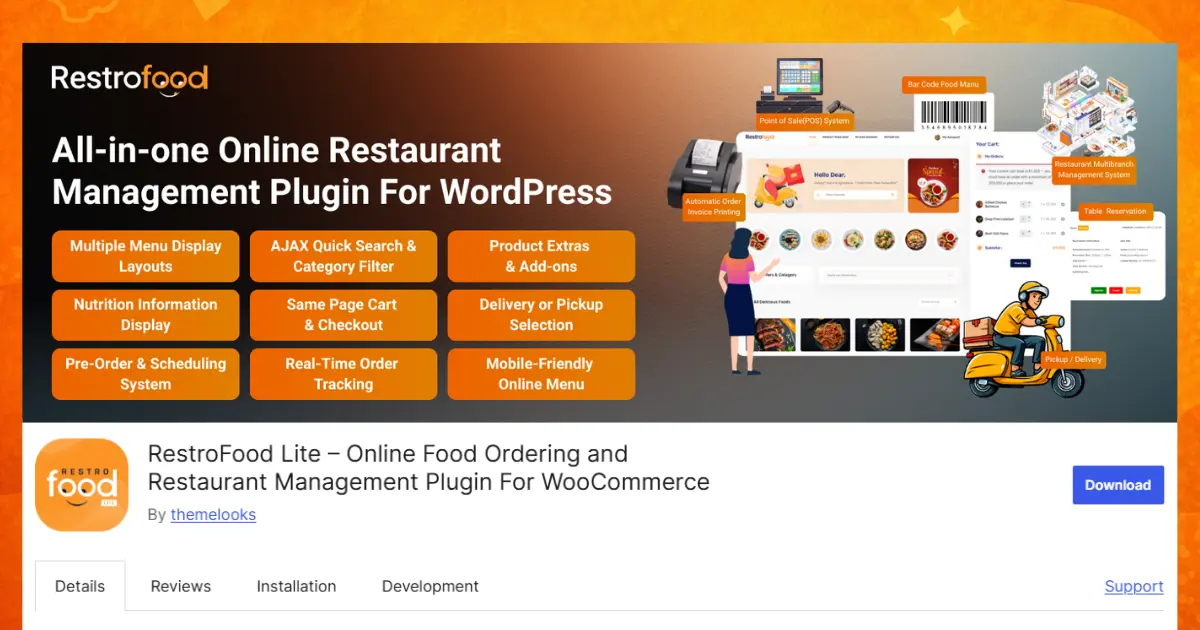
The RestroFood Multibranch Add-on is a smart WordPress extension made for restaurants with more than one location. It works with the RestroFood plugin and WooCommerce to help you manage every branch from one simple dashboard. You don’t need to build a separate website for each restaurant. Everything stays connected, making your business easier to manage as it grows.
Whether you have two branches or twenty, this add-on helps you organize staff, food menus, delivery areas, orders, and business reports in one place. It saves time, reduces mistakes, and gives customers a better ordering experience.
Key Multibranch Features:
Grow your restaurant business without limits by creating as many branches as you need. Whether you own two restaurants or hundreds of locations, every branch can be managed from one WordPress dashboard. You don’t need separate websites or different admin panels. This saves time, keeps everything organized, and makes it much easier to manage your entire restaurant business from one place.
Give every employee access only to the tools they need. Branch managers can manage orders and staff, kitchen staff can prepare incoming orders, and delivery drivers can see delivery requests and customer addresses. By assigning different roles and permissions, you improve security, reduce mistakes, and make daily work much easier for every team member.
Each branch can have its own business schedule. You can choose different opening and closing times, lunch breaks, weekends, and public holidays for every location. Customers always see the correct operating hours before placing an order, preventing confusion and reducing orders during closed hours.
Display different food and drink menus for different branches. If one branch offers special meals, seasonal items, or limited products, only customers selecting that branch will see them. This prevents customers from ordering unavailable items and keeps every menu accurate and up to date.
If one restaurant becomes busy, runs out of ingredients, or temporarily closes, you can transfer customer orders to another nearby branch with just one click. Customers still receive their meals on time without needing to place another order, helping improve customer satisfaction and reducing canceled orders.
Create delivery zones using ZIP or postal codes for every branch. Each restaurant only receives orders from the neighborhoods it serves. This prevents delivery confusion, shortens travel time, reduces fuel costs, and ensures food reaches customers while it’s still fresh and hot.
Control exactly when each branch accepts delivery orders. One location can deliver seven days a week, while another may only deliver on weekends or during lunch and dinner hours. This flexibility helps you manage staff availability, reduce unnecessary delivery costs, and provide better customer service.
Offer different pickup schedules for every restaurant location. Customers automatically see the correct pickup times based on the branch they choose. This helps reduce waiting time, avoids overcrowding at the counter, and creates a smoother pickup experience for both customers and restaurant staff.
Set unique delivery charges for each branch based on distance, operating costs, or local delivery conditions. A city-center branch can charge one delivery fee while a suburban branch charges another. This gives you better control over delivery expenses while keeping pricing fair for customers.
Add the complete address, Google Map location, contact information, and branch details for every restaurant. Customers can easily find the nearest location, get directions, and select the most convenient branch for delivery or pickup. This improves the overall customer experience and helps new customers discover your restaurant locations.
Set a maximum delivery distance for every branch to prevent orders from locations that are too far away. Keeping deliveries within a reasonable distance helps food stay fresh, reduces delivery delays, lowers transportation costs, and improves customer satisfaction by ensuring faster service.
Every restaurant branch has its own dedicated dashboard where staff can manage products, menu items, customer orders, deliveries, employees, and daily activities independently. Branch employees only see information related to their own location, making operations more secure, organized, and easier to manage without affecting other branches.
Track complete order history, daily sales, monthly revenue, popular menu items, customer activity, and branch performance from easy-to-read reports. These insights help restaurant owners understand which branches perform best, identify busy hours, monitor business growth, and make smarter decisions to increase sales and improve overall restaurant operations.
The RestroFood Multibranch Add-on starts at $75 per year for one website. It is a great choice for restaurant owners who are opening new locations, managing franchises, or running multiple cloud kitchens. Instead of managing several websites, you can control your entire restaurant business from one powerful and easy-to-use WordPress dashboard.
WPCafe includes a branch/location selection feature within its restaurant ordering system.
Key features:
WPCafe multibranch functionality is included in its main plugin. It covers the basics of location selection and scheduling per branch. It does not include role-based staff assignment per branch, order transfer between locations, or independent branch dashboards with separate operational views.
Orderable includes location management features in its restaurant ordering plugin.
Key features:
Orderable handles the customer-facing side of location selection well. Its multi-location tools are functional for restaurants with simple branch setups. Staff-side management features, such as branch dashboards, role assignments, and order transfers, are not part of its core offering.
WCFM Marketplace is a multivendor marketplace plugin for WooCommerce that some multi-location restaurants use to create separate vendor/store profiles per branch.
Key features:
WCFM is designed for marketplace setups where different vendors sell through one platform. Adapting it for restaurant branch management is possible, but requires configuration not intended for food service. There is no built-in concept of kitchen staff panels, delivery zone rules per branch, or restaurant operating hours.
Dokan is a WooCommerce multivendor plugin that can model multi-branch restaurants as separate vendor accounts within one store.
Key features:
Like WCFM, Dokan is primarily a marketplace tool. Using it for restaurant branch management works at a basic level but lacks restaurant-specific functionality: no kitchen manager roles, no delivery zone management per branch, no order scheduling tied to restaurant hours.
| Feature | Dokan | WCFM | Orderable | WPCafe | RestroFood Multibranch |
| Restaurant-specific branch setup | No | No | Basic | Basic | Yes |
| Staff role assignment per branch | No | Vendor roles | No | No | Yes |
| Branch operating hours & holidays | No | No | Yes | Yes | Yes |
| Branch-specific product display | Yes | Yes | Yes | Yes | Yes |
| Order transfer between branches | No | No | No | No | Yes |
| Per-branch delivery zones (zip code) | No | No | Yes | No | Yes |
| Per-branch delivery fees | No | No | No | No | Yes |
| Independent branch dashboard | Yes | Yes | No | No | Yes |
| Kitchen manager role per branch | No | No | No | No | Yes |
| Built for restaurant operations | No | No | Yes | Yes | Yes |
Dokan and WCFM provide independent vendor dashboards, useful for branch separation, but they are marketplace tools without restaurant-specific operational features. Orderable and WPCafe handle customer-facing location selection. RestroFood Multibranch Add-on is the only option in this list that covers the full operational stack: staff roles, delivery zones, order transfers, and independent dashboards, all per branch.
Independent branch dashboards: Branch managers need to see their own location’s orders, delivery staff, and performance without seeing other branches. A shared dashboard creates confusion and access control problems.
Staff role assignment per branch: A kitchen manager at Branch A should not see orders from Branch B. Per-branch role assignment keeps staff focused on their location without backend access to the full store.
Order transfer between branches: When one branch is too busy or temporarily closed, transferring an order to a nearby branch prevents cancellations. This is an operational feature most general-purpose plugins do not include.
Per-branch delivery zones: Branch A in one neighborhood serves different streets than Branch B across town. Setting separate zip codes or distance-based delivery zones per branch prevents orders from routing to a branch that cannot fulfill them.
Branch-specific hours: A downtown branch may close at midnight while a suburban location closes at 10 PM. Managing separate operating hours and holiday schedules per branch eliminates customer confusion about when each location accepts orders.
Running many restaurant branches is not easy, but the right WordPress plugin can make the job much simpler. A good plugin helps you manage orders, menus, staff, delivery areas, and business hours from one place. This saves time and helps your team work better every day. It also gives customers a smooth ordering experience because they always see the correct menu and branch information.
Before you choose a plugin, think about what your restaurant needs now and what it may need as your business grows. A smart choice today can help you avoid problems later. If you want a complete restaurant multibranch system, the RestroFood Multibranch Add-on is a great option. It helps you manage every branch easily and grow your restaurant with confidence.
RestroFood Multibranch Add-on is built specifically for multi-location restaurant management in WordPress. It provides per-branch staff roles, delivery zones, operating hours, product displays, and order transfers, all managed from one central WooCommerce dashboard.
Yes. Plugins like RestroFood Multibranch Add-on, WPCafe, and Orderable support multiple locations within a single WordPress installation. RestroFood Multibranch Add-on provides the deepest operational control, including independent dashboards, role assignments, and delivery zone rules for each branch.
RestroFood Multibranch Add-on includes a role assignment system for each branch. You assign branch managers, kitchen managers, and delivery staff to specific locations. Each staff member sees only the orders, menus, and operations belonging to their assigned branch.
Yes. Plugins with multibranch support, including RestroFood Multibranch Add-on and WPCafe, show customers a branch selector before or during the ordering process. The ordering system then applies the correct menu, delivery zone, and time slots for the selected branch.
RestroFood Multibranch Add-on includes an order transfer system that lets administrators move an order from one branch to another with a single action. This is useful when a branch is at capacity, temporarily closed, or unable to fulfill a specific item that another location has in stock.
Yes. RestroFood Multibranch Add-on includes per-branch custom delivery fee settings, so each location applies its own delivery pricing based on its operating area and costs. This feature is not available in general-purpose multivendor plugins without custom development.
WCFM and Dokan are multivendor marketplace plugins that can model branch separation at a basic level, separate dashboards, and product catalogs per vendor. However, they lack restaurant-specific features like kitchen manager roles, delivery time slots tied to restaurant hours, and order transfer between branches, making them an indirect fit for restaurant Multi-Branch Management.
Our FAQs cover the most common questions about ThemeLooks. If you need personalized advice or have a unique query, our team is ready to help. Contact us!
Mohammad Nur Alam is a Technical Content Writer at ThemeLooks Ltd., specializing in WordPress, SaaS, SEO, and web development. He writes practical tutorials, product reviews, and technical guides that help users make the most of WordPress tools and plugins. Passionate about digital marketing and emerging technologies, he enjoys creating helpful content and staying up to date with the latest industry trends.
