
How to Find Out Who Owns a Domain is a common question many people have. Have you ever seen a website and wondered who owns it? Maybe you want to buy the domain name, maybe you’re curious, or perhaps you need to check for legal or security reasons. Whatever the case, learning how to find out who owns a domain can save you time, money, and even trouble in the future.
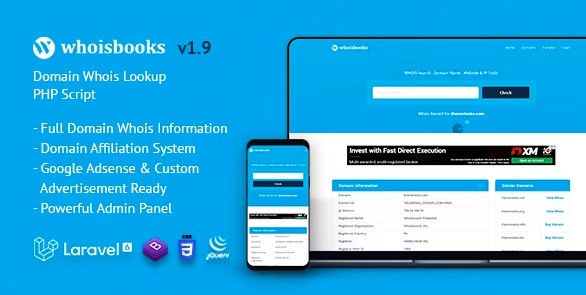
No worries; WhoisBooks, a Domain Whois Lookup PHP Script developed by ThemeLooks, is here to help you. You can easily get all the domain-related information through WhoisBooks, just need to paste the domain from your side in the search box. All the important information will be displayed instantly.
In this article, we’ll explain everything step by step. We’ll talk about what is domain of in the context of websites and compare it with what is the domain of a function in math. You’ll also learn about the Best Whois Lookup Tools, how to do a domain expiry check, and how to investigate questions like “who owns this email” or “who.is me.”
We’ll also cover practical ways people can earn money from domain whois (e.g., building lookup platforms with ads/affiliates or lead generation). Plus, we’ll look at professional help such as a Domain Name Acquisition Service, and explore ownership structures using the phrase who owns whom. To make things even clearer, we’ll include a comparison table of popular tools so you can choose the best option for your needs.
Table of Contents
Before you learn how to find out who owns a domain, you need to know what a domain is. In the world of the internet, a domain is the name of a website, like google.com or example.org. It’s a shortcut for people to find websites without remembering long IP addresses.
When people ask “what is the domain of,” sometimes they are asking about websites, and sometimes they are asking about math. That’s where confusion begins.
In math, what is the domain of a function means the set of input values that can go into a function. For example, if you have a function f(x) = 1/x, then the domain is all numbers except zero.
On the other hand, in the internet world, a website domain is the online address of a site. For example, www.amazon.com is a domain.
So, while both use the word “domain,” one is about math, and the other is about websites. In this article, we’re talking about website domains and how to find out who owns a domain.
There are many reasons why people want to find who owns a domain:
The main tool people use to find out who owns a domain is called Whois. According to ICANN (the organization that manages domain names), every domain owner has to provide details like name, email, registrar, and registration dates when registering.
A Whois lookup lets you see that information. It’s like a giant online phone book.
But there’s a catch. Many domain owners use privacy services, and due to laws like GDPR, not all information is public anymore. That’s why sometimes you only see “Domain Privacy Protected” instead of the real owner.
Still, Whois is the best starting point if you want to know how to find out who owns a domain.
There are many tools you can use to check domain details. Here’s a quick comparison of the Best Whois Lookup Tools:
| Tool/Service | Key Features | Free/Paid | Best For |
| WhoisBooks (ThemeLooks) | Bulk lookups, domain expiry check, ads/affiliate integration, user dashboard | Paid (one-time script) | Businesses, startups |
| ICANN Lookup | Official Whois database, accurate registry data | Free | Direct owner info (if public) |
| Whois.com | Domain ownership & expiry check | Free | Quick checks |
| DomainTools | Historical Whois records, advanced reports | Paid | Researchers, legal teams |
| Namecheap Lookup | Whois search + easy domain purchase | Free | Buyers checking availability |
These are some of the Best Whois Lookup Tools available today.
One of the most powerful ways to find out who owns a domain is by using WhoisBooks, a PHP script developed by ThemeLooks.
Here’s how it works:
WhoisBooks also includes extra features like a dashboard with traffic stats, advertisement setup (Google AdSense or custom ads), service pages, menus, and more. That means you can not only check domains but also build a full platform around it.
For example, you could make your own site like “whois.com” and allow users to do lookups, while you earn money from ads or referral links.
Using WhoisBooks, finding out who owns a domain is possible, and other information regarding the domain. Apart from these, there are plenty of features that WhisBooks will be offering you. Let’s see what you’ll get with WhoisBooks.
Dashboard
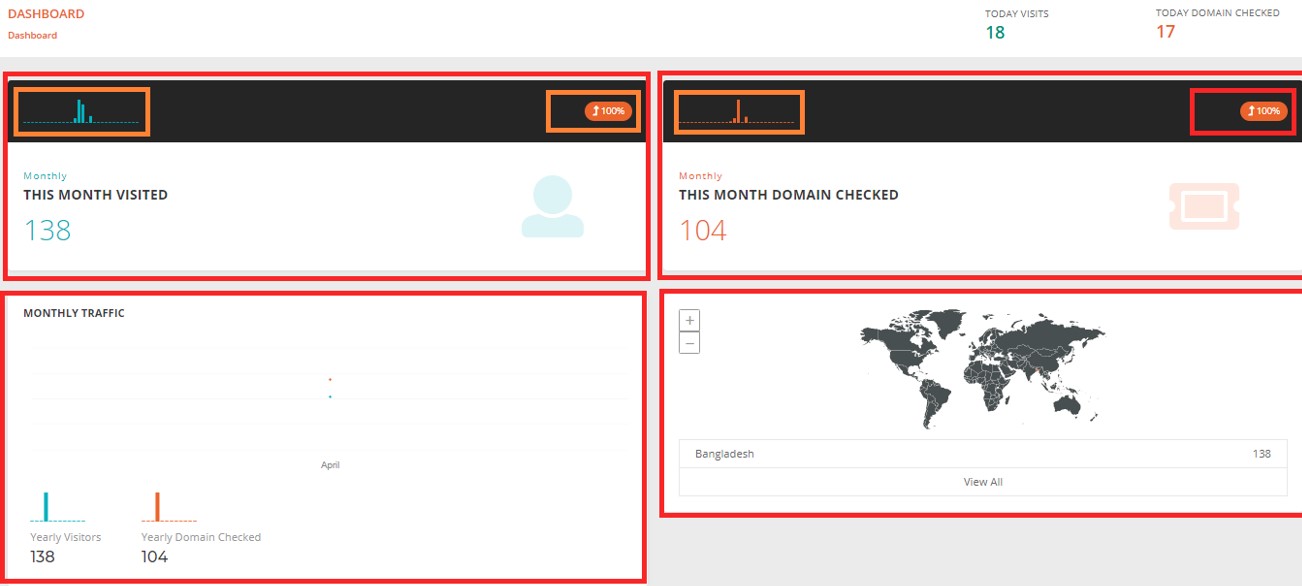
You’ll get a dashboard where you find many statistics regarding your website and domain. For example, monthly visit count, monthly domain check count, monthly traffic overview, and per country visitors number.
Users
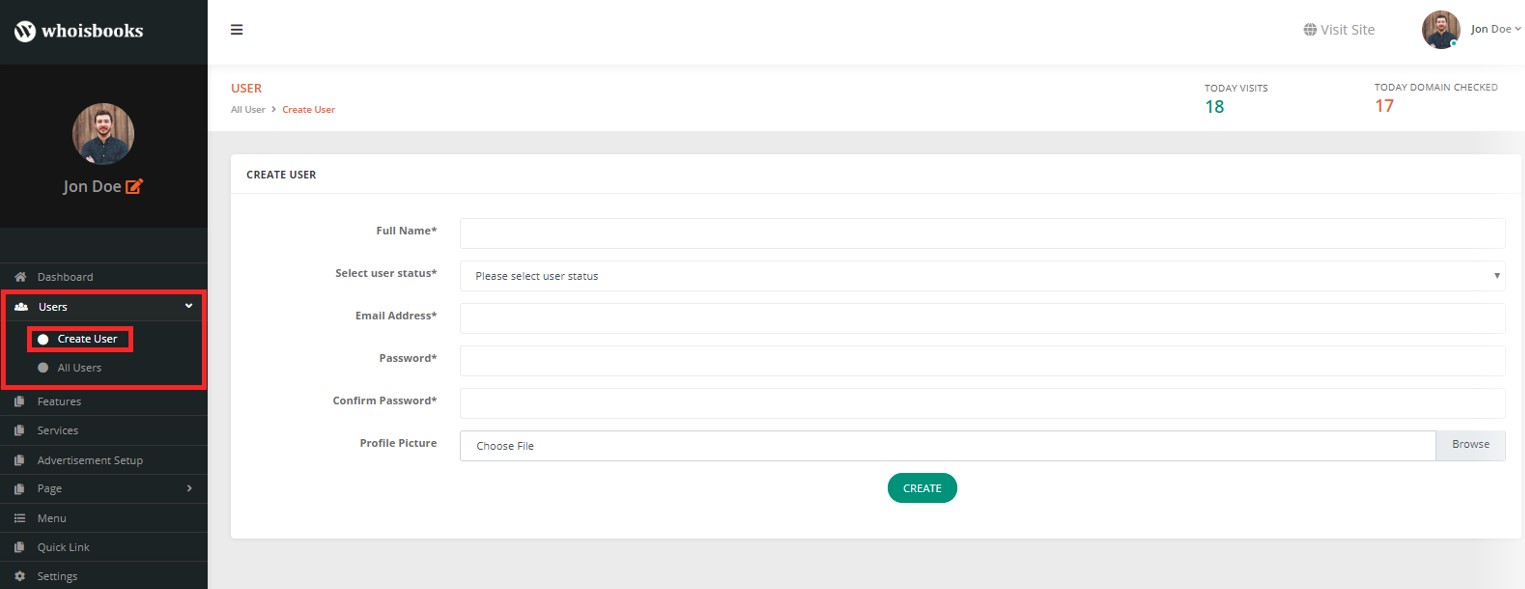
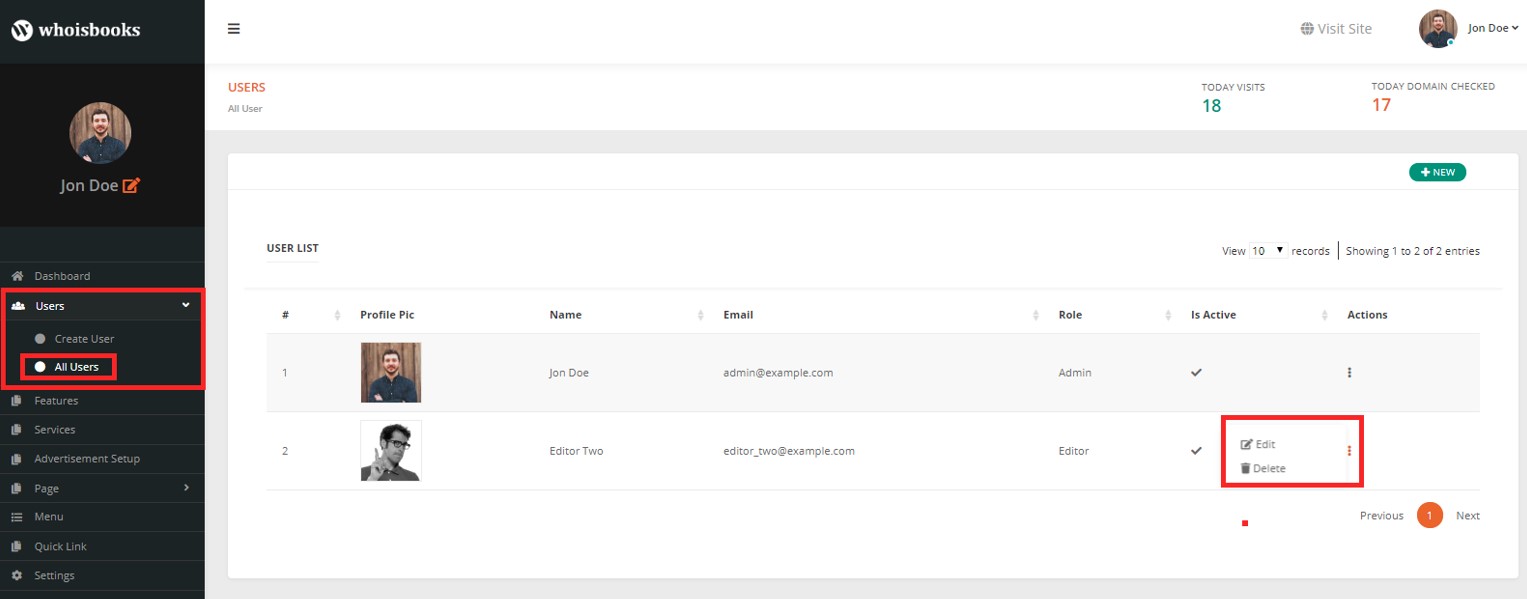
You can create the different users as much as you want. Create user fulfilling by Name, User Status, Email Address, Passwords, Profile Picture, etc. Once you create a user profile, you can edit and delete them accordingly afterward.
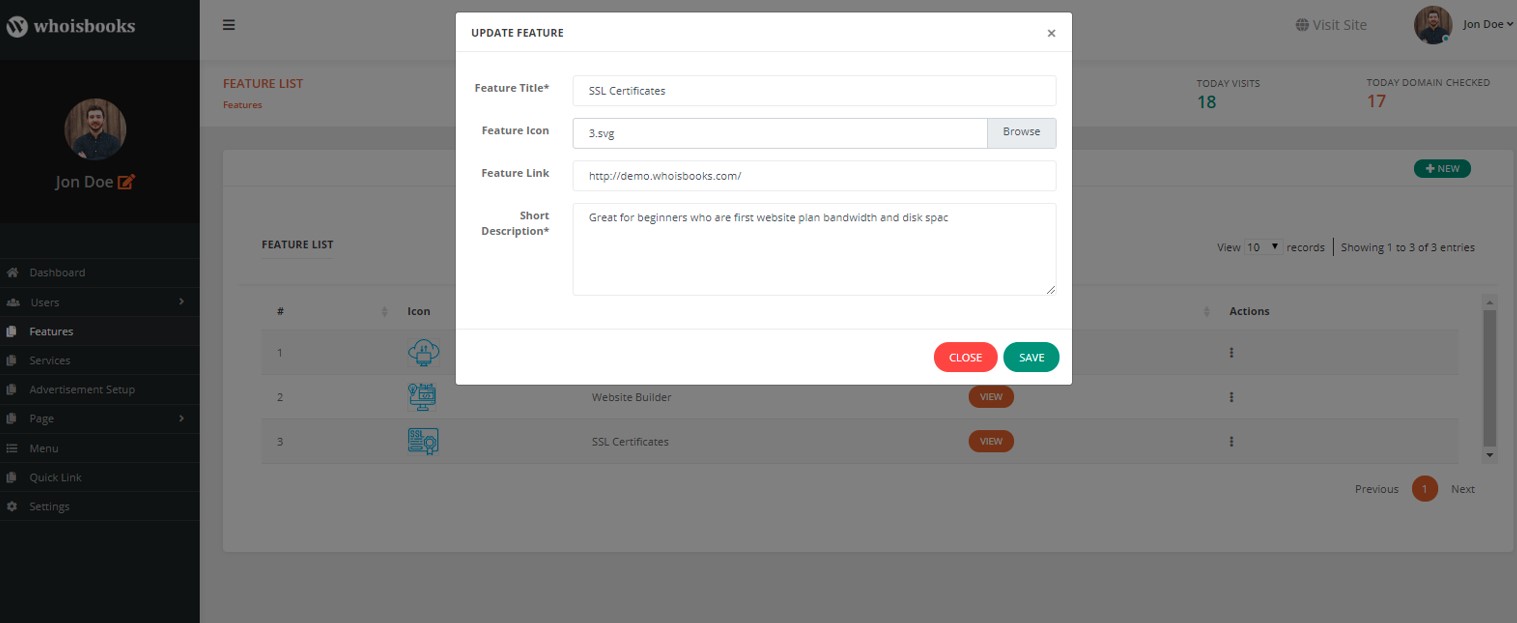
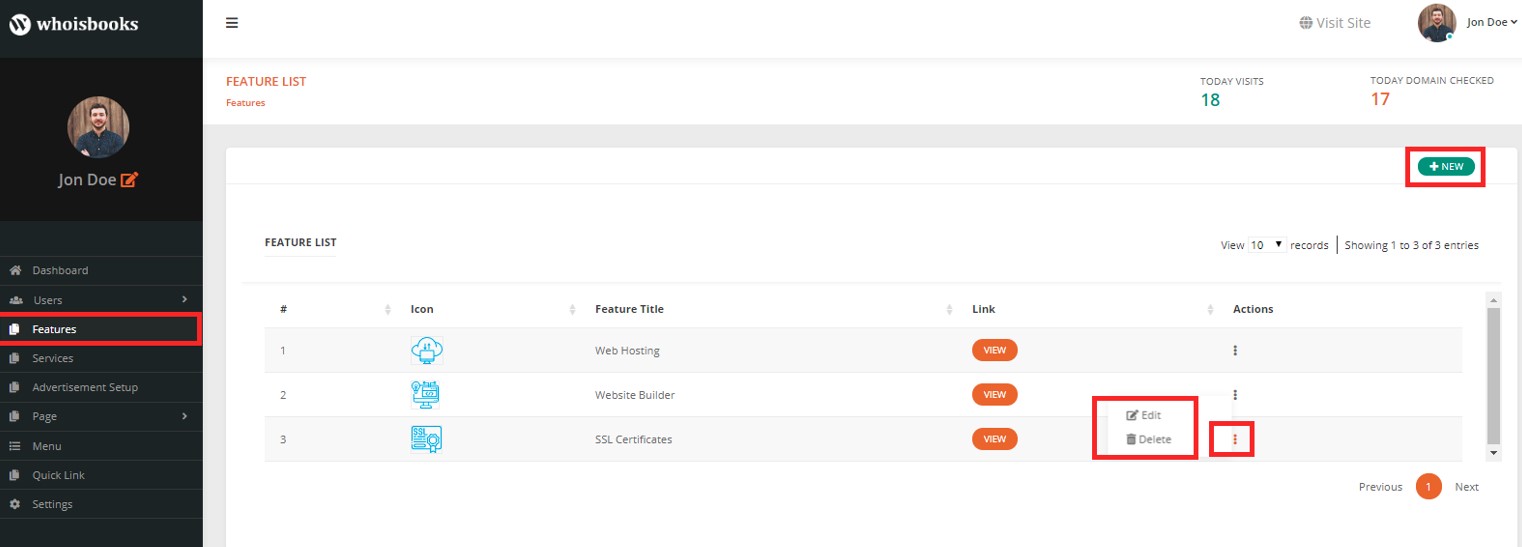
Features
Adding features with icons and short description is also possible in WhisBooks. After adding the features, you can easily edit and delete them accordingly.
Advertisement Setup
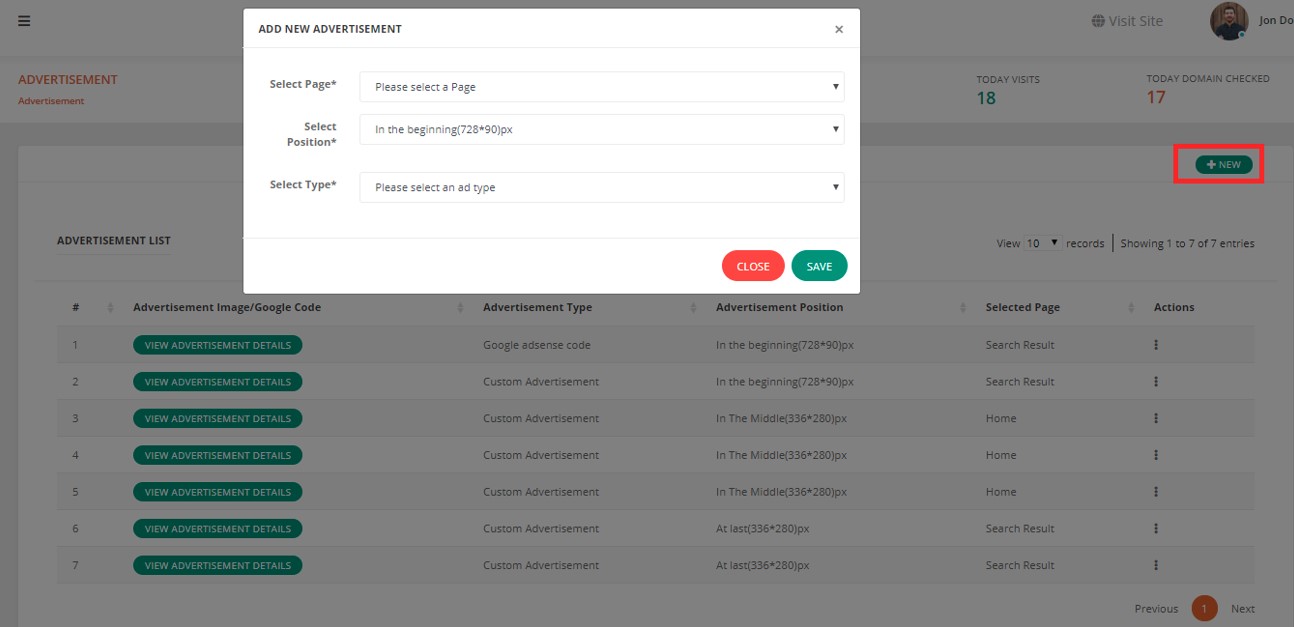
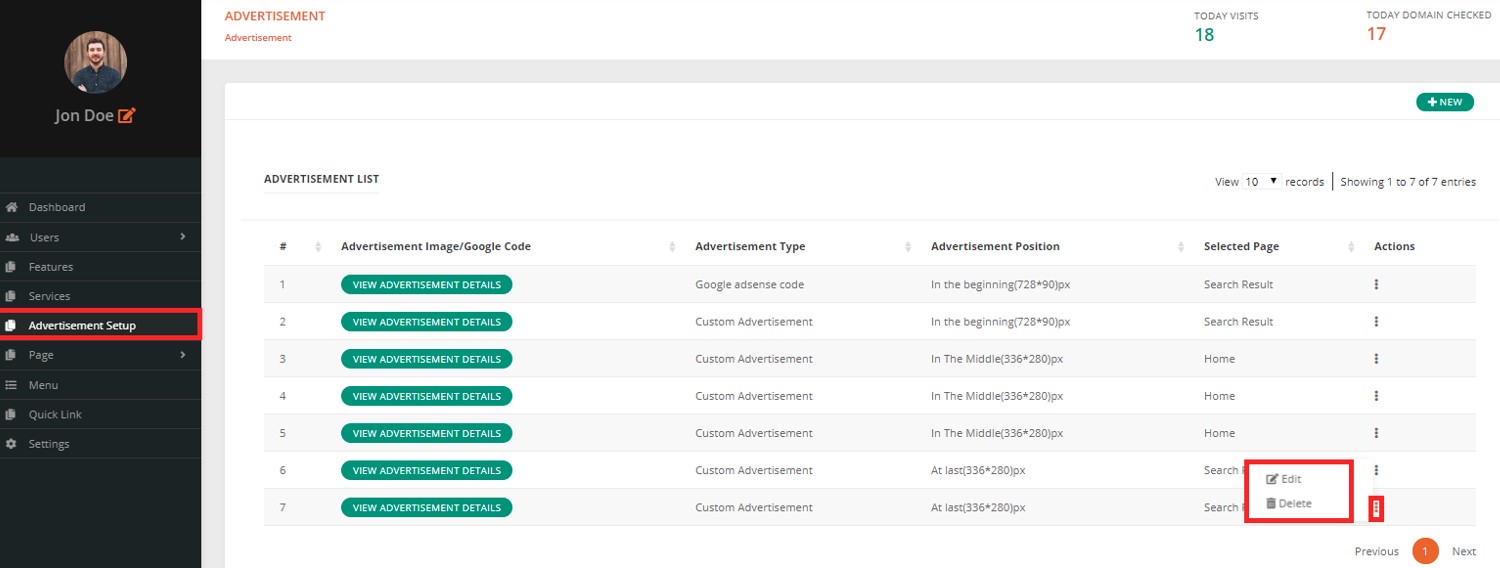
You can use WhoisBooks as an outsourcing platform by running different ads here. You can run your personal ad or Google AdSense. Start affiliate from today and earn money. Edit or Delete accordingly once you set your advertisement up.
Services
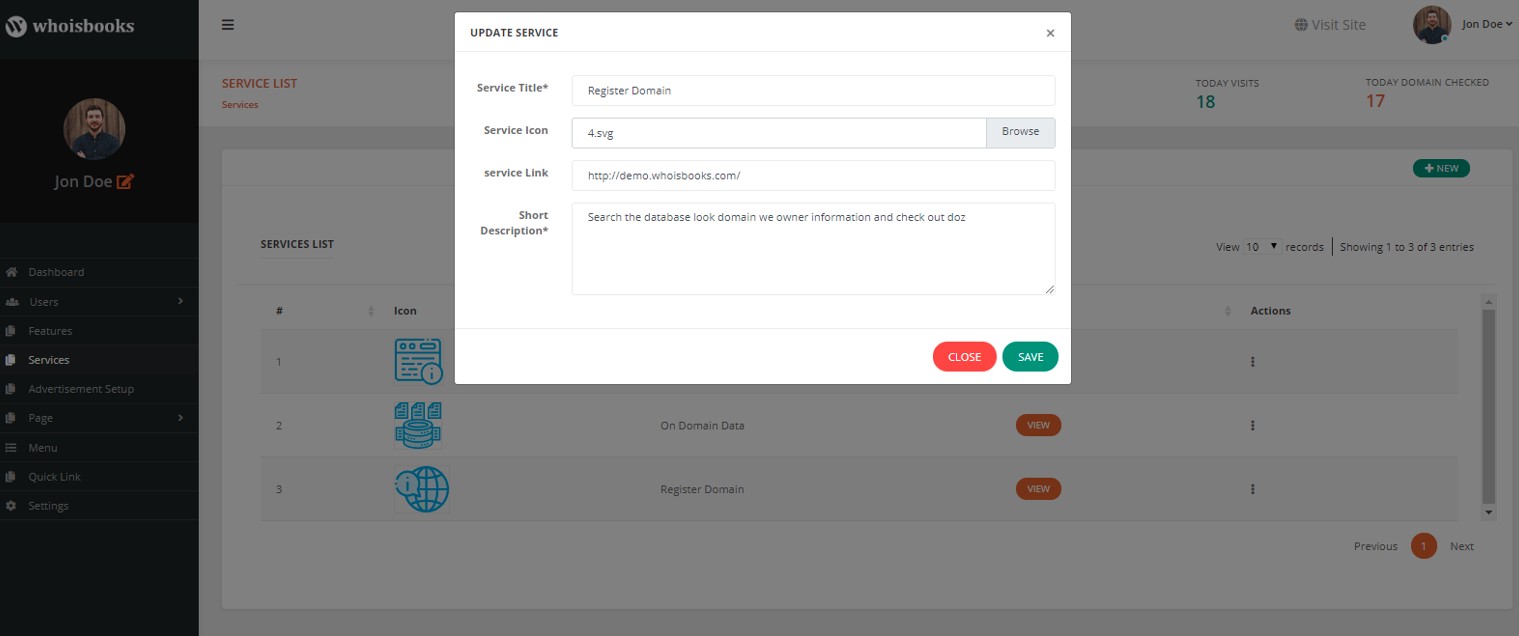
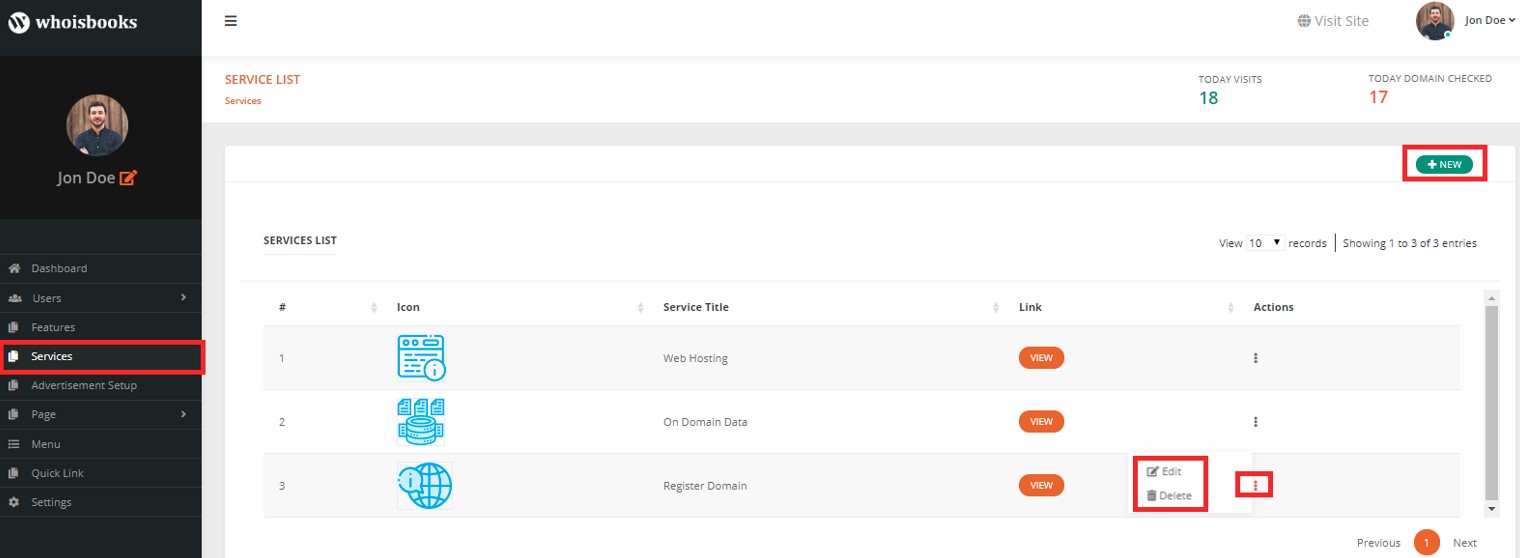
WhoisBooks provide you with the option of adding different services. So, if you provide your customers with any kind of service that you own, you can create those service pages.
Page
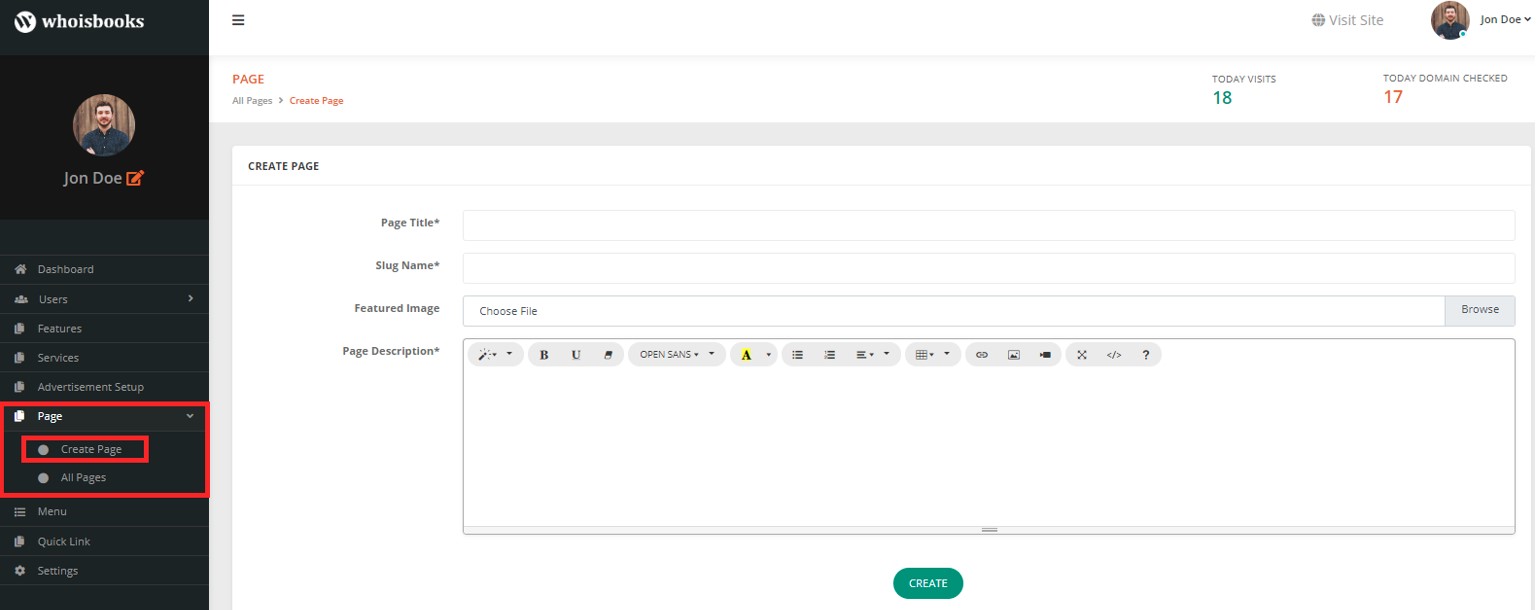
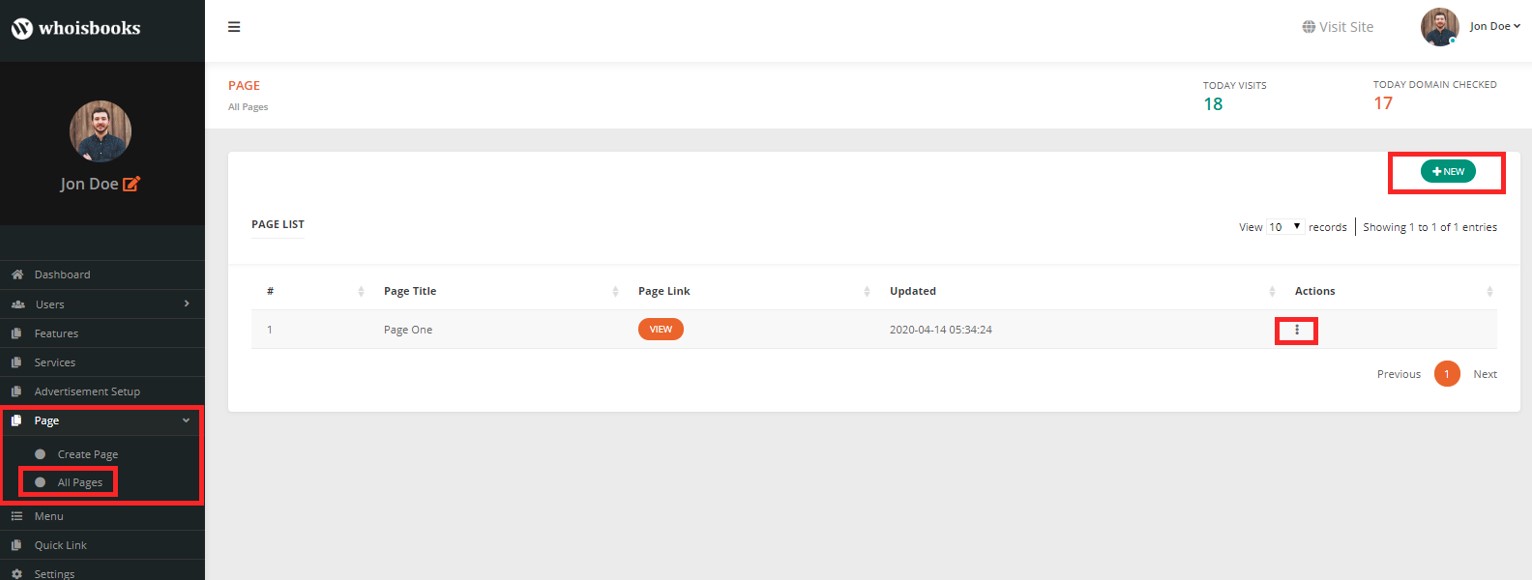
You can create the page as you want from the Page section. Add pages as much as you want and delete them as well if you wish to. For example, you can add a page Blog for adding some blogs there.
Menu
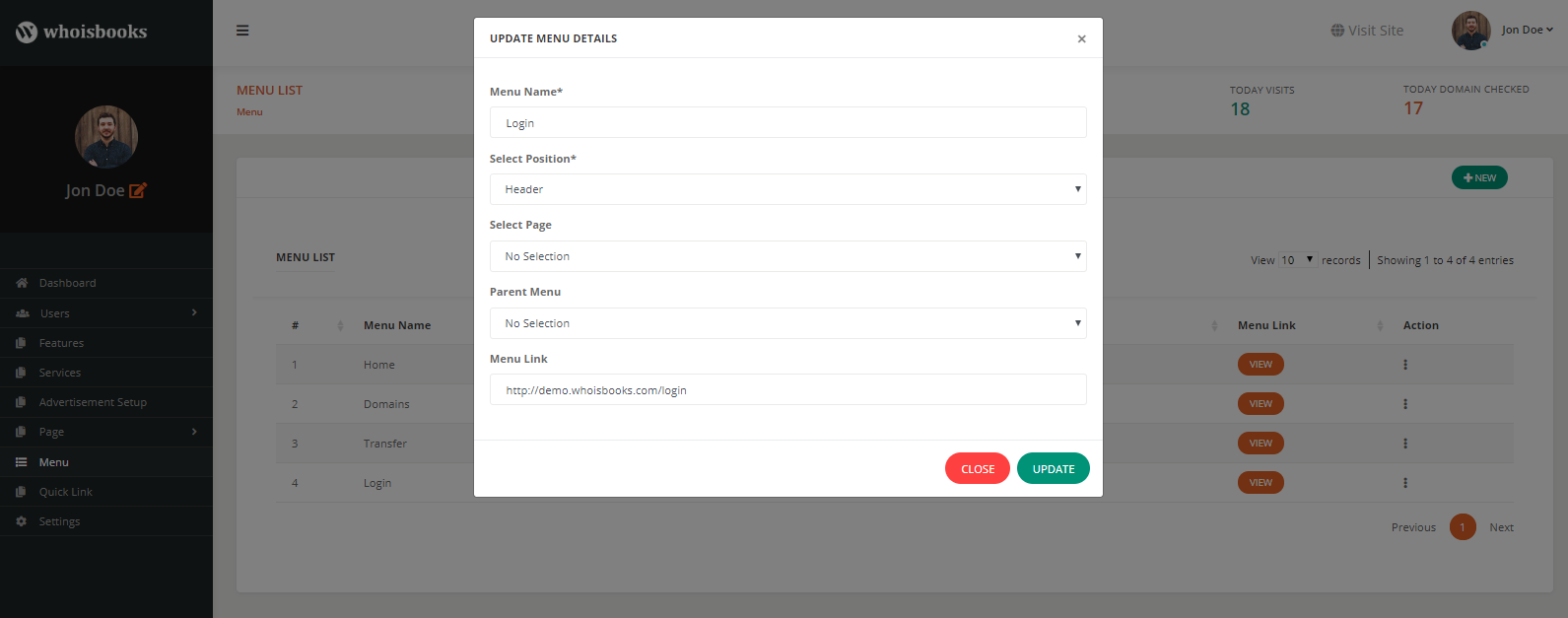
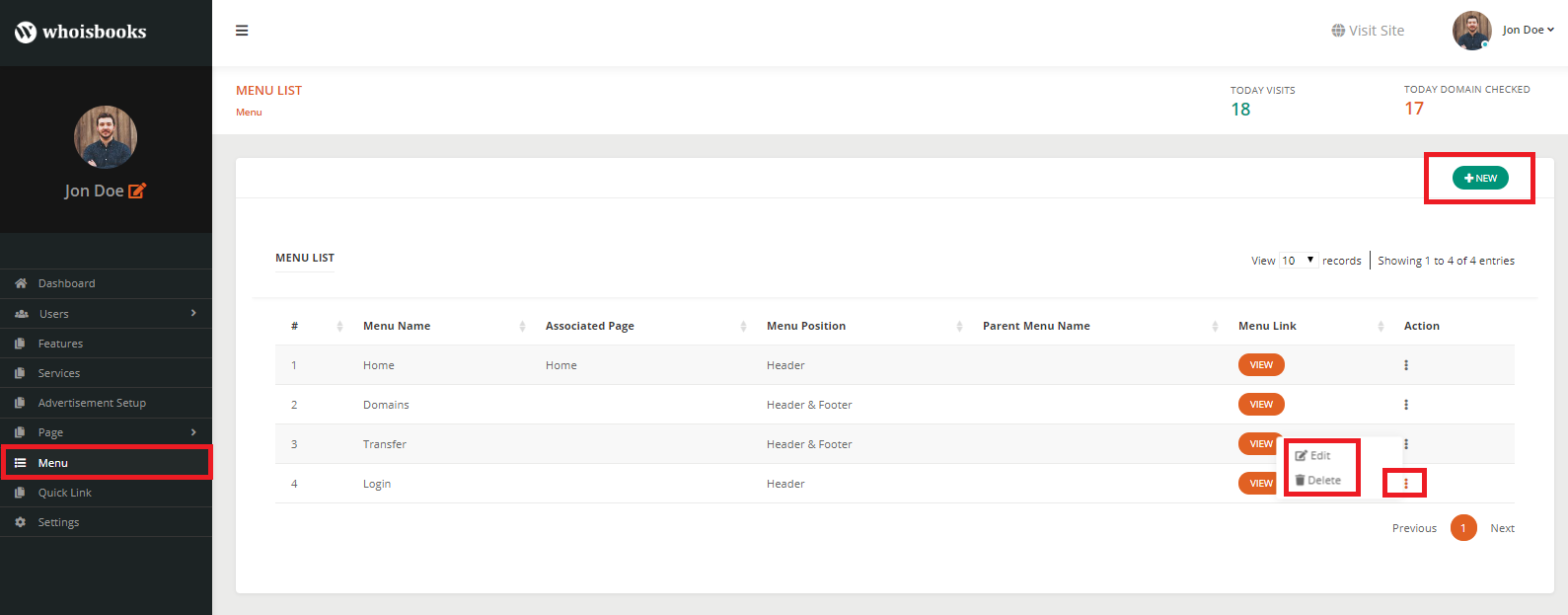
Create menus wherever you want (header, footer, header & footer). If you need to add any new menu to your header or footer, you can make and position that very easily.
Quick Link
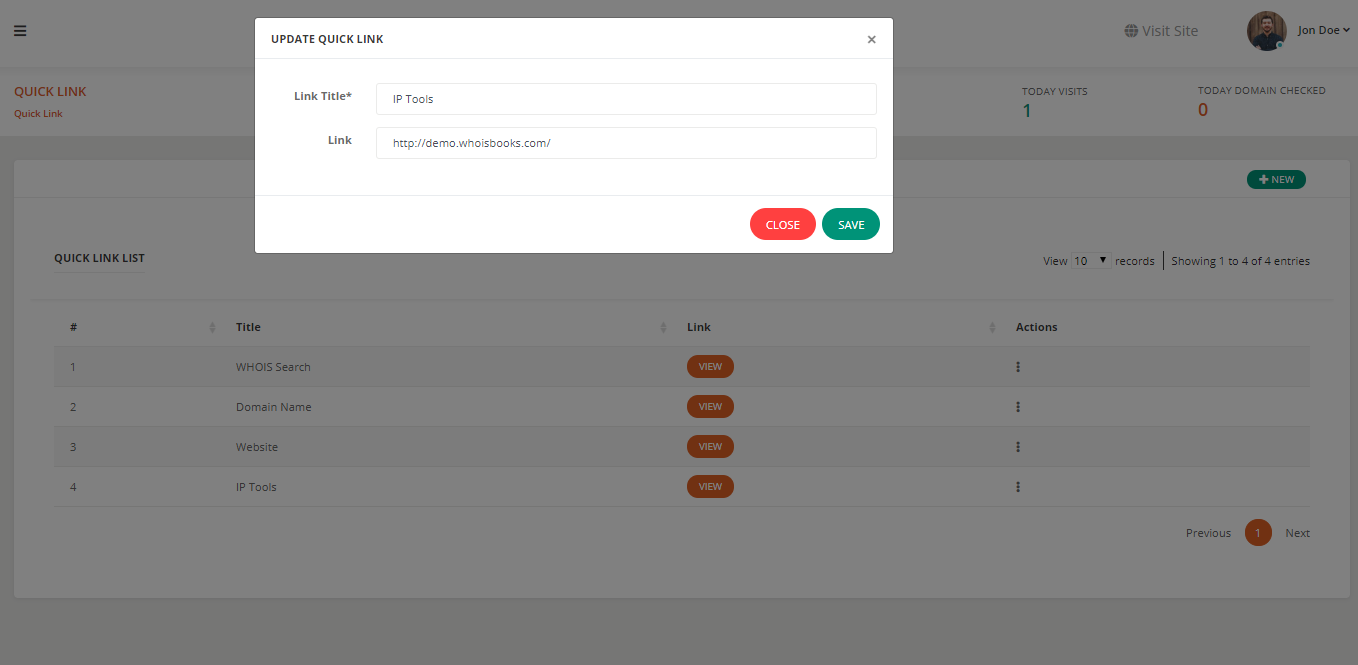
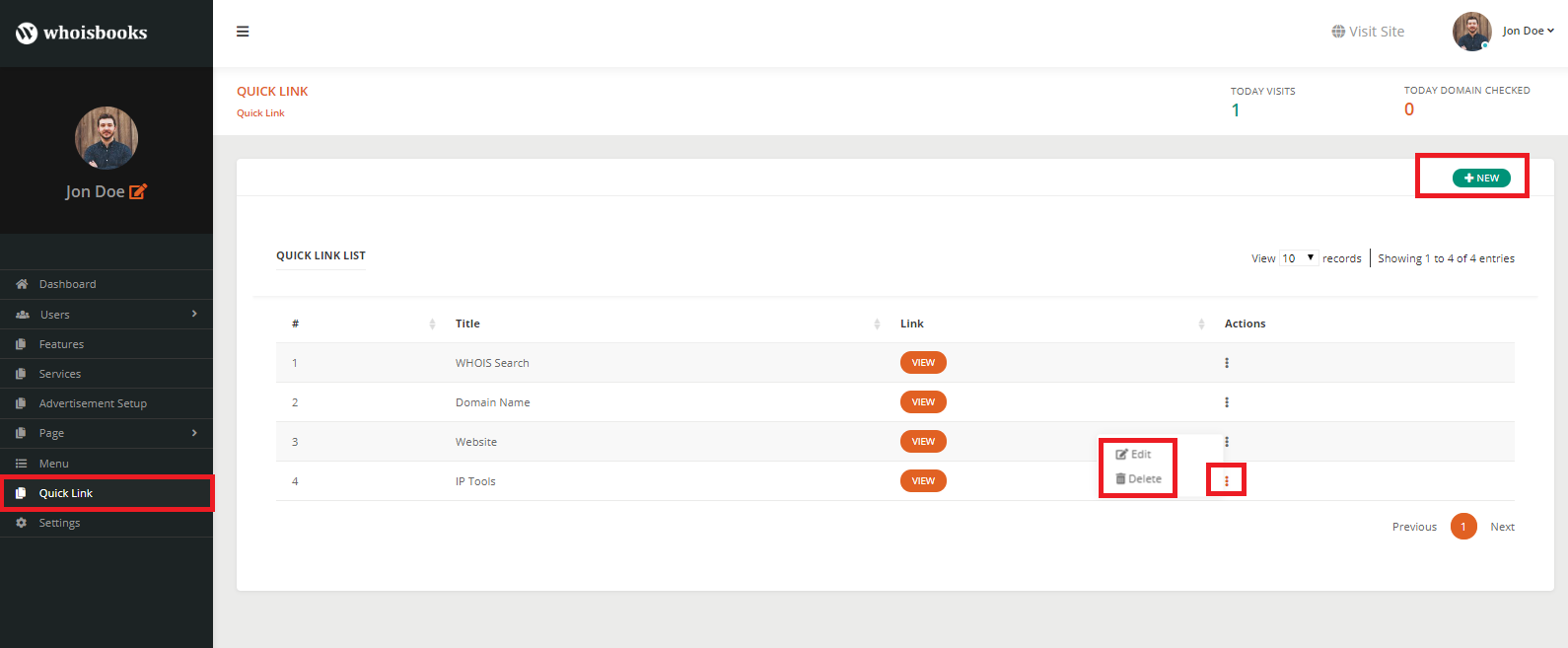
You can add a quick link section in WhoisBooks. Add any links you prefer to have on your site front end and access it easily. You can Edit and Delete further.
Well, it’s a wrap. Get any domain name, easily find out who owns a domain, and all the information regarding the domain. Besides, not only domain-related information but also starting an affiliate and earning is also possible by WhoisBooks.
While Whois is the most common option, there are other ways to find out who owns a domain:
A Domain Name Acquisition Service is very useful when the owner’s details are hidden, or when you don’t want to negotiate directly.
For example, GoDaddy offers a Domain Broker Service. You pay them, and their experts reach out to the domain owner. They negotiate the best possible price, and your identity stays private.
This is often the safest way to find who owns a domain when dealing with expensive or high-demand names.
The term “whois me” refers to looking up your own domain details. Many website owners want to see what public information is visible about their domains.
This is important because you might not want everyone to see your personal email or phone number. If you see sensitive details in a “whois me” search, you should enable privacy protection from your registrar.
Sometimes people ask, “who owns this email?” If the email is linked to a suspicious site, you can check its domain. For example, if you get an email from [email protected], you can do a Whois lookup for weirdsite.com.
This way, you can find out who owns the domain behind the email. While it won’t always give you the exact person, it can show you the registrar, hosting details, and whether the domain is legitimate.
A domain expiry check tells you when a domain name will expire. This is very important for two reasons:
WhoisBooks and other tools make domain expiry checks easy by showing the registered-on and expiry dates.
The phrase “who owns whom” usually refers to relationships between companies. In domain names, it means figuring out how different domains are connected.
For example, a big company like Google owns thousands of domains. By looking at ownership data, you can see who owns whom in the digital space.
Sometimes, privacy protection hides these details, but advanced tools like DomainTools can show historical ownership data.
Finding out who owns a domain is not always simple, but it’s possible using the right tools and methods. You can use Best Whois Lookup Tools, perform a domain expiry check, or even hire a Domain Name Acquisition Service.
If you just need a quick lookup, ICANN Lookup or Whois.com might be enough. But if you want a professional setup where you can run searches, display data, and even earn money from ads, then WhoisBooks is a strong option.
Remember, laws and privacy policies sometimes limit the details you can see, but with the right approach, you can usually contact or learn about the domain owner.
“Domain of” in websites means the website address, like google.com. In math, “what is the domain of a function” means the set of inputs that can be used in a formula.
You can use free tools like ICANN Lookup, Whois.com, or Namecheap’s lookup to see public ownership details.
Yes, sometimes. By checking the domain linked to the email address, you may see registrar and hosting details.
Not always. Some domain owners use privacy services or GDPR protection, which hide personal details.
If the owner doesn’t renew it, the domain goes into a grace period, then auction, and finally becomes available for others to register. A domain expiry check shows when this happens.
It’s a professional service where a broker contacts the domain owner for you, negotiates a fair price, and helps you buy the domain privately.
Some of the best include WhoisBooks, ICANN Lookup, Whois.com, DomainTools, and Namecheap Lookup. Each has unique features depending on your needs.
“Whois me” means looking up your own domain to see what public details are visible. It helps you check if your personal data is protected.
In some cases, yes. It can show connections between domains or companies, though privacy services may hide this information.
You can use the registrar’s contact form, hire a Domain Name Acquisition Service, or look for contact information on the website itself.
Just fill out the contact form to get a free consultancy from our expert. We would be happy to answer you.
ThemeLooks – YouTube – Facebook – Linkedin – Twitter