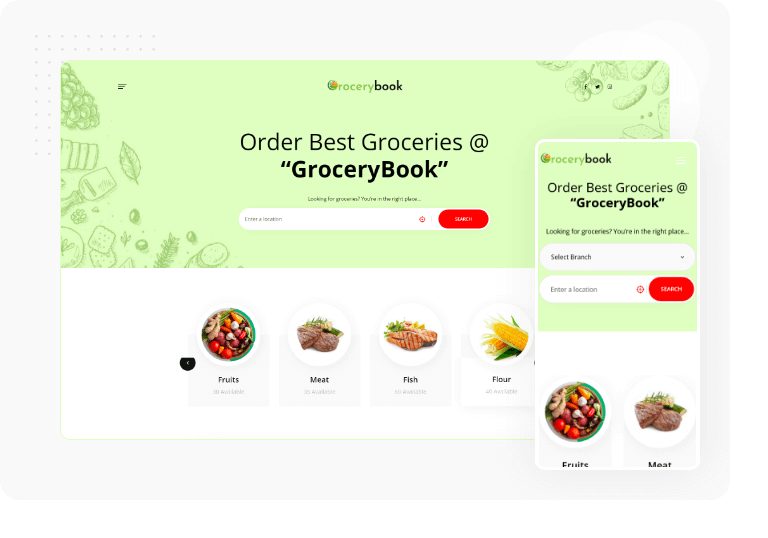
GroceryBook

Extraordinary Features of GroceryBook

GroceryBook offers you plenty of features that you will love. The feature makes it a complete online product ordering and delivery system.

Theme & Demo-Data Included

The package includes a Free Theme called “grocerybook theme.zip” & demo data to get a ready-made website like our demo. Our customers don’t need to buy a theme separately.

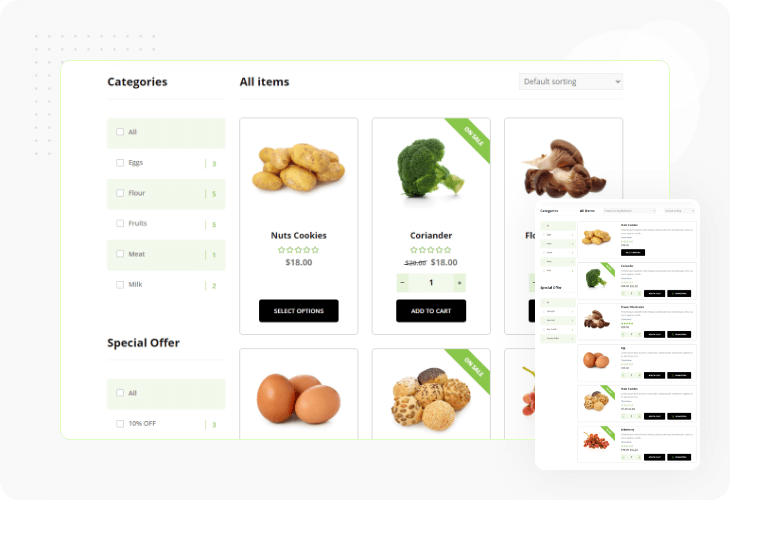
5 Product Display Layout

GroceryBook offers you 5 different kinds of product layout to showcase your products attractively to your customers.

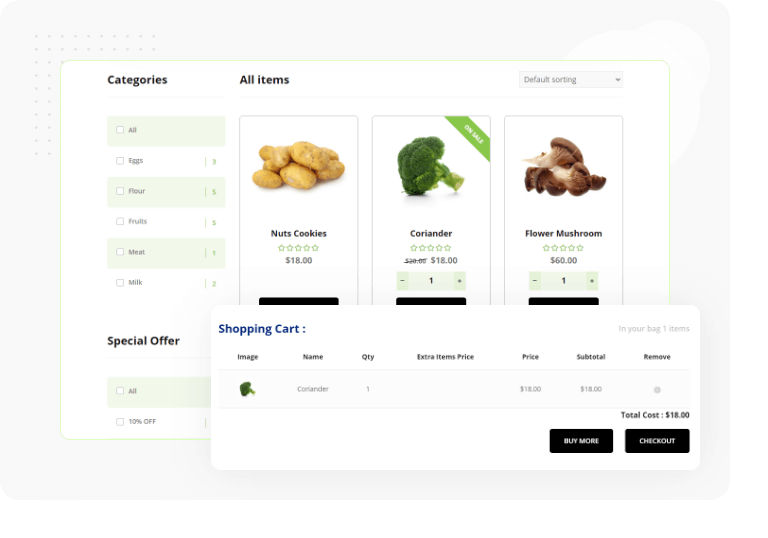
Popup Cart Style

GroceryBook gives you unique popup cart style options.

Quick Cart System

GroceryBook's product cart system is so fast. You won’t have to click your mouse too many times to access the checkout page.

Easy Order Management

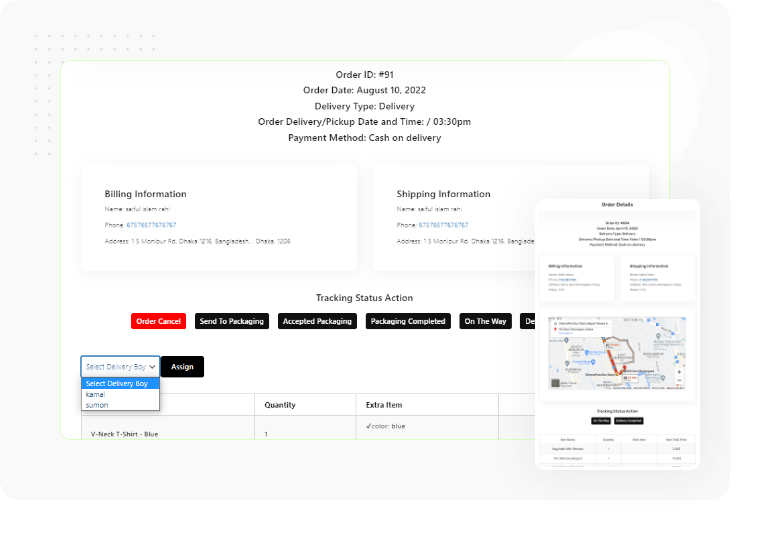
GroceryBook allows you to manage your orders by creating separate dashboards for shop owners, branch managers, kitchen managers, delivery boys, etc.

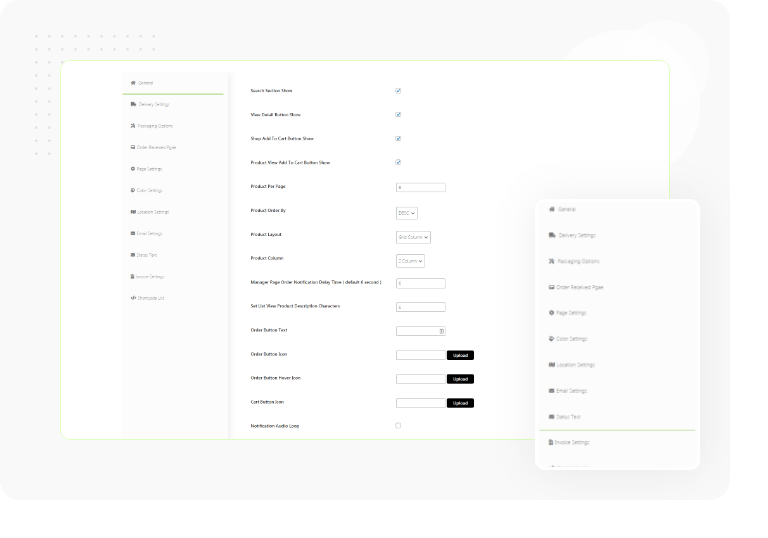
Nice & Customizable Settings

With GroceryBook , you’ll have many customizing options at your fingertips.

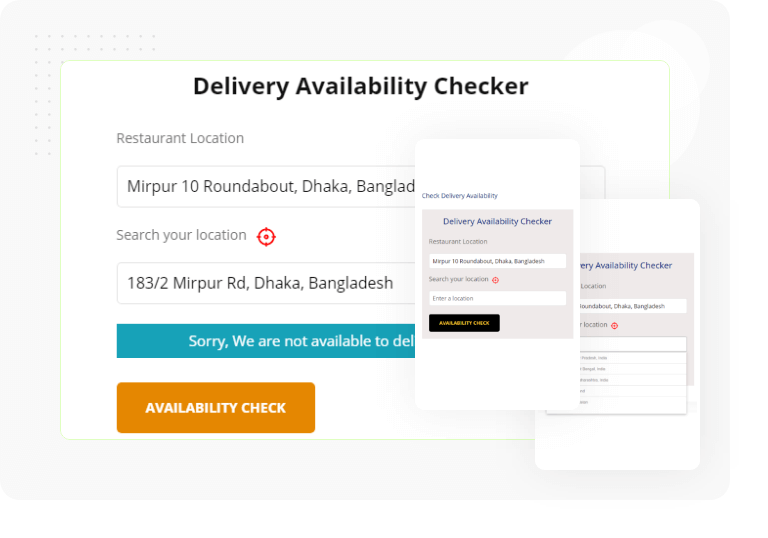
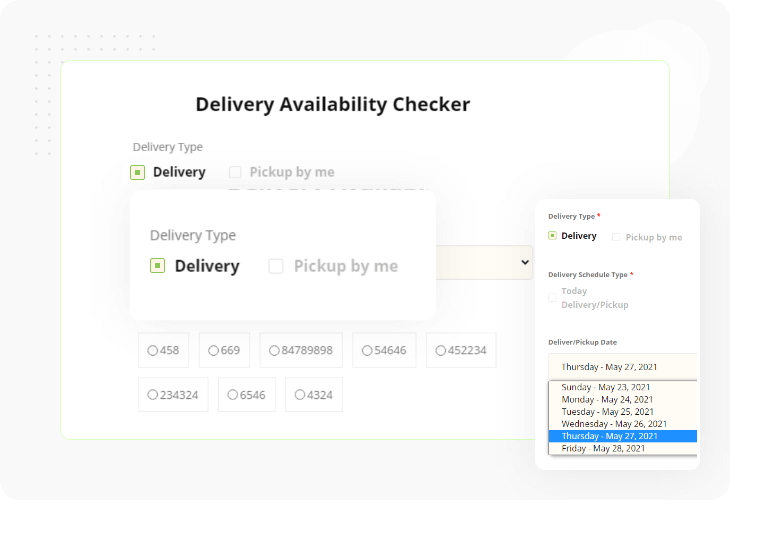
Delivery Availability Checker

GroceryBook helps you locate the delivery location availability using an address, Zip Code, branch, location, etc.

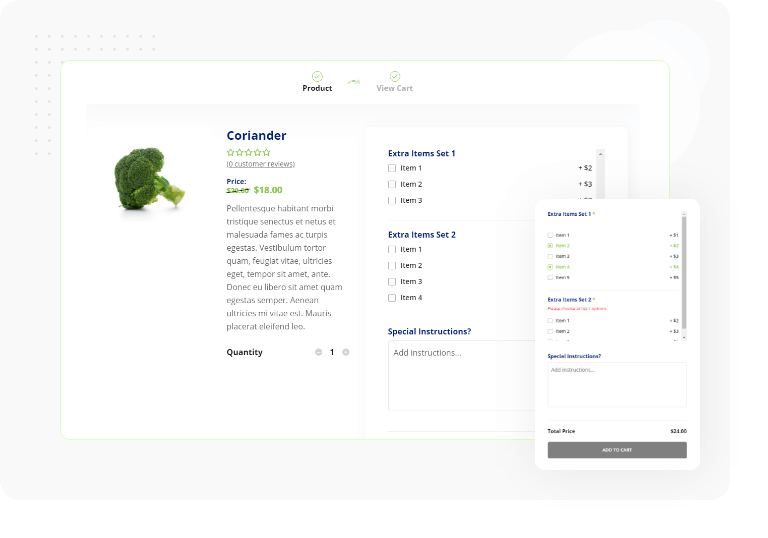
Product Extra Option

Create unlimited combo products with different product extra options and enable your customers to build their order and see the extended price instantly. Available with different styling options and extended price calculator.

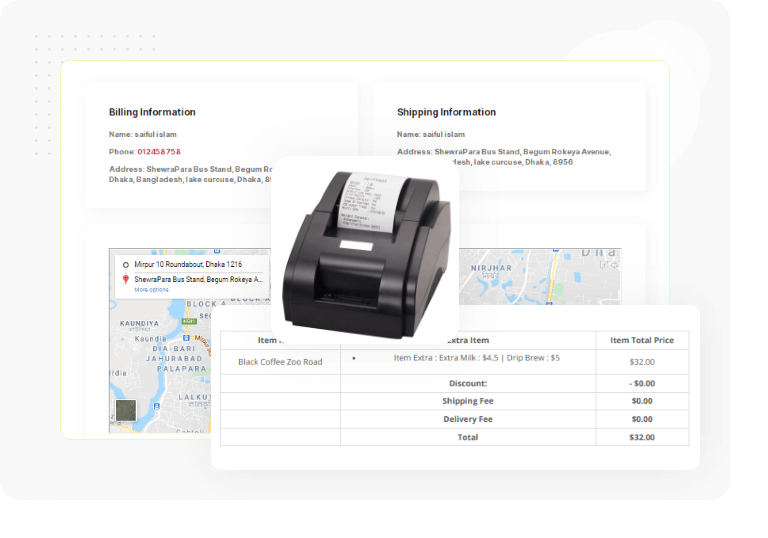
Invoice Print Options

GroceryBook makes it easy to manage your online ordering business with order invoices that are easy to print.

Simple Delivery Management

Start taking online orders for product delivery collection/pickup with GroceryBook.

3 Types of Admin Panel

GroceryBook consist of 3 types of admin panel. Each panel is very useful and effective to the respective admin manager.

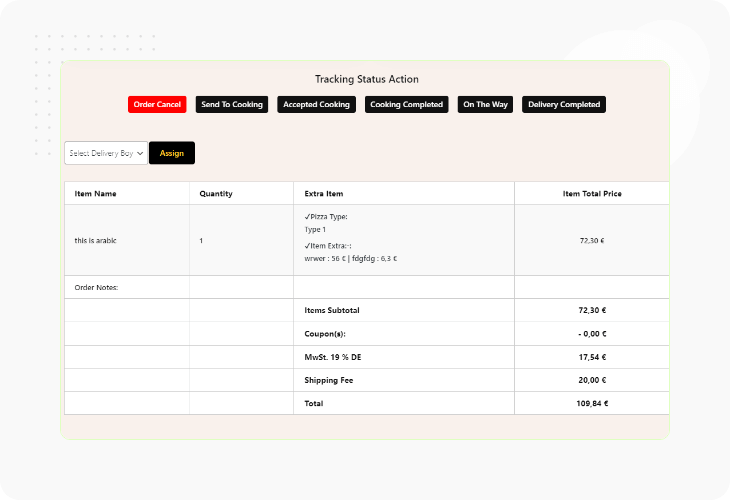
Order Status Change Option

Email notification work on order status. When the admin changes order status, an email automatic send to customers to inform their order’s current status.

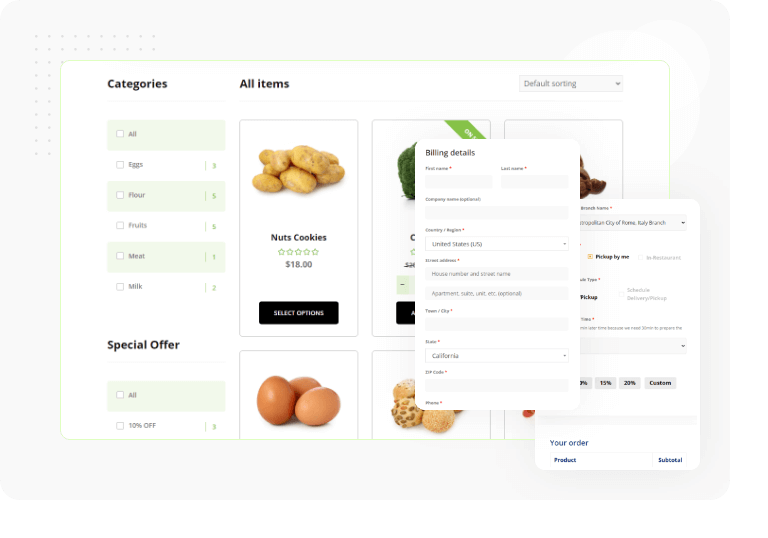
Delivery Type and Date Time

GroceryBook supports fast and convenient delivery and pickup. The plugin allows customers to schedule pre-orders within a set timeframe.

All kind of Themes & Page Builders Supported

GroceryBook supports any kind of page builder that has support to use a shortcode including Gutenberg, Elementor, WPBakery, Visual Composer, Beaver Builder, Divi Builder, etc.

Support All Payment Gateways

GroceryBook provides efficient WooCommerce payment solution. It supports all type of WooCommerce payment gateways such as: Stripe, PayPal, Google Pay, Square, Amazon Pay, Alipay, Authorize.net, Apple Pay, etc.

Why Choose GroceryBook?

Easy WooCommerce Ordering

With GroceryBook , your WooCommerce delivery system is going to be more efficient. Take online ordering to the next level with the WooCommerce using GroceryBook .

Fully Customizable

Highly customizable. The Elementor Page Builder lets you customize GroceryBook as much as you like. You can customize all things as you want.

Theme & Demo Data Included

Theme and Demo Data are included with the GroceryBook plugin. Just need to import the data and have fun! All things are there to manage your online product ordering system easily.

Quick Order Placement

You can place an order quickly now. GroceryBook offers one-click ordering for seamless online product ordering. Place your order and receive it instantly.

Manage Orders Easily

Because of the easy order management system with the GroceryBook plugin, serving customers online is so easy. Owners and customers will both appreciate it.

Order Delivery Methods

Take advantage of GroceryBook's Pickup and Delivery service. Both Pickup and Delivery and Only Delivery/Only Pickup options are available.

Pre-Order System

Use a pre-order system to see how interested customers are in your products. Make the best use of GroceryBook's pre-order system.

Order Scheduling System

Set up your orders! Scheduling online orders allow you to plan your routes more efficiently. Your customers can select their preferred timeslot

Order Tracking System

Keep track of orders easily! Using GroceryBook's order tracking system; customers can get a real-time update about the delivery boy and the vehicles.

Date-Wise Order Delivery Time Slot Set Option

GroceryBook allows you to set date-wise order delivery time lost options. If you get a pre-order, select the date and set the time to deliver the products to your customers.

Order Limit On Time Slot

You can limit the order to any particular time slot with GroceryBook. When you're running out of services or products, set the order limit up to the time you'll available.

Break Time Adding Option In Delivery Time Slot

In your delivery time slot, you can add break time easily. It means your service will not be available to your customers during that particular break time.

New Order Notification

In the GroceryBook admin panel, '1 New Order Placed' tags will appear for each new order. Enable the sound and get instant notifications whenever a new order is placed.

Notification Sound

GroceryBook provides notification sounds. Set it up to get audial notifications. Feel relaxed because you’ll not miss or delay any order anymore.

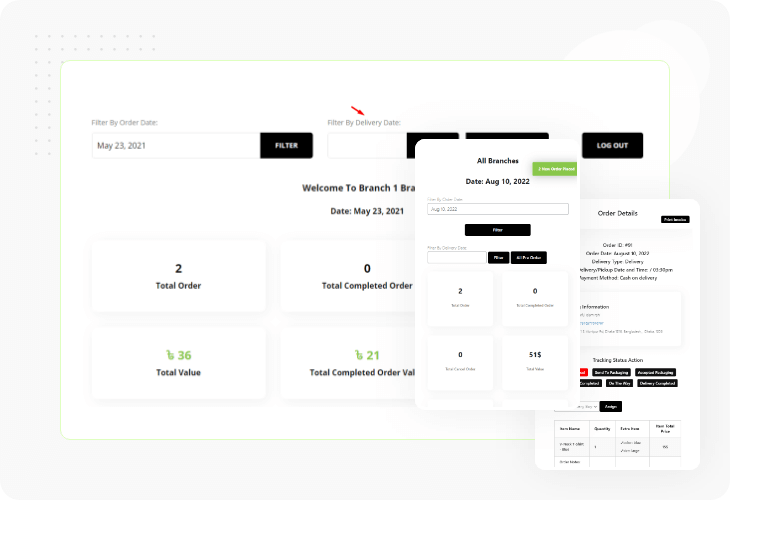
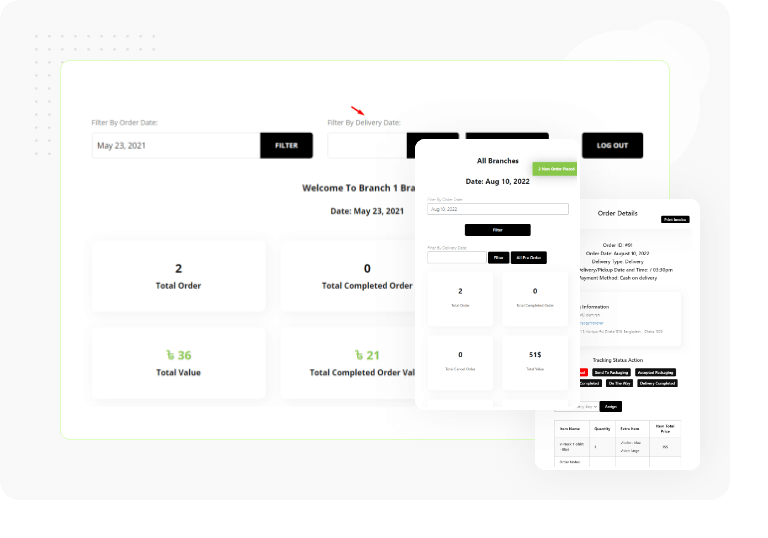
Orders Statistic

The GroceryBook database provides order statistics on the front end and back end. Easy management of orders, pre-orders, assigning couriers, and printing invoices.

Invoice Print Option

An invoice is a statement of the sum of purchased goods or services. GroceryBook allows you to print invoices easily so that you can keep your sales transaction and get your business going effectively.

Thermal/Receipt Printer Invoice Layout

GroceryBook makes it easy to manage your online product sale and ordering business with order invoices that are easy to print. Both the terminal/receipt print invoice layout is available. Print invoices with just one click.

Invoice Header/Footer Text and Logo Upload Option

GroceryBook allows you to upload header and footer text as you wish to have. Also, you can upload a logo of your website or company into the invoice which will make your invoice more attractive and informative.

Easy Order Filtering

The Dynamic tracking process can be confusing. Use GroceryBook''s Order Filter system on Dashboard to make things easier for yourself.

Add Nutrition Option

With GroceryBook's product Nutrition/Elements Add option, you can easily add nutritional/elements information to your items. By including nutritional information with your product, you can increase online sales.

Add Extras to Your Item

GroceryBook offers the option of adding extra items to your primarily ordered items. You need to pay further if you order extras with your items.

Real-Time Data Update

The plugin GroceryBook adjusts the time and location based on your system. You can monitor the orders, and your customers can track them in real-time. Happy ordering and delivering!

Check Delivery Location Availability

Using zip code and address, the GroceryBook plugin verifies product delivery location instantly. Thus, location availability checkers simplify things before you place an order.

Distance Restrictions

You can set a maximum delivery distance based on km/miles using Google API’s.

Customer Address Directions Map

The GroceryBook plugin will create a map showing directions to the customer's location upon placing an order. This makes delivering orders very easy.

Auto-detect Customer Address

By identifying the customer's address or zip code, GroceryBook will automatically detect the customer's location. Therefore, delivering the products to customers is too easy.

Zip Code Based Delivery

GroceryBook allows a zip-code-based delivery system. So, customers can get their product delivered according to their zip code.

Address Based Delivery

Use your address at the time of delivery. GroceryBook finds and delivers the products to you as early as possible.

Pickup / Takeaway

Pickup and Takeaway, both the serving methods, are available on GroceryBook. It’s up to you which one you prefer.

Custom Delivery Fee

A custom delivery fee adding option is also available in GroceryBook. No matter how far you need to deliver the goods, a customized delivery fee adding option is here.

Shop Manager Admin Panel

An individual admin panel has been added to GroceryBook for the shop manager. Admin panel can be accessible with proper credentials.

Kitchen Manager Admin Panel

An individual admin panel is available for a kitchen manager so that he/she can track all the records and run the restaurant properly.

Delivery Man Admin Panel

An admin panel is attached not only just for the shop manager, and kitchen manager but also for a delivery man.

Order status Change Option

GroceryBook allows you to set an order status-changing option. Email notification work on order status. When the admin changes order status, an email automatic send to customers to inform their order’s current status.

Ajax Category Filter

You can easily filter products (product visivility) and categories with GroceryBook. Because Ajax category fiter option is included with GroceryBook to help you out.

Ajax Quick Search

Search anything on GroceryBook with just typing the characters. Get the search result you're looking for without loading the whole display page. It's easier and faster for users to search anything.

Product Sorting On Order by Filter

GroceryBook comes with an orderly manner product sorting feature using a filter. It allows you to filter and sorted out items based on their popularity, average rating, latest updates, and low to high/high to low prices.

Custom Sign in/ Sign up Page

A custom sign-in/sign-up page is included with GroceryBook. Enter the credentials into the sign-in/up page to get the page access that you're searching for.

Support All WooCommerce Payment Gateway

GroceryBook provides efficient WooCommerce payment solution. It supports all type of WooCommerce payment gateways such as: Stripe, PayPal, Google Pay, Square, Amazon Pay, Alipay, Authorize.net, Apple Pay

Provides Shortcodes

With the [grocerybook_products] shortcode, you can easily display product items on your website. With GroceryBook, you can now generate shortcodes for customizing your page settings as you wish.

Page Builder Supported

This plugin is Elementor Page Builder and any other page builder compatible. In Elementor, ready widgets appear at the bottom of the widget list when editing a page. Choose the one you like best.

All Kinds of Theme Support

All kinds of free and premium themes are compatible with the GroceryBook plugin. As a result, you can design your site however you want since the plugin supports all types of themes.

Upcoming Features

Order Bumps

Suggest additional menu items, sides, or sauces as a customer adds items to their cart to increase your average order value.

New Order Email Notification for Branch Manager
Sales Report

We will add Sales Report generating options with day-to-day filtering options to get a certain period of sales report.

Let’s Bing With GroceryBook!

The GroceryBook WordPress plugin is a comprehensive online product order management and delivery system. Bring your online  business (grocery, book,  electronics, restaurant, coffee shop, pizza store, etc.) to the next level.

GroceryBook is an online ordering and delivery system for WordPress. You can manage your eCommerce business online ordering stuff with GroceryBook.

Newsletter
Stay up to date with all the recent news, updates & great discounts by simply adding your email address to our list. We promise we will never spam you.