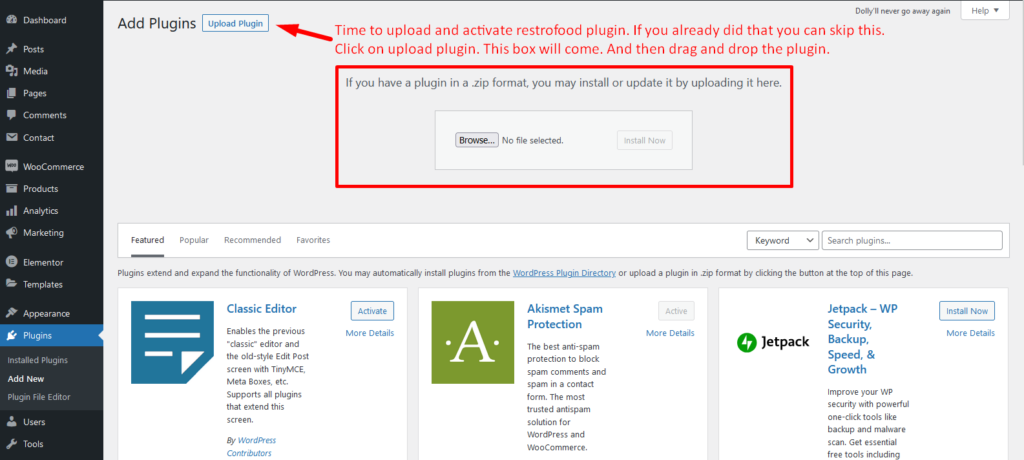


Download The copy of the plugin as a zip file, you can manually upload it and install it through the Plugins admin screen.
- Navigate to Plugins > Add New.
- Click the Upload Plugin button at the top of the screen.
- Select the zip file from your local filesystem.
- Click the Install Now button.
- When the installation is complete, you’ll see “Plugin installed successfully.” Click the Activate Plugin button at the bottom of the page.